If you're trying to use Stripe with ChatGPT, the real question usually isn't "can these two technically work together?" It's how to make ChatGPT useful inside a Stripe workflow without getting vague, generic output back.
That's the useful framing.
ChatGPT is strongest when you give it the right context, a clear job, and a structured output format. Stripe brings the operational context. When the two are used well together, you get faster triage, better summaries, cleaner drafts, and more consistent decisions.
Stripe + ChatGPT: There Are Now Four Real Paths
As of late 2026, connecting Stripe to ChatGPT isn't a hack or a workaround anymore. Stripe has invested heavily in AI integration, and you now have four genuine paths — each for a different use case:
| Path | What It Does | Best For |
|---|---|---|
| Stripe MCP Server (mcp.stripe.com) | Direct API access: query customers, subscriptions, invoices, refunds from ChatGPT | Ops teams, developers, customer support |
| Agentic Commerce Protocol (ACP) | Lets ChatGPT users buy from your store directly in chat | E-commerce merchants using Shopify/Etsy |
| Workflow automation (Zapier, Konnectify, Pipedream) | Trigger ChatGPT actions on Stripe events — billing emails, failed-payment alerts, account summaries | Ops & finance teams who want hands-off automations |
| No-code connectors (Windsor.ai, Supermetrics, Composio) | Pre-built MCP servers with analytics layers | Non-technical teams, analytics use cases |
Before you pick, here's the short answer on what ChatGPT + Stripe can and can't do: it can read and write your Stripe data from a chat (balances, customers, invoices, payment links), it can run automations when Stripe events fire, and it can accept payments in chat through ACP. It can't make financial judgments for you — refunds, payouts, and approval calls still need a human in the loop (see the pitfalls below). Let's walk through each path.
Path 1: Stripe's Official MCP Server (The Direct Way)
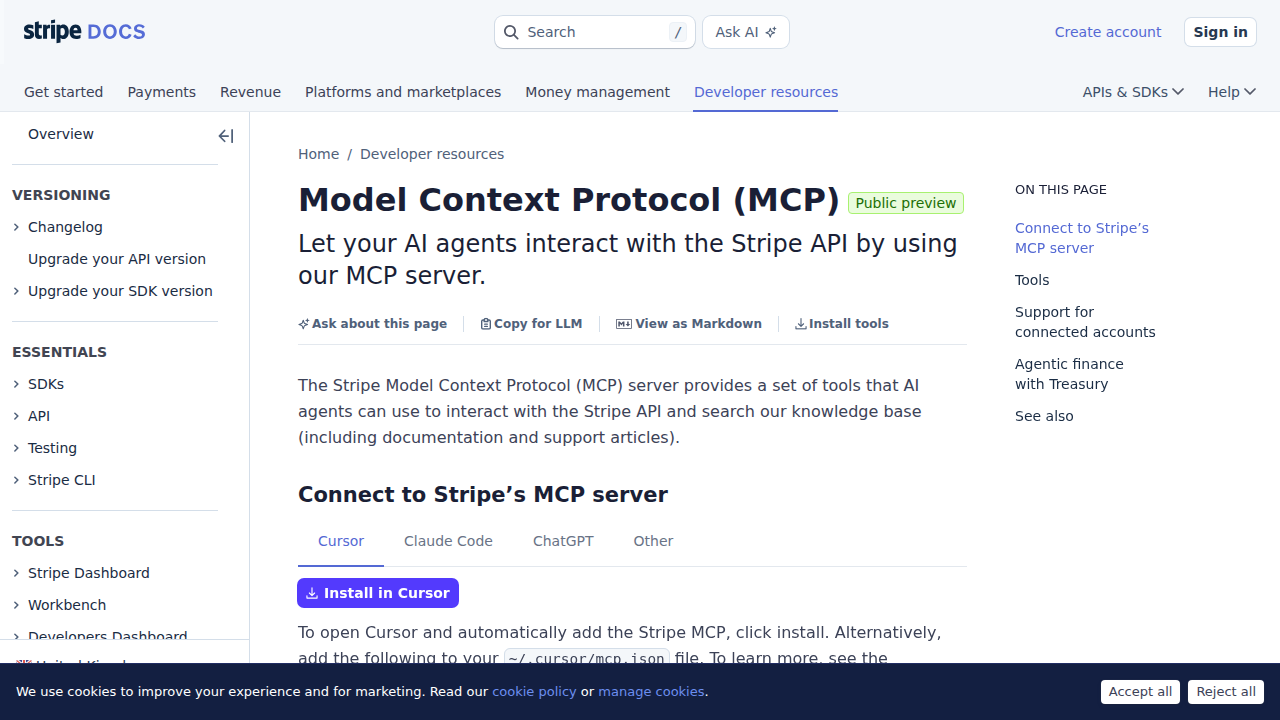
In late 2025, Stripe launched their own Model Context Protocol server at https://mcp.stripe.com. This is the real deal — an official, Stripe-maintained MCP server that gives AI agents direct access to your Stripe data.
What the Stripe MCP Server Exposes
The server provides two broad categories of tools:
- Stripe API tools (~133 actions) — Customers, Subscriptions, Invoices, Charges, Payment Intents, Products, Prices, Refunds, Disputes, Payouts, Balance, Payment Methods, Coupons, Tax Rates, and more
- Knowledge base search — Search Stripe's documentation and support articles directly from ChatGPT, so you never need to leave the conversation to look up API details
That second one is underrated. When ChatGPT is generating code against the Stripe API, having it search Stripe's own docs means it references actual API shapes instead of hallucinating.
Setting Up Stripe MCP in ChatGPT
Stripe's MCP server uses OAuth for authentication — no secret key copying needed:
- Open ChatGPT settings → Developer Mode → MCP Connectors
- Add a new connector with:
- Server URL:
https://mcp.stripe.com - Authentication: OAuth
- Server URL:
- Authorize — Stripe's OAuth consent screen lets you pick which Stripe account and what permissions to grant
- Start querying — Once connected, ChatGPT can pull live Stripe data
Requirements: MCP connectors in ChatGPT require a Pro, Plus, Business, Enterprise, or Education account. Free-tier users can't use MCP.
For clients that don't support OAuth, Stripe also supports a Bearer token fallback using a Restricted API Key:
{
  "stripe": {
    "url": "https://mcp.stripe.com",
    "headers": {
      "Authorization": "Bearer <YOUR_RESTRICTED_KEY>"
    }
  }
}
Managing Access
Admins can enable or disable MCP access per environment (test mode vs live mode) from the Stripe Dashboard under Settings → MCP. You can also revoke individual OAuth sessions from your user settings — useful if a team member leaves or a client session needs resetting.
For a deeper dive into MCP setup across different tools (Cursor, VS Code, Claude Code), see: Stripe MCP Connection Guide
Path 2: Agentic Commerce Protocol — ChatGPT as a Storefront
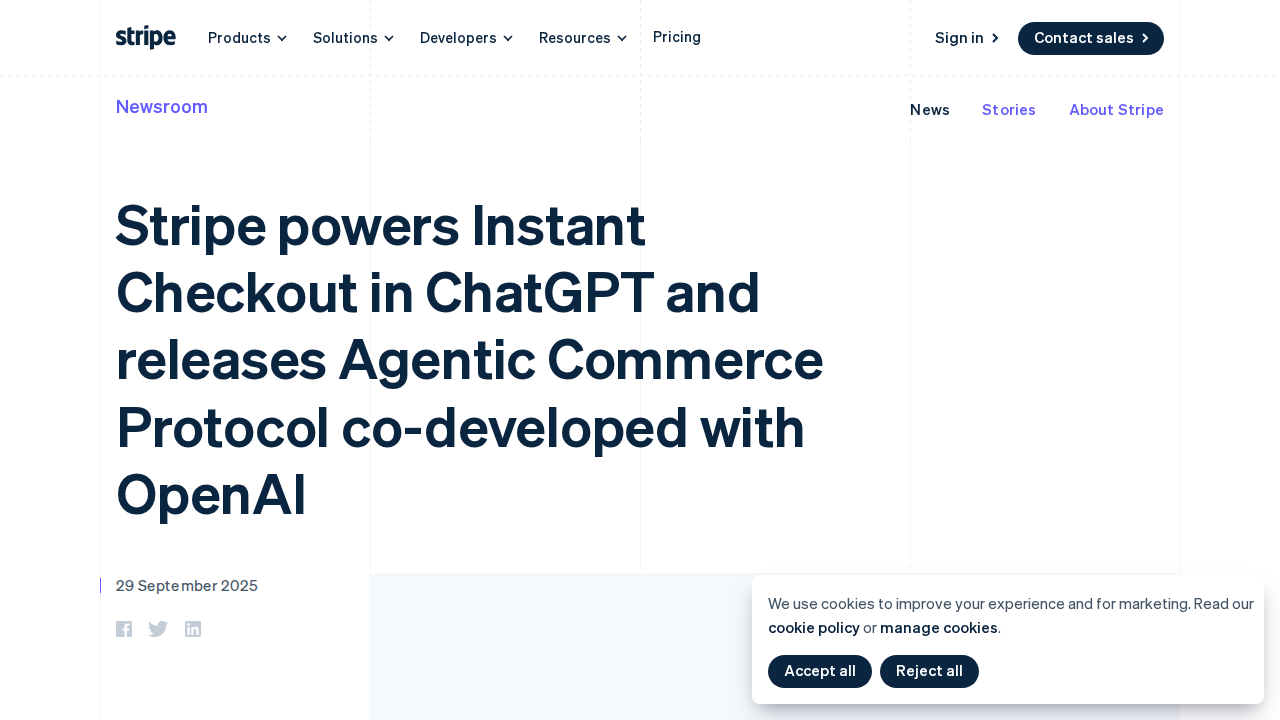
In September 2025, Stripe and OpenAI co-developed the Agentic Commerce Protocol (ACP) — an open standard that lets ChatGPT users buy products from merchants directly in the chat interface.
How It Works
ACP flips the traditional e-commerce model. Instead of the customer browsing your website and clicking "Buy," an AI agent acts on behalf of the buyer:
- Discovery — A ChatGPT user asks for product recommendations
- Checkout in chat — When they're ready to buy, a Stripe-powered checkout appears inline
- Shared Payment Token (SPT) — Stripe issues a token scoped to that specific merchant and cart total. ChatGPT passes it to your backend via API. No raw payment credentials are ever exposed to the AI.
- You process the order — Your store accepts/declines the order, charges the payment, handles tax, fulfillment, and returns — exactly as you normally would
What ACP Means for Merchants
This matters because AI interfaces are becoming a new kind of storefront. As of early 2026:
- US-based Etsy merchants can already sell through ChatGPT
- Over a million Shopify merchants are being onboarded (brands like Glossier, Vuori, Spanx, SKIMS)
- The protocol is open — any merchant can implement it with a single integration
For Stripe users specifically, the value is that you don't need to build a separate "AI commerce" stack. Your existing Stripe integration handles payments, risk scoring, and fraud protection — even for orders that originate inside ChatGPT.
Reality check: ACP is for selling things through ChatGPT, not for managing your Stripe account with ChatGPT. If you want to query subscriptions or analyze revenue data, use Path 1 (MCP server). If you run a Shopify or Etsy store and want to sell to people inside ChatGPT, implement ACP.
Path 3: Workflow Automation — ChatGPT Acts on Stripe Events
Rather than pulling data on demand, you can wire ChatGPT to respond automatically to Stripe events. This is the angle most "connect Stripe to ChatGPT" guides lead with, and it's the right fit when you want billing workflows to run hands-off.
Zapier (stripe → ChatGPT)
Zapier connects Stripe as a trigger app with ChatGPT as an action. A typical setup:
- Trigger: A Stripe event fires — new charge, new invoice, failed payment, subscription updated
- Action: ChatGPT drafts the response — a personalized billing email, a failed-payment follow-up, an account summary
- Send: Zapier routes the ChatGPT output to Gmail, Slack, or wherever your team works
Common automations people build:
- Failed-payment notification — trigger on
payment_failed, have ChatGPT explain the decline code in plain English and draft the dunning email - New customer onboarding — trigger on
customer.created, generate a welcome + invoice summary - Past-due invoice follow-up — trigger on
invoice.payment_failed, draft a gentle retry reminder
Pros: No API keys or MCP config; 180-day-activity triggers just work; non-technical teams can assemble it visually. Cons: It's one-directional and template-driven — you get ChatGPT draft output, not a live read/write connection to your Stripe data. If you need to query Stripe from chat ("show me all past_due subscriptions"), use the MCP server in Path 1 instead.
Niche automation platforms
- Konnectify. Purpose-built for Stripe→ChatGPT billing flows: generate personalized billing emails, analyze failed payments, summarize customer accounts, and draft promo offers the moment a Stripe event occurs.
- Pipedream / Latenode. Code-friendly workflow builders that mix the Stripe API and the OpenAI API in a single pipeline — good when you want more control than Zapier's templates.
Path 4: No-Code Connectors (Third-Party)
If you want Stripe analytics inside ChatGPT without touching MCP config, there are several managed connectors:
| Connector | Approach | Best For |
|---|---|---|
| Windsor.ai | MCP-based, no-code, auto-normalizes Stripe data | Teams that want plug-and-play analytics |
| Supermetrics | GPT connector, mixes Stripe with 150+ other data sources | Cross-platform revenue reporting |
| Composio | MCP toolkit wrapper, adds auth + security layer | Teams building on Composio's platform |
| Truto | Managed MCP server with Stripe-specific workflows | Billing automation, subscription management |
These all work, but they add a dependency. If the connector goes down, your ChatGPT-to-Stripe flow goes down. The official Stripe MCP server (Path 1) is maintained by Stripe and uses their own infrastructure.
Real Stripe + ChatGPT Use Cases
1. "Why Did This Customer's Payment Fail?"
Without ChatGPT: Log into Stripe Dashboard → search customer → find latest payment → inspect failure reason → check if it's a card issue, insufficient funds, or bank decline → draft email to customer.
With Stripe MCP in ChatGPT:
You: "Customer jane@acme.co's last payment failed. Why? And draft a friendly email explaining what happened."
ChatGPT pulls the latest payment intent, reads the decline code, explains it in plain English (e.g., "do_not_honor usually means the customer's bank flagged it"), and drafts a non-alarming email.
2. "Which Subscriptions Are About to Cancel?"
You: "Show me subscriptions with status 'past_due' and tell me which ones are in their second or later dunning cycle — those are at real churn risk."
The MCP server pulls the list, and ChatGPT highlights which ones have had multiple failed payment attempts vs freshly past-due ones that might just need a retry.
3. "What's Our Net Revenue This Month vs Last?"
You: "Pull this month's successful charges and last month's, calculate net revenue (after refunds and disputes), and give me a comparison."
ChatGPT queries charges, refunds, and disputes through the MCP server, calculates the numbers, and presents a clean comparison — no dashboard clicking required.
4. "Summarize This Customer's Billing History"
You: "Summarize the billing history for customer cus_XXXXX: subscription changes, payment issues, refunds, and total lifetime value."
Useful for support calls or account reviews. Instead of clicking through 5 tabs in the Stripe Dashboard, you get a narrative summary in 10 seconds.
5. Stripe Docs Search (Built-In)
Because the MCP server includes Stripe's knowledge base, you can ask ChatGPT questions like:
"The Stripe API just returned error code 'parameter_missing' for a PaymentIntent — what am I probably missing in my request?"
ChatGPT searches Stripe's actual docs, finds the specific error page, and tells you which parameter to add.
Common Pitfalls When Connecting Stripe to ChatGPT
1. "I'll Just Use My Live Secret Key" — Don't
When using the MCP server with a Bearer token fallback, always use a Restricted API Key — not your account's full secret key. A restricted key limits which resources and permissions the AI can access. Create one under Stripe Dashboard → Developers → API Keys → Restricted Keys. Grant only read access to the resources you actually need (Customers, Subscriptions, Charges, Invoices).
2. Test Mode vs Live Mode Confusion
Stripe has completely separate test and live environments with different API keys and different MCP access settings. It's easy to authorize the MCP server against test mode, get exciting results, and then realize those were fake test customers. Always verify which environment you're connected to before acting on the data.
3. MRR Is Not a Stripe Endpoint
Stripe's API doesn't have a "/v1/mrr" endpoint. Monthly Recurring Revenue has to be calculated from active subscriptions — accounting for intervals (monthly, annual, weekly), quantities, trial periods, and paused subscriptions. ChatGPT will try to calculate it if you ask, but the math can be wrong — especially with annual plans that need to be divided by 12. Verify the numbers.
4. Cursor-Based Pagination Limitations
Stripe's API uses cursor-based pagination (starting_after), not offset-based. The MCP server handles this for single queries, but if you ask ChatGPT to "list all customers" and you have 10,000+ customers, it may only get the first page. Be specific: "List customers created in the last 7 days" rather than "list all customers."
5. The "AI Has Financial Judgment" Assumption
ChatGPT can pull Stripe data. It cannot make financial decisions. Don't ask it to "decide whether to refund this customer" or "approve this payout" — it has no real business judgment. It can surface the relevant data (purchase history, dispute history, customer LTV), but a human should make the final call on any financial action.
6. OAuth Token Expiry in Long-Running Sessions
Stripe's MCP OAuth tokens expire periodically. If you're in the middle of a long analysis session and queries suddenly start failing with 401 errors, re-authorize the MCP connection. This happens silently until it doesn't.
Stripe MCP vs ChatGPT Manual: When to Use What
| Scenario | Manual Copy-Paste | Stripe MCP in ChatGPT |
|---|---|---|
| One-off "what does this invoice say?" | ✅ Fine | Overkill |
| Analyzing 50 subscriptions for churn risk | ❌ Painful | ✅ Perfect |
| Debugging a single API error | ✅ Fine | ✅ Better (docs search) |
| Monthly revenue reporting | ❌ Tedious | ✅ Automated |
| Drafting a refund email for 1 customer | ✅ Fine | ✅ Slightly faster |
| Answering "how much did we bill this quarter?" | ❌ Not realistic | ✅ Real-time query |
Which Path Should You Choose?
| Your Situation | Recommendation |
|---|---|
| You want to query and analyze your Stripe data in ChatGPT | Stripe MCP Server — official, free, takes 2 minutes to set up |
| You run a Shopify/Etsy store and want to sell through ChatGPT | Implement ACP — it's the emerging standard for AI storefronts |
| You want billing emails & alerts to run automatically on Stripe events | Zapier or Konnectify — trigger-based workflow automation |
| You want analytics across Stripe + ads + CRM in ChatGPT | Supermetrics or Windsor.ai — multi-source connectors |
| You want the team using it in Slack daily | Cody — Stripe assistant in Slack, no MCP wiring needed |
What "Stripe with ChatGPT" Usually Means
In practice, teams tend to use ChatGPT with Stripe in one of four ways:
- Summarising activity, records, conversations, or changes from Stripe
- Classifying items such as tickets, leads, tasks, issues, or opportunities
- Drafting replies, updates, reports, documentation, or next steps
- Reasoning over context to suggest priorities, actions, or likely issues
The key is to avoid treating ChatGPT like magic. It needs the relevant Stripe context in the prompt - and it works best when you tell it exactly what good output looks like.
Good Use Cases for Stripe + ChatGPT
1. Turn raw Stripe context into a useful summary
Paste or pipe in the relevant records, notes, messages, or metrics from Stripe, then ask ChatGPT to extract only what matters: key changes, risks, blockers, patterns, or action items.
2. Standardise messy workflows
If your team handles similar decisions repeatedly inside Stripe, ChatGPT can apply the same rubric every time: classify, explain briefly, and return a structured next step.
3. Draft faster without starting from zero
Use ChatGPT to produce first drafts grounded in the Stripe context - support replies, internal updates, status summaries, sales follow-ups, or operating notes.
4. Create reusable prompt-driven operating procedures
Once you find a prompt that works well for Stripe, save it as a repeatable workflow so the whole team gets more consistent output.
A Simple Setup Pattern
A practical way to use ChatGPT with Stripe looks like this:
- Pull the right context from Stripe
- Give ChatGPT one clear task
- Ask for a structured response
- Have a human review anything customer-facing or high-risk
That last point matters. ChatGPT is useful for acceleration, but for anything sensitive - customer communication, financial interpretation, account changes, or production actions - keep a human in the loop.
Copy-Paste Prompts for Stripe
Summary prompt
You are helping me work inside Stripe. Summarise the context below into 5 bullets: what changed, what matters, what is blocked, and what needs action next. If anything is unclear, say what is missing.
Classification prompt
Review this Stripe item and classify it into the best category. Return JSON with: category, confidence, rationale, and next_action. Keep rationale under 50 words.
Drafting prompt
Use the Stripe context below to draft a concise response. Keep it specific, avoid made-up details, and list any assumptions separately.
Executive brief prompt
Turn this Stripe activity into a short update for leadership: what happened, why it matters, current risks, and recommended next steps.
Where This Breaks Down
Most Stripe + ChatGPT workflows fail for predictable reasons:
- Too little real context is provided
- The prompt asks for too many things at once
- The output format is vague
- The team expects ChatGPT to know live Stripe data it has not actually been given
- No review step exists for important actions
The fix is usually simple: give better source context, narrow the task, and require a schema or fixed structure in the response.
If You Want This Embedded in the Workflow
You can absolutely use ChatGPT manually with exported Stripe context. That works well for one-off tasks and prototyping.
But if you want the workflow to feel operational - available to the team, connected to live systems, repeatable, and embedded where work already happens - you usually want something more integrated.
Want Stripe-Style Workflows Without Manual Prompt Copy-Paste?
Cody has Stripe integration built in. Ask about subscriptions, failed payments, refunds, invoices, and billing health from Slack without wiring up the API yourself.
Related ChatGPT Guides
Need a more automation-focused angle instead? See: Stripe AI Automation.
More Stripe + AI Resources
- Cody AI Assistant for Stripe — Cody's dedicated Stripe integration features
- Connect Stripe to OpenClaw — complete DIY integration guide