HubSpot is where pipeline movement, account context, contacts, emails, and deal history often already live. A HubSpot AI assistant is most useful when it helps sales and revenue teams query that CRM context from Slack, surface stalled deals or missing follow-ups, and turn recent activity into clearer next steps and updates. If you are running OpenClaw yourself, HubSpot is still one of the more approachable CRM integrations to build, but Cody is the faster path if you want the assistant experience instead of the API glue.
How OpenClaw Integrations Work
OpenClaw is a self-hosted AI assistant that runs on your own server — typically an EC2 instance — and connects to Slack. It uses Claude under the hood to process requests. Out of the box, OpenClaw doesn't ship with pre-built connections to third-party tools. Instead, integrations are built using the skills system: markdown files in ~/.openclaw/skills/ that give Claude instructions for a particular domain, combined with HTTP tool calls to any API you expose to it.
In practice, adding a real integration means: getting API credentials from the third-party service, building or configuring a small proxy/endpoint that OpenClaw can call, and writing a skill file that tells Claude how to use it. For some tools this is an afternoon of work. For others — like HubSpot — it's considerably more involved.
Connecting OpenClaw with HubSpot: Step by Step
Step 1: Create a HubSpot Private App
Go to HubSpot → Settings → Integrations → Private Apps and create a new app. Select the scopes you need — crm.objects.contacts.read, crm.objects.deals.read, crm.schemas.contacts.read for basic CRM data. You'll get a Private App token (similar to an API key) to use in your proxy.
Step 2: Explore the CRM API
HubSpot's v3 CRM API has consistent endpoints for objects: /crm/v3/objects/{objectType} for contacts, deals, companies, etc. Use the search endpoint (/crm/v3/objects/{objectType}/search) with filters to find records by email, name, or other properties. The API explorer in HubSpot's developer docs is useful for prototyping queries.
Step 3: Build the Proxy and Skill File
Build your proxy around the search and retrieve endpoints for the objects your team cares about. Write ~/.openclaw/skills/hubspot.md with your pipeline stage names and common query patterns (e.g., how a rep would ask about a deal's status).
Challenges and Caveats
Associations Between Objects Are Separate Calls
To get a deal's associated contacts, or a contact's associated company, you need additional API calls to the associations endpoints. A single 'tell me about this deal' query might require 3–4 API calls. Build your proxy to handle these efficiently.
Rate Limits Vary by Plan
HubSpot's API rate limits depend on your subscription. Free/Starter plans get 100 API calls per 10 seconds. Professional and Enterprise get more. If your team is using OpenClaw heavily, you may need to cache responses to avoid hitting limits.
Custom Properties Need Explicit Handling
If your team has created custom properties on CRM objects, they won't appear in default API responses. You need to specify them in your requests. Document your most important custom properties in the skill file.
HubSpot + OpenClaw: What's Actually Available in 2026
If you searched "how to connect HubSpot to OpenClaw," you're almost certainly running OpenClaw on your own infrastructure (or evaluating Cody, OpenClaw's managed hosting) and you want CRM context — pipeline movement, deal follow-ups, account history — answered in Slack instead of forcing reps into the HubSpot dashboard.
The short version: HubSpot's AI-connectivity story is one of the strongest in the CRM category. HubSpot shipped an official remote MCP server (GA April 2026) at https://mcp.hubspot.com, and because it's a standard MCP endpoint, a self-hosted OpenClaw instance can point at it directly — the same way Claude, Cursor, or Windsurf do. The longer version involves two distinct official servers that people routinely confuse, a few hard gaps (custom objects, sensitive-data accounts, headless auth), and a decision about whether MCP or a plain API proxy serves your workflow better.
Path A: HubSpot's Official Remote MCP Server (Easiest for OpenClaw)
HubSpot's remote MCP server went GA on April 13, 2026 and is hosted at:
https://mcp.hubspot.com
It's a Streamable HTTP endpoint — HubSpot hosts and maintains it, translates natural-language tool calls into HubSpot CRM API calls under the hood (built on the CRM Search API), and requires OAuth 2.1 with PKCE. There's no infrastructure for you to run: no Docker container, no SSH tunnel, no token rotation to manage.
Wiring it to OpenClaw (self-hosted ~/.openclaw/settings.json):
{
  mcp: {
    servers: {
      hubspot: {
        url: "https://mcp.hubspot.com",
        transport: "streamable-http",
        auth: "oauth"
      }
    }
  }
}
Run openclaw mcp login hubspot to complete the OAuth consent flow, then verify with openclaw mcp doctor hubspot --probe. Once connected, the agent can read and act on whatever the authenticated HubSpot user already has permission to see.
The two setup steps that matter:
- Create an MCP Auth App. HubSpot Developer account → Development → MCP Auth Apps → Create. HubSpot generates the OAuth credentials automatically. You don't hand-pick scopes — the tools the MCP server exposes at install time determine the scopes.
- Point your client at
https://mcp.hubspot.comwith those credentials and complete the browser OAuth flow. PKCE is handled automatically by most modern MCP clients, OpenClaw included.
Note for Cody users: the hubspot integration data in
integrations.tsreferencesdevelopers.hubspot.com/mcp— that's the Developer MCP (see Path B). For connecting an agent to CRM data, the endpoint you want is the remote server atmcp.hubspot.com.
Path B: The Second Official Server — HubSpot Developer MCP (Not What You Want for CRM)
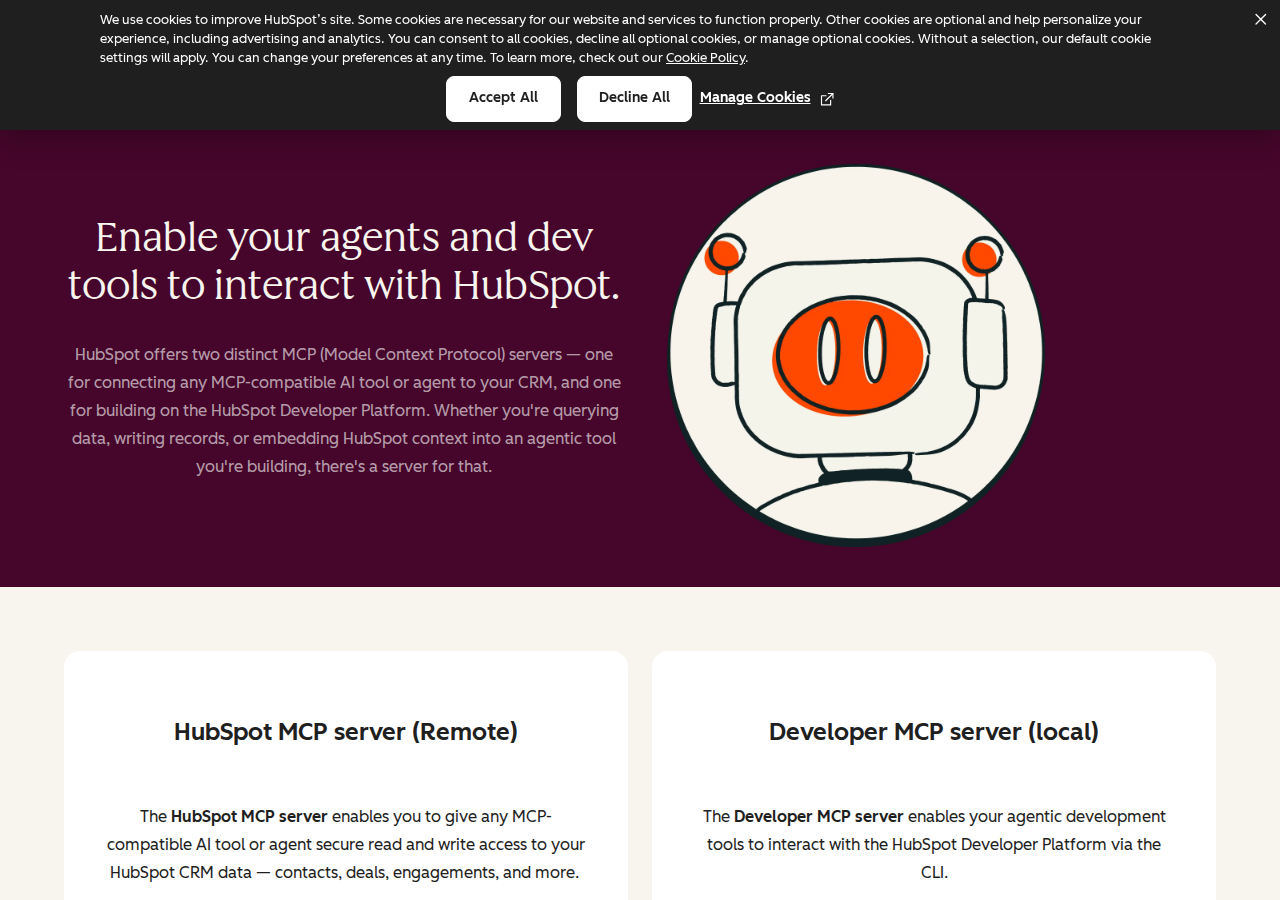
HubSpot ships two official MCP servers, and this is the single most common source of confusion in every "connect HubSpot to an AI" guide:
| Server | Endpoint / Install | Purpose | For OpenClaw→CRM? |
|---|---|---|---|
| Remote CRM MCP | https://mcp.hubspot.com (Streamable HTTP) |
Agent-to-CRM data: contacts, companies, deals, tickets, engagements | ✅ Yes — this is Path A |
| Developer MCP | hs mcp setup (local CLI, GA Feb 2026) |
Agentic development: build HubSpot apps/CMS assets with AI coding tools | ❌ No |
The Developer MCP (the developers.hubspot.com/mcp URL in the base data) is for developers using Claude Code or Cursor to build HubSpot apps — it exposes tools for creating app projects, not for reading CRM data. If you connect the wrong one to OpenClaw, you'll get build tooling and zero access to your contacts and deals. For an OpenClaw money/CRM assistant, you want the remote server at mcp.hubspot.com.
Path C: Private App Proxy + Skill File (Headless & Custom Objects)
The official remote MCP server is great, but it has three real limitations:
- No custom objects — if your enterprise core model lives on custom objects, the MCP server silently can't see them.
- Sensitive Data accounts block all activity objects — calls/emails/meetings/notes/tasks disappear entirely (healthcare, finance, regulated).
- OAuth 2.1 PKCE is browser-based — no headless/service-account path, so scheduled/background agents can't authenticate without a human.
When any of those matter, build a thin proxy around HubSpot's v3 CRM REST API and pair it with a skill file. Create a Private App (Settings → Integrations → Private Apps) with scopes like crm.objects.contacts.read, crm.objects.deals.read, crm.objects.companies.read, then expose endpoints to OpenClaw:
GET /hubspot/deals?pipeline=Sales&stage=proposal→ deals in a stageGET /hubspot/contact?email=jane@acme.com→ contact lookupPOST /hubspot/task→ create a follow-up task
Then write ~/.openclaw/skills/hubspot.md documenting your pipeline stage names, key custom properties, and common query patterns (see the pitfalls — the skill file is not optional for reliable agents).
Real Use Cases: What an OpenClaw + HubSpot Agent Actually Does
Concrete workflows (with prompts) — not generic "automate your CRM" platitudes.
1. Monday-morning pipeline review in Slack
Prompt: "Pull all open deals in the Sales pipeline. Group by stage, flag any past their expected close date, and flag any with no activity in 14+ days. Post the summary to #sales." OpenClaw filters by pipeline/stage via CRM search, checks recent engagement activity through the associations, and formats a Slack brief — reps see risk before their first coffee.
2. Deal room from a single email
A rep pastes a prospect's email in Slack: "Give me everything on acme.com." OpenClaw returns the contact record, the associated company (industry, size, revenue), every open deal, the last 5 engagements, and any active tasks — all in one thread, without anyone opening HubSpot.
3. Follow-up hygiene sweep
Prompt: "Find deals where the last activity is older than 7 days and there's no scheduled follow-up task. List them with deal value and last-touch date." OpenClaw cross-references deal stage, last activity, and tasks. On confirmation, it creates the follow-up tasks via the engagements API.
4. Marketing-to-sales handoff routing
When a lead hits MQL, the agent enriches and routes: high-intent (pricing page + demo request) becomes a deal assigned to the territory rep posted in #sales-inbound; medium-intent becomes an SDR follow-up task; low-intent is just logged. Uses lifecycle stage plus tracked page-view/email-engagement properties.
5. Cross-tool revenue intelligence for QBR
OpenClaw queries HubSpot (deals closed-won, pipeline, velocity) plus Stripe (revenue recognition) through separate MCP servers and combines them: "Show Q3 closed-won vs plan, churn, and pipeline coverage ratio." This is where OpenClaw's ability to consume multiple MCP servers at once pays off.
HubSpot-Specific Pitfalls (Know These Before You Build)
The traps specific to HubSpot + an AI agent — the things a generic "connect a CRM API" guide won't warn you about.
-
Custom objects are invisible to the MCP server — with no error. The tool simply can't find them. Enterprise accounts that model their core data on custom objects will see contacts and deals work while their real data model is silently absent. If you have custom objects, use Path C (the direct API supports them fully).
-
Sensitive Data blocks activity objects entirely. When a HubSpot account has Sensitive Data enabled (healthcare/finance/regulated), the MCP server returns nothing for calls, emails, meetings, notes, and tasks — no auth error, no warning. An agent that works on a standard account will quietly return no engagement history here.
-
OAuth PKCE means no headless agents. There's no API-key or service-account auth on the official MCP server. Nightly pipeline reviews or scheduled follow-up checks can't authenticate without a browser login. For scheduled/background workflows, use the direct API proxy (Path C) with a private app token.
-
Associations are separate API calls. A "tell me about this deal" query can be 3–4 calls (deal + contacts + company + recent engagements) because associations require hitting the associations endpoints. At HubSpot's 100 requests/10s private-app rate limit, 10–20 user queries can exhaust a window. Batch and cache.
-
Two MCP servers, one name, different jobs. The remote CRM MCP (mcp.hubspot.com) is agent-to-CRM data. The Developer MCP (
hs mcp setup) is local build tooling for HubSpot apps. Guides and search results routinely conflate them — connect the wrong one and you get zero CRM access. -
Custom properties don't show up by default. They must be requested explicitly by name in every request. Use the MCP
search_properties/get_propertiestools during setup to build a property map, and document your key custom properties in the skill file so prompts don't silently miss data.
Also read
- How to Connect HubSpot to OpenClaw — the deep-dive: full MCP tool table, decision matrix, and the Complete setup for the official server
- How to Connect Salesforce to OpenClaw — the closest CRM competitor, for comparing integration approaches
- Cody AI Assistant for HubSpot — Cody's out-of-the-box HubSpot assistant in Slack
Skip All of This — Use Cody Instead
Cody gives your team a HubSpot AI assistant in Slack, so reps and leaders can review deals, companies, contacts, emails, and pipeline risk, then draft follow-ups and updates without digging through records or building the integration themselves.
Related Guides
- Connecting OpenClaw with Salesforce: A Practical Guide
- Connecting OpenClaw with Pipedrive: A Practical Guide
- Connecting OpenClaw with Google Analytics: A Practical Guide
Need the model-flexible version? See: How to Connect HubSpot to OpenClaw: Setup, Models, and Workflow Guide.