If you're searching for "how to connect HubSpot to OpenClaw", the real question is usually not just whether the connection is possible. It's how to make HubSpot usable inside an OpenClaw workflow with the right model, the right context, and the right level of control.
That's the practical framing.
OpenClaw gives you the orchestration layer: connectors, skills, tools, prompts, approvals, and the ability to run workflows where your team already works. HubSpot provides the domain context. The integration becomes valuable when those two pieces are connected cleanly.
HubSpot + OpenClaw: What's Actually Happening Here
When someone searches for "how to connect HubSpot to OpenClaw," they're really asking one of two things. Either they're running OpenClaw on their own server and need a practical integration path, or they already use Cody (OpenClaw managed hosting) and want to understand what's under the hood.
HubSpot's CRM data model is broad — contacts, companies, deals, tickets, engagements, marketing content, and more — and the integration needs to surface the right subset of that data in Slack without drowning your team in noise. The good news: HubSpot shipped an official remote MCP server in April 2026 (GA), and it's the cleanest path by far. The bad news: it comes with real gaps around custom objects, sensitive data accounts, and auth modality that don't show up in the marketing page.
Let's walk through what actually works in mid-2026.
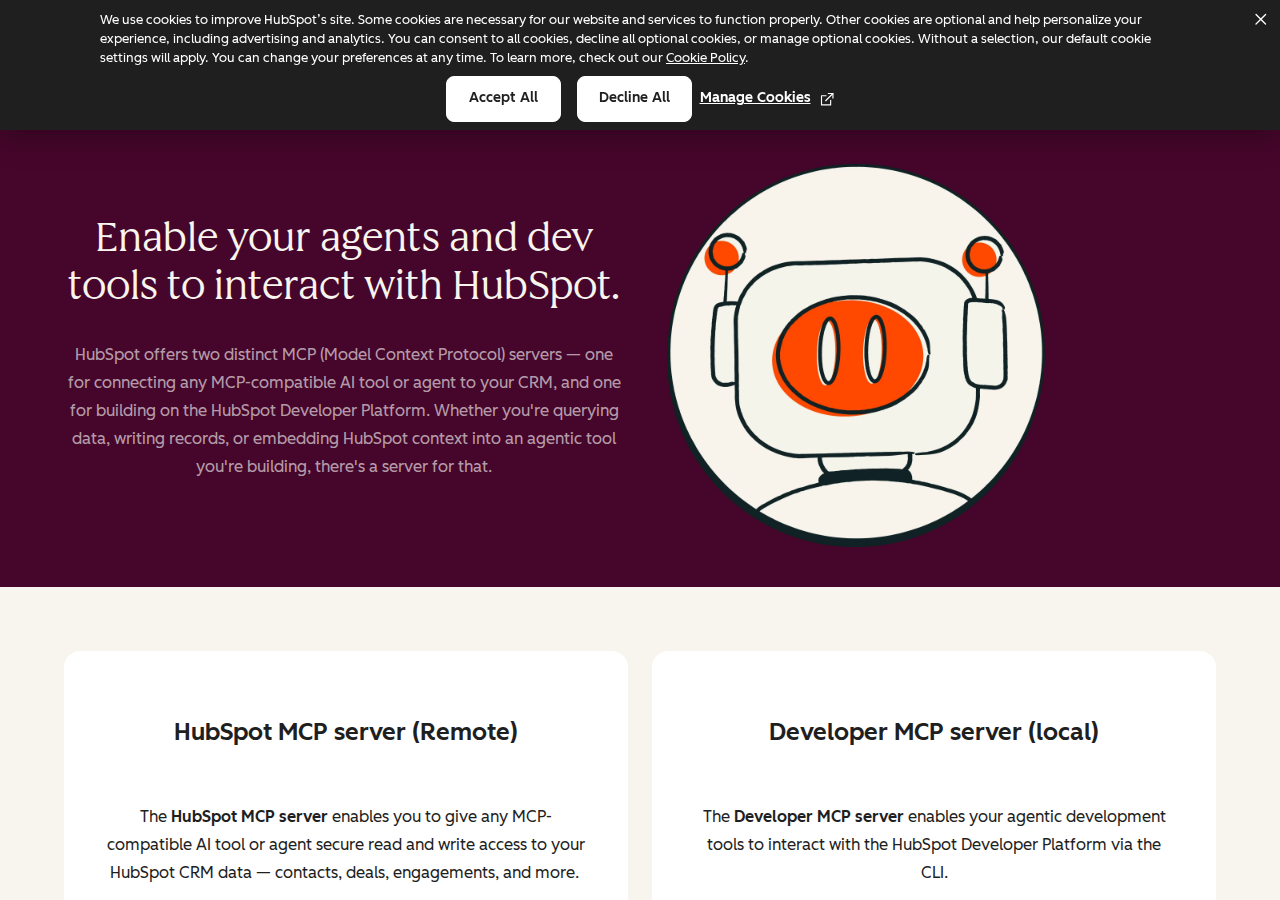
Path A: HubSpot's Official Remote MCP Server (Recommended)
HubSpot's official remote MCP server went GA on April 13, 2026. It's hosted at:
https://mcp.hubspot.com
This is a Streamable HTTP MCP endpoint. HubSpot hosts and maintains it. You don't run any infrastructure. No Docker containers, no SSH tunnels, no token rotation to manage. The server translates natural language tool calls into HubSpot CRM API calls under the hood — based on the CRM Search API.
How this connects to OpenClaw: OpenClaw can consume remote MCP servers as tools. In your OpenClaw Gateway config, you'd add the HubSpot MCP server:
{
  mcp: {
    servers: {
      hubspot: {
        url: "https://mcp.hubspot.com",
        transport: "streamable-http",
        auth: "oauth"
      }
    }
  }
}
Run openclaw mcp login hubspot to complete OAuth, then verify the connection with openclaw mcp doctor hubspot --probe. Once connected, an agent can use the data and actions allowed by the authenticated user's HubSpot permissions.
Setup Steps for the Official MCP Server
Step 1: Create an MCP Auth App. Go to your HubSpot developer account → Development → MCP Auth Apps → Create. HubSpot generates OAuth credentials automatically. You don't manually define scopes — available scopes are determined by the tools the MCP server currently exposes at installation time.
Step 2: Configure your MCP client. Point it at https://mcp.hubspot.com with your OAuth credentials. The server requires OAuth 2.1 with PKCE (Proof Key for Code Exchange). Most modern MCP clients handle PKCE automatically.
Step 3: Authenticate. The user goes through a browser-based OAuth consent flow. Once authorized, the MCP server respects the user's existing HubSpot permissions — users can only access records they already have permission to see in HubSpot.
⚠️ Important: This is the path used by Claude's native HubSpot connector, Cursor, Windsurf, and other MCP-compatible AI tools. It's maintained by HubSpot's engineering team and receives tool updates as HubSpot expands MCP capabilities.
Path B: HubSpot Private App Proxy + OpenClaw Skill File (Maximum Control)
The official MCP server covers standard CRM objects but has gaps: no custom objects, no sensitive data account support, and it forces OAuth 2.1 with PKCE (no headless auth for automated agents). If you hit any of those walls, building a thin proxy around HubSpot's REST API gives you full control.
Step 1: Create a HubSpot Private App
Go to HubSpot → Settings → Account Setup → Integrations → Private Apps. Create a new app and select scopes:
crm.objects.contacts.read   crm.objects.contacts.write
crm.objects.companies.read  crm.objects.companies.write
crm.objects.deals.read      crm.objects.deals.write
crm.objects.tickets.read    crm.objects.tickets.write
After creation, copy the access token immediately — HubSpot won't show it again.
Step 2: Understand HubSpot's API Surface
HubSpot's v3 CRM API has consistent REST endpoints:
| Object Type | Base Endpoint |
|---|---|
| Contacts | /crm/v3/objects/contacts |
| Companies | /crm/v3/objects/companies |
| Deals | /crm/v3/objects/deals |
| Tickets | /crm/v3/objects/tickets |
| Custom Objects | /crm/v3/objects/{objectType} |
| Engagements | /crm/v3/objects/calls, /emails, /meetings, /notes, /tasks |
| Associations | /crm/v4/associations/{fromType}/{toType}/labels |
| Owners | /crm/v3/owners |
For search: POST /crm/v3/objects/{objectType}/search with filter groups, text queries, sorting, and pagination. Maximum 200 results per page. Up to 5 filter groups with up to 6 filters each — AND within a group, OR between groups.
Key difference from the MCP server: The direct API supports custom objects, workflow automation (Automation API v4), sequences, the Conversations API (inbox/threads/messages, public beta since March 2026), and full property access including custom and sensitive data properties.
Step 3: Build the Proxy Service
Your proxy accepts simple HTTP requests from OpenClaw and translates them into HubSpot API calls:
GET /hubspot/deals?pipeline=Sales&stage=proposal→ searches for deals in a specific stageGET /hubspot/contact?email=jane@acme.com→ finds a contact by emailPOST /hubspot/task→ creates an engagement taskGET /hubspot/company?name=Acme→ searches for a company
The proxy handles authentication (private app token), pagination, association lookups, and response formatting.
Step 4: Write the Skill File
Create ~/.openclaw/skills/hubspot.md documenting your team's pipelines, key properties, and common query patterns:
# HubSpot Skill

## Pipelines
- Sales: "Prospecting" → "Qualified" → "Proposal" → "Negotiation" → "Closed Won" / "Closed Lost"
- Support: "New" → "In Progress" → "Waiting on Customer" → "Resolved"

## Common Queries
- **Pipeline review:** GET /hubspot/deals?pipeline=Sales
- **Contact lookup:** GET /hubspot/contact?email={email}
- **Company context:** GET /hubspot/company?name={name}
- **Recent activities:** GET /hubspot/engagements?associatedTo={dealId}&days=7

## Important
- Associations require separate API calls — a "deal with contacts" query is 2-3 calls
- Rate limit: 100 requests per 10 seconds for private apps
- Custom properties must be requested explicitly — they don't appear in default responses
Path C: Community MCP Servers (Self-Hosted, Private App Auth)
Before HubSpot's official MCP server launched, the community built alternatives. These still have a use case: they authenticate with private app tokens (no OAuth PKCE flow required), making them suitable for headless/automated agent workflows.
| Server | Status | Notes |
|---|---|---|
| baryhuang/mcp-hubspot | Community-maintained | Built-in vector storage and caching to overcome HubSpot API limits |
HubSpot Developer MCP (hs mcp setup) |
Official — Developer tools only | GA February 2026, local CLI-based, for building apps and CMS assets — NOT for CRM data access |
| Composio HubSpot MCP | Third-party managed | Adds OpenClaw-specific integration layer, handles auth lifecycle |
⚠️ Important distinction: HubSpot now ships TWO official MCP servers. The remote CRM MCP (mcp.hubspot.com) is for agent-to-CRM data. The Developer MCP (hs mcp setup, local, CLI-based) is for developers building HubSpot apps with AI coding tools. They are not interchangeable. For connecting OpenClaw to HubSpot data, you want the remote server — Path A.
When to use a community server instead:
- You need headless/automated agent auth — private app tokens avoid the browser OAuth flow
- You need vector search over CRM data (not supported by the official server)
- You're operating in an environment where OAuth PKCE flows aren't feasible (CI/CD, cron jobs)
For OpenClaw, configure a community server:
{
  mcp: {
    servers: {
    "hubspot-community": {
      command: "node",
      args: ["path/to/mcp-hubspot/build/index.js"],
      env: {
        HUBSPOT_ACCESS_TOKEN: { source: "env", provider: "default", id: "HUBSPOT_ACCESS_TOKEN" }
      }
    }
    }
  }
}

Real Use Cases for a HubSpot + OpenClaw Agent
Below are workflows teams actually run once the connection is working — specific to HubSpot's data model, not generic "ask questions about your CRM."
1. Pipeline Review in Slack
Every Monday morning, OpenClaw queries HubSpot for all open deals across your sales pipeline and posts to #sales:
📊 Pipeline Review — Week 29 Active deals: 34 ($2.1M total) In Proposal: 12 deals ($890K) — 3 past expected close date Stalled (no activity in 14+ days): 7 deals ($420K) Last week closed: 4 deals ($180K) ⚠️ At risk: Acme Corp — $120K deal in Negotiation, last contact 18 days ago, no tasks scheduled
The agent uses HubSpot's CRM search to filter deals by pipeline stage and close date, checks recent engagement activity via the associations API, and formats the summary. Reps see what needs attention before their first coffee.
2. Deal Room — Instant Context from One Email
A rep pastes a prospect's email address in Slack. OpenClaw pulls:
- Contact record (name, title, company, lifecycle stage)
- Associated company (industry, website, employee count, annual revenue)
- All open deals associated with that contact
- Last 5 engagements (calls, emails, meetings)
- Any active tasks
All returned in a single Slack thread. Multiple API calls happen — contacts, companies, deals, associations — but the agent handles the orchestration. The rep gets a complete account snapshot without opening HubSpot.
3. Follow-Up Hygiene
Every evening, the agent checks for deals where the most recent activity is older than 7 days and there's no scheduled follow-up:
🟡 Follow-up gaps — 4 deals
- Beta Inc — $45K, last activity 12 days ago (call). No task scheduled.
- Gamma Ltd — $78K, last activity 9 days ago (email). No task scheduled.
- Delta Co — $32K, last activity 15 days ago (meeting). No task scheduled.
- Epsilon AG — $90K, last activity 8 days ago (email). No task scheduled. I can create follow-up tasks for these — want me to?
The agent cross-references deal stage, last activity date, and scheduled tasks. If the rep confirms, it creates tasks in HubSpot via the engagements API.
4. Marketing-to-Sales Handoff
When a lead hits HubSpot's MQL lifecycle stage, the agent picks it up (via webhook or polling), enriches it, and routes:
- High-intent (visited pricing page + demo request) → creates a deal, assigns to the territory rep, posts in
#sales-inbound - Medium-intent (downloaded whitepaper, email engagement) → creates a task for SDR follow-up within 24h
- Low-intent (blog subscriber) → logs the enrichment, no action
The agent uses the contact's lifecycle stage, recent page views (tracked properties), and email engagement data to determine the routing path.
5. Cross-Tool Revenue Intelligence
During a QBR (quarterly business review) prep, the agent combines data across tools:
- HubSpot: Open deals, closed-won deals, average deal velocity
- Stripe: Revenue recognition, churned subscriptions
- Salesforce: Pipeline forecast (if Salesforce is the source of truth)
The agent queries all three through separate MCP servers and combines the results:
Q3 Revenue Snapshot HubSpot: $2.8M closed-won, $3.1M in pipeline, avg deal cycle 47 days Stripe: $340K MRR (up 12% QoQ), $28K churned (3 accounts) Salesforce forecast: $3.3M projected close Q3 (71% probability-weighted) Combined gap: Pipeline coverage is 1.1x — below the 3x target for Q4 growth targets
This works because OpenClaw can consume multiple MCP servers simultaneously and let the model reason across contexts.
HubSpot-Specific Pitfalls (What Most Guides Miss)
These are the real-world gotchas from teams running HubSpot integrations in production:
1. Custom Objects Are Invisible to the MCP Server
HubSpot's official MCP server does not support custom objects — and there's no error code that tells you this. The tool simply can't find the data. Enterprise HubSpot accounts routinely build their core data models on custom objects (proprietary deal types, custom lifecycle stages, non-standard association types). If your company has customized HubSpot beyond standard objects, the MCP server will appear to work for contacts and deals while silently missing the data your team actually needs. Fix: Use Path B (Private App Proxy + Skill File) for accounts with custom objects. The direct API supports them fully.
2. Sensitive Data Blocks Activity Objects Entirely
When a HubSpot account has "Sensitive Data" enabled (required for healthcare, financial services, and regulated accounts), the MCP server blocks ALL activity objects: calls, emails, meetings, notes, and tasks. This restriction does not exist in the standard CRM API. An agent that works correctly against a standard account will work correctly — it just won't return engagement history. No authentication error, no warning. Fix: Test against both standard and Sensitive Data accounts during development. If your industry requires Sensitive Data, use the direct API (Path B) for activity objects.
3. OAuth PKCE Blocks Headless Agents
The official MCP server requires OAuth 2.1 with PKCE — a browser-based consent flow. If your OpenClaw agent needs to run as a background job (nightly pipeline review, scheduled follow-up check), there's no way to authenticate headlessly. No API key path, no service account token, no client credentials grant. Fix: Use Path C (community MCP server with private app token) for scheduled/background workflows. Or use Path B (Direct API proxy) which supports private app access tokens natively.
4. Associations Require Separate API Calls
To get a deal's associated contacts, or a contact's associated company, you need additional calls to HubSpot's associations API. A single "tell me about this deal" query might require 3-4 API calls: get the deal, get associated contacts, get associated company, get recent engagements. At 100 requests per 10 seconds (private app rate limit), heavy usage adds up quickly. Fix: Build your proxy to batch association lookups and cache results. Don't fetch all associations on every query — only fetch what the specific user question needs.
5. Two MCP Servers, Same Name, Different Purpose
HubSpot ships two official MCP servers. The remote CRM MCP (mcp.hubspot.com) is for agent-to-CRM data and went GA April 2026. The Developer MCP (hs mcp setup) is a local CLI tool for building HubSpot apps with AI coding assistants and went GA February 2026. Search results and documentation routinely conflate them. If you connect the Developer MCP to OpenClaw, you'll get tools for creating HubSpot app projects — not for reading CRM data. Fix: For OpenClaw → HubSpot CRM connections, you want the remote server at mcp.hubspot.com. The Developer MCP is for a completely different use case.
6. Custom Properties Need Explicit Handling
If your team created custom properties on CRM objects (e.g., "Lead Source Detail" on contacts, "Competitor" on deals), they won't appear in default API responses. You need to specify property names in every request. The MCP server's search_properties tool helps find them, but if your agent prompts don't include the right property names, the data is simply absent from responses. Fix: Document your most important custom properties in the skill file. Use search_properties during setup to build a property map. The get_properties MCP tool returns full definitions including data types and enum values.
7. Rate Limits Hit Differently Depending on Plan
HubSpot's API rate limit for private apps is 100 requests per 10 seconds. The MCP server runs against the same CRM Search API underneath — same limit applies. Free/Starter plans are capped aggressively; Professional and Enterprise plans have more headroom. But notice: a single natural-language query to your agent ("show me all deals in Proposal stage with their contacts and last activity") can translate to 5-10 API calls. In a 10-second window, that's just 10-20 user queries before you hit the limit. Fix: Design your agent prompts to batch efficiently. Cache CRM data that doesn't change frequently (company info, pipeline stages). Use the MCP server's get_crm_objects (up to 100 IDs per request) instead of individual lookups.
HubSpot MCP Server Tools (Full List)
The official MCP server at mcp.hubspot.com exposes 10+ tools. Here's what each one does, based on HubSpot's developer documentation:
| Tool | What It Does |
|---|---|
get_user_details |
Returns the authenticated user's info, account details, and per-object read/write access |
search_crm_objects |
Search and filter CRM records with filter groups, text queries, sorting, and pagination. Up to 5 filter groups (OR), up to 6 filters each (AND). Max 200 results per page |
get_crm_objects |
Fetch one or more CRM objects by their IDs in a single request. Max 100 IDs |
manage_crm_objects |
Create or update CRM records or activities (contacts, companies, deals, tickets, line items, products, calls, emails, meetings, notes, tasks) |
search_properties |
Find property definitions for an object type using keyword search. Returns property names, labels, descriptions. Max 5 keywords |
get_properties |
Get full property definitions including data types and enumeration values (e.g., pipeline stage options) |
search_owners |
Find CRM record owners by name or email, or look up owners by ID. Max 100 results |
get_campaign_contacts_by_type |
Fetch paginated contact IDs for a campaign filtered by attribution type |
get_campaign_analytics |
Get campaign analytics (metrics or revenue attribution) for one or more campaigns |
get_campaign_asset_types |
List available asset type names for campaign analytics queries |
What's missing: No vector/semantic search, no custom object support, no workflow automation, no sequence management, no Conversations API access. Those require the direct REST API (Path B).
Decision Matrix: Which Path Should You Take?
| Scenario | Best Path | Why |
|---|---|---|
| Standard CRM data, team wants HubSpot in Slack today | Official MCP — Path A | Zero infrastructure, OAuth PKCE, maintained by HubSpot |
| Small team (5-15), want HubSpot agent in Slack today | Cody | Zero setup, full OpenClaw power, HubSpot connected in minutes |
| Enterprise with custom objects in HubSpot | Proxy — Path B | MCP server can't see custom objects |
| Regulated industry (healthcare, finance) with Sensitive Data | Proxy — Path B | MCP server blocks all activity objects when Sensitive Data is on |
| Background/scheduled workflows (nightly pipeline review) | Community MCP or Proxy — Paths B/C | No browser OAuth PKCE flow for headless agents |
| Need workflow automation, sequences, or Conversations API | Proxy — Path B | Not in MCP server tools |
| Multi-tool revenue intelligence (HubSpot + Stripe + Salesforce) | Official MCP — Path A | OpenClaw consumes multiple MCP servers simultaneously |
| Agency with multiple HubSpot portals | Proxy — Path B | One proxy handles auth across portals |
Related Pages
- Cody AI Assistant for HubSpot — Cody's dedicated HubSpot integration features
- How to Connect HubSpot to ChatGPT — connecting HubSpot to ChatGPT via MCP
- How to Connect Salesforce to OpenClaw — alternative CRM integration
- HubSpot AI Automation — AI automation workflows for HubSpot teams
What “Connect HubSpot to OpenClaw” Actually Means
In practice, connecting HubSpot to OpenClaw usually involves four layers:
- Authentication so OpenClaw can securely access HubSpot
- Tooling or proxy endpoints that expose the right HubSpot actions and data
- Skills/instructions that tell OpenClaw how to reason over HubSpot context
- Model selection so the assistant uses the right LLM for the job
That last piece matters more than most people expect.
Which Models Can You Use?
OpenClaw is model-flexible, so a HubSpot integration does not need to be tied to a single provider. Depending on your setup, teams commonly want to use:
- OpenAI models for broad reasoning, structured extraction, and tool use
- Anthropic models for writing, analysis, and long-context work
- Google models for multimodal and large-context workflows
- Other model backends if your OpenClaw environment exposes them
Model names and availability change frequently, so check your OpenClaw model catalogue rather than copying a version from a guide. The practical point is that you can connect HubSpot once, then choose a supported model for each workflow.
For example:
- Use Claude for nuanced summarisation or drafting
- Use OpenAI for structured extraction, tool-heavy workflows, or general-purpose copiloting
- Use Gemini when multimodal or very large context windows matter
A Good Integration Pattern for HubSpot
A strong HubSpot + OpenClaw setup usually looks like this:
- OpenClaw receives a request in chat or from an automation
- It calls the right HubSpot endpoint or proxy
- The selected model reasons over the returned context
- OpenClaw returns an answer, draft, classification, or action
- High-risk actions stay behind approvals or structured guardrails
That is what makes the setup operational rather than just experimental.
Step-by-Step: Connect HubSpot to OpenClaw
Step 1: Create a HubSpot Private App
Go to HubSpot → Settings → Integrations → Private Apps and create a new app. Select the scopes you need — crm.objects.contacts.read, crm.objects.deals.read, crm.schemas.contacts.read for basic CRM data. You'll get a Private App token (similar to an API key) to use in your proxy.
Step 2: Explore the CRM API
HubSpot's v3 CRM API has consistent endpoints for objects: /crm/v3/objects/{objectType} for contacts, deals, companies, etc. Use the search endpoint (/crm/v3/objects/{objectType}/search) with filters to find records by email, name, or other properties. The API explorer in HubSpot's developer docs is useful for prototyping queries.
Step 3: Build the Proxy and Skill File
Build your proxy around the search and retrieve endpoints for the objects your team cares about. Write ~/.openclaw/skills/hubspot.md with your pipeline stage names and common query patterns (e.g., how a rep would ask about a deal's status).
Model-Specific Workflow Ideas
HubSpot + OpenAI
Use this when you want a strong general-purpose setup for extraction, classification, action planning, and tool-driven workflows around HubSpot.
HubSpot + Claude
Use this when you want better writing quality, clearer summaries, stronger nuance, and reliable long-context reasoning over HubSpot data.
HubSpot + Gemini
Use this when the workflow benefits from large context windows, multimodal inputs, or Google-native ecosystem alignment.
Common Mistakes
Most teams do not fail because the model is bad. They fail because:
- the HubSpot connection is too thin
- the model lacks the right live context
- prompts are vague
- no structured outputs are enforced
- permissions and approvals are skipped
- one model is forced to do every job, even when another would be a better fit
The best setup is usually one integration layer, multiple model options, and clear guardrails.
Challenges and Caveats
Associations Between Objects Are Separate Calls
To get a deal's associated contacts, or a contact's associated company, you need additional API calls to the associations endpoints. A single 'tell me about this deal' query might require 3–4 API calls. Build your proxy to handle these efficiently.
Rate Limits Vary by Plan
HubSpot's API rate limits depend on your subscription. Free/Starter plans get 100 API calls per 10 seconds. Professional and Enterprise get more. If your team is using OpenClaw heavily, you may need to cache responses to avoid hitting limits.
Custom Properties Need Explicit Handling
If your team has created custom properties on CRM objects, they won't appear in default API responses. You need to specify them in your requests. Document your most important custom properties in the skill file.
Want HubSpot Connected to OpenClaw Without Building the Whole Stack Yourself?
Cody gives your team a HubSpot AI assistant in Slack, so reps and leaders can review deals, companies, contacts, emails, and pipeline risk, then draft follow-ups and updates without digging through records or building the integration themselves.
Related OpenClaw Guides
- How to Connect Salesforce to OpenClaw
- How to Connect Pipedrive to OpenClaw
- How to Connect Google Analytics to OpenClaw
Looking for a more workflow-first angle? See: HubSpot AI Automation and HubSpot AI Assistant.
More HubSpot Resources
- Cody AI Assistant for HubSpot — Cody's dedicated HubSpot integration features and benefits