If you're trying to use Linear with ChatGPT, the real question usually isn't "can these two technically work together?" It's how to make ChatGPT useful inside a Linear workflow without getting vague, generic output back.
That's the useful framing.
ChatGPT is strongest when you give it the right context, a clear job, and a structured output format. Linear brings the operational context. When the two are used well together, you get faster triage, better summaries, cleaner drafts, and more consistent decisions.
Linear's Native ChatGPT Connector: Deep Research Mode
Linear ships an official ChatGPT connector that plugs directly into ChatGPT's Deep Research mode. This isn't a copy-paste workflow or a third-party bridge — it's a first-class integration that Linear maintains, built to let ChatGPT reference your team's issues, projects, and discussions while respecting Linear's existing permission model.
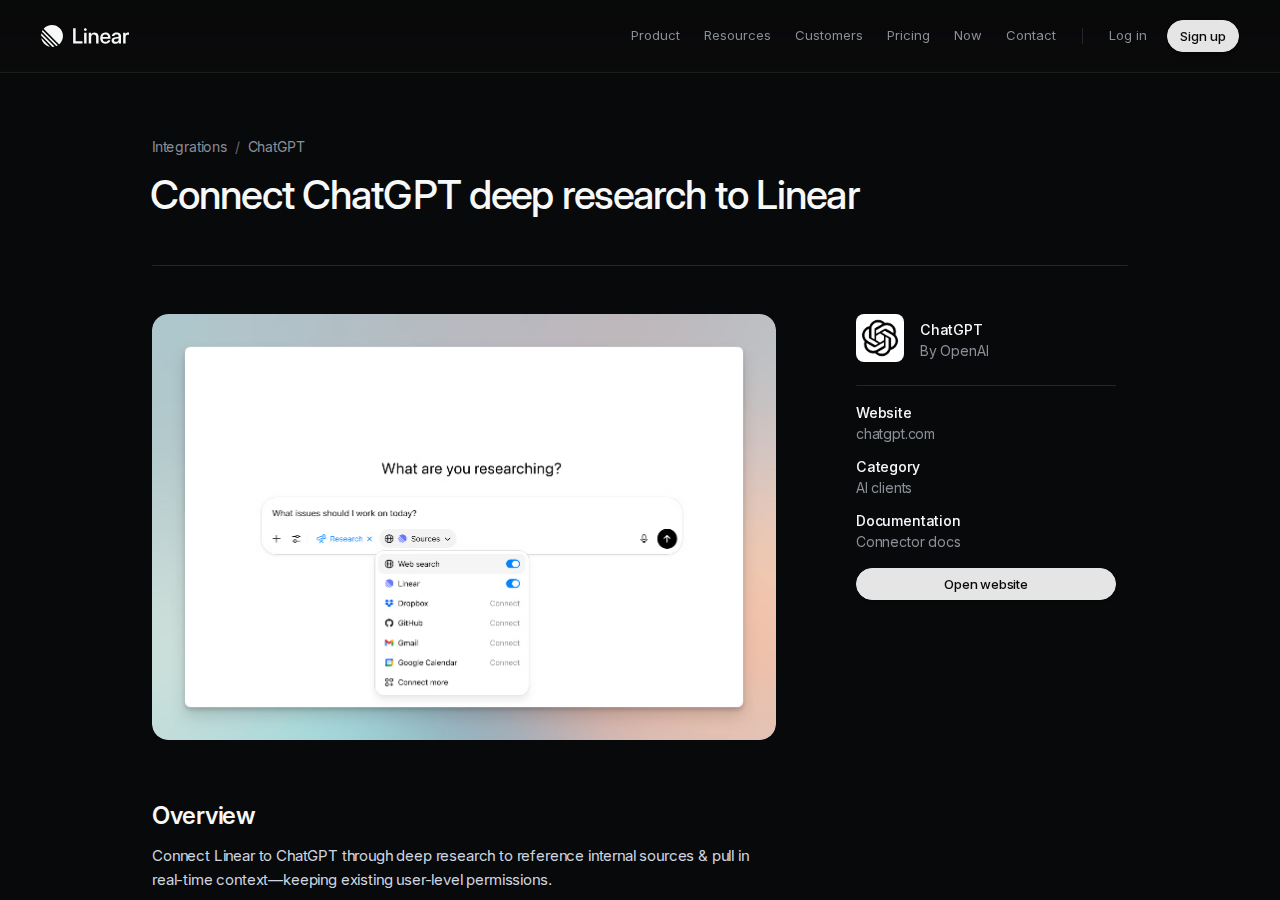
What the Native Connector Does
Once connected, you can add Linear as a source when using Deep Research mode in ChatGPT. ChatGPT then pulls real-time context from your Linear workspace to:
- Reference internal issues and projects — ChatGPT searches your Linear workspace for issues, project status, and team discussions that are relevant to your research question
- Surface blockers across cycles — Ask "What's blocking the v2.0 release?" and ChatGPT identifies P0/P1 issues, stalled items, and owner gaps across your active cycles
- Cross-reference team knowledge — ChatGPT reads Linear documents, comments, and project descriptions to build a richer picture than issue titles alone
- Generate sprint summaries — "Summarize the current cycle: what shipped, what slipped, and what needs unblocking" — with live data, not stale export files
Plan requirements: The Linear connector is available in Deep Research for ChatGPT Plus & Pro users (excluding EEA, Switzerland, UK) and Team, Enterprise & Edu users. It's not available on the free tier.
Setting Up the Native Connector
- Go to Settings → Apps in ChatGPT (or click the apps icon in the sidebar)
- Find Linear in the available connectors list
- Authorize ChatGPT to access your Linear workspace — you control which workspaces and what level of access
- Start a new Deep Research chat, add Linear as a source, and ask your question
The authorization respects Linear's existing user permissions. If you can't see a project in Linear, ChatGPT can't see it either. This is a significant advantage over exporting data manually — the permission boundary stays consistent.
The Official Linear MCP Server: 25+ Tools for Full Workflow Control
If the Deep Research connector feels like "read-only search," the official Linear MCP server is the next level. Built by Linear in partnership with Cloudflare and Anthropic, it runs as a remote hosted server at mcp.linear.app/mcp with OAuth 2.1 authentication and exposes the full Linear API surface through the Model Context Protocol.
What the MCP Server Unlocks
The MCP server gives your AI agent direct access to your entire Linear workflow — not just search, but create, update, assign, and organize:
| Capability | What You Can Do |
|---|---|
| Issues | Create, update, search, and get full issue details with comments, attachments, and history |
| Projects & Cycles | List active projects, create new ones, manage sprint cycles, track progress |
| Teams | Browse team structures, list members for assignment |
| Documents | Search and reference Linear docs, project specs, and team wikis |
| Roadmap | Query roadmap items, milestones, and initiative status |
Connecting Linear MCP to ChatGPT
ChatGPT supports Linear MCP through its settings panel (the same place you'd add the native connector). The connection uses OAuth 2.1 — no API key copy-paste needed:
{
  "linearMCP": {
    "url": "https://mcp.linear.app/mcp",
    "transport": "streamable-http"
  }
}
The OAuth flow opens your browser, you authorize Linear, and the connection is established. Works the same way in Claude Desktop, Cursor, and other MCP-compatible clients.
Recent MCP Server Improvements (2026)
Linear has been actively improving the MCP server:
save_issue— Consolidated create and update into one tool. Fewer API calls, less latency, simpler prompt engineering.branchNamefield — Issues now include abranchNamein the response. Claude Code and Cursor read this automatically to check out the right git branch when you start work on an issue.- SSE endpoint deprecated — The
/sseendpoint is being removed in favor ofmcp.linear.app/mcp(streamable HTTP transport). If you're on an older config, update it.
Real Linear + ChatGPT Use Cases
1. Sprint Planning from Meeting Notes
The problem: You have 30 minutes of meeting notes with action items scattered across a dozen bullet points. Turning those into Linear issues means manual copy-paste — or worse, they get forgotten.
With ChatGPT + Linear:
"Here are my meeting notes from the product review. Create a Linear issue for each action item, assign the right person based on the note context, set appropriate priority, and add them all to the current cycle."
ChatGPT parses the notes, identifies owners, creates properly-formatted issues with descriptions, and links them to the right cycle — all in one prompt.
2. Blocker Detection Across Multiple Projects
The problem: You manage three engineering teams across six projects. Finding what's actually blocked means opening each project, filtering by status, and mentally correlating dependencies. This takes 20+ minutes every morning.
With ChatGPT + Linear (Deep Research):
"Search all my active Linear projects and identify every issue marked Blocked or In Progress that's past its due date. For each one, tell me who owns it, what's blocking it (from comments), and whether there's a dependent issue in another project."
ChatGPT returns a structured list — blockers, owners, dependencies, and age — in under a minute.
3. Release Note Generation from Cycle Data
The problem: Your cycle just ended and someone needs to write release notes. The data is all in Linear — closed issues, merged PRs, shipped features — but assembling it into a coherent document is tedious.
With ChatGPT + Linear:
"Pull all completed issues from the 'Platform v2.3' cycle, group them by feature area (Auth, API, Dashboard, Performance), and write a release notes draft. Include issue titles, brief descriptions, and any breaking changes noted in the comments."
ChatGPT reads the cycle, groups by label or project, and produces a draft that's 80% done — you just review for accuracy and add context.
4. Onboarding a New Developer
The problem: A new developer joins the team and needs to understand the codebase. The architecture docs exist... somewhere in Linear. Issues reference decisions made months ago. There's tribal knowledge in the comments.
With ChatGPT + Linear:
"I'm a new developer on the API team. Find all issues and documents in Linear related to authentication, rate limiting, and the data model. Summarize the key architectural decisions and link to the relevant issues and specs."
ChatGPT builds a structured onboarding doc from your actual Linear workspace — not a stale wiki page from 2023.
Common Pitfalls When Connecting Linear to ChatGPT
1. GraphQL-Only API Means No REST Fallback
Linear's API is GraphQL-only. There is no REST endpoint. If you're building a custom proxy or integration (rather than using the MCP server), your developer needs to be comfortable with GraphQL query construction, cursor-based pagination, and the Apollo client patterns. This is Linear-specific — most competing tools (Jira, Asana, GitHub Issues) offer REST alongside GraphQL.
Mitigation: Use the MCP server instead of building a custom proxy. The MCP server handles all GraphQL complexity internally. You interact with Linear through natural language, not query syntax.
2. Workspace Permissions Are All-or-Nothing Per Connection
When you connect ChatGPT to Linear (either via the native connector or MCP), you're granting access to your entire Linear workspace — not a per-project or per-team scope. If your Linear workspace contains sensitive projects (security incidents, HR tickets, financial planning), those become searchable by ChatGPT.
Mitigation: For organizations with sensitive data, create a dedicated Linear workspace for the AI integration, or use Linear's team-level access controls to scope what the authenticated user can see.
3. Deep Research Is Slow — Not for Real-Time Queries
The native ChatGPT Linear connector only works in Deep Research mode, which can take 5-15 minutes to complete a query. It's designed for thorough, multi-source research — not for quick status checks.
Workaround: For fast queries ("what's the status of issue LIN-4231?"), use the MCP server path instead. The MCP server returns results immediately, not after a multi-minute research cycle.
4. Issue Creation Through ChatGPT Requires Clear Templates
If you ask ChatGPT to "create a Linear issue," it will generate one — but the title, description, priority, and labels will be whatever ChatGPT guesses based on your prompt. Without a clear template, you get inconsistent issue quality.
Better approach: Always include a template in your prompt:
"Create a Linear issue using this format — Title: [Component] Brief description of problem; Description: Steps to reproduce, expected behavior, actual behavior, environment details; Priority: P0-P3 based on user impact; Labels: bug, [component], [browser/OS if relevant]"
5. Linear's Fast-Iteration Culture Clashes with AI Summaries
Linear is designed for speed — quick issue creation, rapid status changes, short comments. AI summaries can lose the nuance of 20 micro-updates that tell the real story of why something shipped late or got deprioritized.
Mitigation: When asking ChatGPT to summarize Linear activity, specify a time window and ask it to note status changes, not just current state. "Summarize all issues that changed status this week and explain the progression" is more useful than "summarize current issues."
Which Linear + ChatGPT Path Should You Choose?
| Scenario | Recommendation |
|---|---|
| You want thorough, multi-source research across your workspace | Native ChatGPT Deep Research connector — best for sprint retros, architectural reviews, cross-project analysis |
| You need real-time issue creation, updates, and status checks | Official Linear MCP server — full read/write access, instant responses |
| You're a developer who wants code-to-issue linking | MCP server + Claude Code or Cursor — branchName field auto-checks-out branches |
| You just need to summarize one cycle or project | Manual export + ChatGPT — no setup, works on any plan |
| You want the whole team using Linear AI from Slack daily | Cody — Linear integration built in, cycle summaries, issue triage, and roadmap visibility from Slack |
For most teams, start with the MCP server. It's the fastest path to real-time, two-way Linear access from ChatGPT and other AI tools. The Deep Research connector is excellent for quarterly retrospectives, architecture reviews, and deep-dive analyses where the 5-15 minute research time is acceptable.
Related Resources
- Linear AI Automation — automated issue triage, cycle reporting, and sprint planning with AI
- Cody AI Assistant for Linear — Cody's dedicated Linear integration for Slack
- Connect Linear to OpenClaw — DIY Linear integration with OpenClaw skill files
- Official Linear MCP Server Docs — setup guides and API reference
- Linear ChatGPT Integration Page — official connector documentation
What "Linear with ChatGPT" Usually Means
In practice, teams tend to use ChatGPT with Linear in one of four ways:
- Summarising activity, records, conversations, or changes from Linear
- Classifying items such as tickets, leads, tasks, issues, or opportunities
- Drafting replies, updates, reports, documentation, or next steps
- Reasoning over context to suggest priorities, actions, or likely issues
The key is to avoid treating ChatGPT like magic. It needs the relevant Linear context in the prompt - and it works best when you tell it exactly what good output looks like.
Good Use Cases for Linear + ChatGPT
1. Turn raw Linear context into a useful summary
Paste or pipe in the relevant records, notes, messages, or metrics from Linear, then ask ChatGPT to extract only what matters: key changes, risks, blockers, patterns, or action items.
2. Standardise messy workflows
If your team handles similar decisions repeatedly inside Linear, ChatGPT can apply the same rubric every time: classify, explain briefly, and return a structured next step.
3. Draft faster without starting from zero
Use ChatGPT to produce first drafts grounded in the Linear context - support replies, internal updates, status summaries, sales follow-ups, or operating notes.
4. Create reusable prompt-driven operating procedures
Once you find a prompt that works well for Linear, save it as a repeatable workflow so the whole team gets more consistent output.
A Simple Setup Pattern
A practical way to use ChatGPT with Linear looks like this:
- Pull the right context from Linear
- Give ChatGPT one clear task
- Ask for a structured response
- Have a human review anything customer-facing or high-risk
That last point matters. ChatGPT is useful for acceleration, but for anything sensitive - customer communication, financial interpretation, account changes, or production actions - keep a human in the loop.
Copy-Paste Prompts for Linear
Summary prompt
You are helping me work inside Linear. Summarise the context below into 5 bullets: what changed, what matters, what is blocked, and what needs action next. If anything is unclear, say what is missing.
Classification prompt
Review this Linear item and classify it into the best category. Return JSON with: category, confidence, rationale, and next_action. Keep rationale under 50 words.
Drafting prompt
Use the Linear context below to draft a concise response. Keep it specific, avoid made-up details, and list any assumptions separately.
Executive brief prompt
Turn this Linear activity into a short update for leadership: what happened, why it matters, current risks, and recommended next steps.
Where This Breaks Down
Most Linear + ChatGPT workflows fail for predictable reasons:
- Too little real context is provided
- The prompt asks for too many things at once
- The output format is vague
- The team expects ChatGPT to know live Linear data it has not actually been given
- No review step exists for important actions
The fix is usually simple: give better source context, narrow the task, and require a schema or fixed structure in the response.
If You Want This Embedded in the Workflow
You can absolutely use ChatGPT manually with exported Linear context. That works well for one-off tasks and prototyping.
But if you want the workflow to feel operational - available to the team, connected to live systems, repeatable, and embedded where work already happens - you usually want something more integrated.
Want Linear-Style Workflows Without Manual Prompt Copy-Paste?
Cody gives your team a Linear assistant in Slack, so people can check cycle progress, blocked issues, roadmap movement, and project context without opening Linear all day.
Related ChatGPT Guides
Need a more automation-focused angle instead? See: Linear AI Automation.
More Linear + AI Resources
- Cody AI Assistant for Linear — Cody's dedicated Linear integration features
- Connect Linear to OpenClaw — complete DIY integration guide