If you're searching for "how to connect Jira to OpenClaw", the real question is usually not just whether the connection is possible. It's how to make Jira usable inside an OpenClaw workflow with the right model, the right context, and the right level of control.
That's the practical framing.
OpenClaw gives you the orchestration layer: connectors, skills, tools, prompts, approvals, and the ability to run workflows where your team already works. Jira provides the domain context. The integration becomes valuable when those two pieces are connected cleanly.
Jira + OpenClaw: What You're Actually Trying to Build
When people search for "how to connect Jira to OpenClaw," they're rarely interested in the authentication plumbing. They want to stop context-switching. Instead of bouncing between Slack (where the conversation happens) and Jira (where the tickets live), they want their AI assistant to bridge the two — read issues, check sprint status, create and update tickets, and surface blockers — without anyone leaving chat.
That's the real integration. The REST API is just the wire.
There are two legitimate paths to get there:
- Self-hosted: You run OpenClaw on your own infrastructure, build a Jira proxy or skill, and wire it up. Full control, full responsibility.
- Cody (managed OpenClaw): Cody comes with Jira integration built in. You authorize your Jira project once and your team starts querying issues and sprints from Slack in minutes.
Both are covered here, but let's be honest about what each one actually costs.
Path A: Self-Hosted — Connect Jira to OpenClaw Yourself
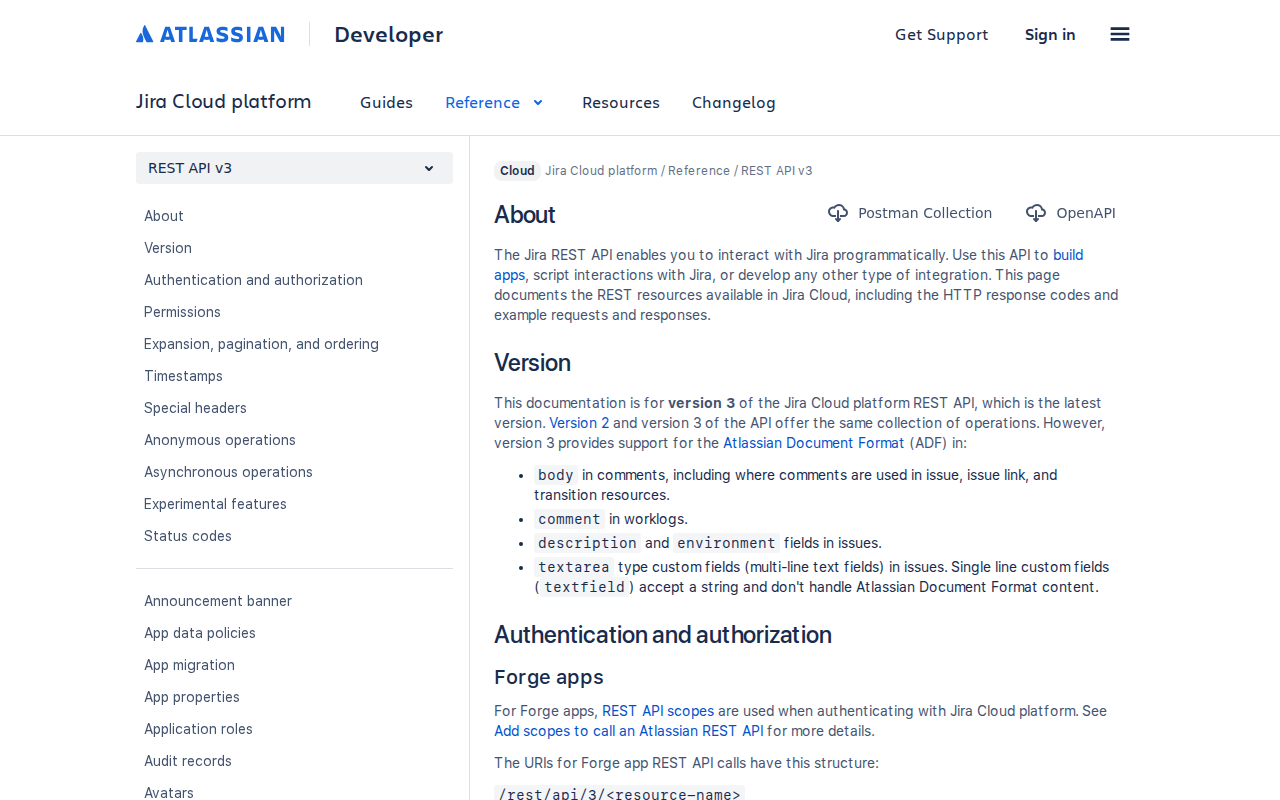
If you're running OpenClaw on an EC2 instance, a VPS, or a dev box, connecting Jira means building the bridge yourself. This is entirely doable — the Jira Cloud REST API v3 is well-documented and reliable — but the complexity isn't in the initial connection. It's in getting JQL right and handling the edge cases that only show up once the integration is in production.
Step 1: Create a Jira API Token
Go to id.atlassian.com/manage-profile/security/api-tokens and click Create API token. Name it something you'll recognize in 6 months — openclaw-jira-prod or openclaw-engineering.
Important things to know about Jira API tokens:
- Tokens inherit your account's permissions — if you can see a project, the token can too. This is convenient but dangerous: tokens from admin accounts are over-privileged. Use a service account with scoped project access instead.
- Tokens don't expire automatically and can't be scoped to specific projects. If someone leaves the company, revoke their token immediately.
- Basic auth (email + API token) is the standard pattern:
Authorization: Basic base64(email:token) - Jira Cloud and Jira Server/Data Center use different auth mechanisms — personal access tokens work for Server/DC, but Atlassian API tokens are Cloud-specific. Don't mix the two.
Step 2: Pick the Right API Endpoints
Jira exposes three distinct API namespaces, and which one you hit matters:
| API Namespace | Base URL | What It Covers | Version |
|---|---|---|---|
| Jira REST API v3 | /rest/api/3/ |
Issues, projects, users, comments, attachments, transitions | v3 (current) |
| Agile API | /rest/agile/1.0/ |
Boards, sprints, backlog, sprint reports, velocity | v1.0 |
| Service Management API | /rest/servicedeskapi/ |
Service desks, requests, queues, approvals, SLAs | latest |
Most integrations start with the REST API v3 for CRUD operations on issues, then add the Agile API when the team wants sprint queries. Don't try to expose all three at once — build the proxy around the 4-5 endpoints your team actually uses.
The most commonly used endpoints:
| Endpoint | Why You Need It |
|---|---|
GET /rest/api/3/search |
JQL queries — the workhorse. Search issues by project, assignee, status, label, sprint |
GET /rest/api/3/issue/{issueKey} |
Fetch a single issue with all fields |
POST /rest/api/3/issue |
Create issues from Slack conversations |
PUT /rest/api/3/issue/{issueKey}/assignee |
Assign or reassign tickets |
POST /rest/api/3/issue/{issueKey}/transitions |
Move tickets through workflow states |
GET /rest/agile/1.0/board |
List all boards in a project |
GET /rest/agile/1.0/board/{boardId}/sprint |
Get active and future sprints |
GET /rest/agile/1.0/sprint/{sprintId}/issue |
All issues in a sprint |
Step 3: Build the Jira Proxy
OpenClaw talks to external services through proxy endpoints — small HTTP services that wrap API calls into clean interfaces the agent can reason about. Your Jira proxy should:
- Accept simple, flat requests (e.g.,
GET /jira/issues?project=ENG&status="In Progress") - Translate them to the correct Jira API calls (JQL for search, REST v3 for CRUD, Agile API for sprints)
- Return structured JSON with the fields OpenClaw needs (summary, status, assignee, priority, sprint, link)
- Handle Jira's pagination — Jira returns max 100 results per page, so your proxy needs to iterate when a JQL query matches more
Store your API token in environment variables, not in the proxy code. Never hardcode credentials.
Step 4: Write the Skill File
Create ~/.openclaw/skills/jira.md with your project configuration and query patterns. The skill file tells OpenClaw what's available and how to use it:
# Jira Integration

## Configuration
- Base URL: https://yourcompany.atlassian.net
- Projects: ENG (Engineering), PROD (Product), OPS (Operations)
- Boards: ENG Board (ID: 42), PROD Board (ID: 43)

## Available Queries
- Issue search by project, status, assignee, label, sprint
- Single issue lookup by key (ENG-123, PROD-456)
- Sprint status and burndown via Agile API
- Create issues with summary, description, project, and type
- Transition issues through workflow states

## JQL Patterns
- "My open issues": `assignee = currentUser() AND resolution = Unresolved`
- "Sprint blockers": `project = ENG AND priority = Highest AND status != Done AND sprint in openSprints()`
- "Recently updated": `project = ENG AND updated >= -3d ORDER BY updated DESC`
- "Unassigned bugs": `project = ENG AND issuetype = Bug AND assignee IS EMPTY`
Step 5: Configure OpenClaw
Add the Jira integration block to ~/.openclaw/openclaw.json5:
{
  integrations: {
    jira: {
      enabled: true,
      proxyUrl: "http://localhost:3001/jira",
      authHeader: "X-Jira-Token",
    }
  }
}
The proxy runs alongside OpenClaw on the same host or a reachable internal endpoint. OpenClaw calls it when a user asks about Jira tickets, sprints, or issues — the skill file gives the model the context to form the right queries.
Path B: Managed — Cody (OpenClaw Hosted)
The self-hosted path works. But a production Jira + OpenClaw setup isn't just the initial wiring — it's:
- JQL translation: Natural language to JQL is error-prone. Your proxy needs to handle ambiguous queries ("my sprint" → which board? "blocked" → which status mapping?)
- The Agile API is a separate namespace: Sprint and board data lives at
/rest/agile/1.0/, not/rest/api/3/. If you only wire up issue CRUD, sprint queries silently return nothing. - Transition IDs are opaque: Moving an issue from "In Progress" to "In Review" requires the transition ID (e.g., "31"), which is a numeric string that varies per workflow. Your proxy needs to resolve transition names to IDs.
- Account IDs instead of usernames: Jira Cloud uses opaque
accountIdstrings (e.g.,"712020:abc-def-123"), not email addresses or display names. Assigning a ticket means looking up the accountId first. - Rate limiting: Atlassian applies rate limits per API token — roughly 200 requests per minute for Cloud. During busy standup hours, a team of 15 querying sprints simultaneously can trip this.
Cody handles all of this. You authorize your Jira workspace once, and Cody becomes your Jira AI assistant in Slack. Your team types in natural language and Cody translates it to the right API calls, handles JQL generation, resolves workflow transitions, manages rate limits, and keeps the connection alive.
The agent experience is the same — it lives in Slack, answers sprint questions, creates and updates tickets, checks blockers, and uses whichever model (Claude, GPT-4o, Gemini) makes sense for the job. The difference is zero ongoing maintenance.
Start with Cody → or see the Jira AI Assistant features page.
Real Use Cases for a Jira + OpenClaw Agent
These are workflows engineering teams actually build once the Jira connection is live. Not generic examples — the specific queries and prompts that make the integration useful.
1. Standup Prep in 30 Seconds
What you ask: "@agent prep my standup for the ENG team"
What happens: The agent queries Jira for issues assigned to you in the current sprint, checks which ones changed status since yesterday, pulls in any comments added by reviewers, and returns:
Yesterday: shipped ENG-412 (API rate limiting), reviewed ENG-389 (auth refactor)
Today: working on ENG-451 (dashboard performance), picking up ENG-460 (search bug)
Blocked: ENG-440 waiting on DevOps for staging access
No opening Jira, no scrolling through boards, no copy-pasting ticket numbers.
2. Sprint Health Check from a DM
What you ask: "@agent how's the ENG sprint looking? Any risks?"
What happens: The agent queries the Agile board for the current sprint, counts issues by status, flags stale tickets (in review > 3 days), identifies unassigned high-priority items, and warns you if the sprint ends in under 48 hours with > 30% of work still open.
3. Create Issues from Conversation
What you type in Slack: "@agent create a bug: dashboard 500s when filtering by date range, priority high, assign to me, add to ENG sprint"
What happens: The agent creates a Jira issue with type Bug, priority High, project ENG, assignee = you, sprint = current active sprint, and returns the issue key (e.g., ENG-461) with a link. Everyone in the channel sees the issue was created without anyone touching Jira.
4. Blocker Escalation
What you ask: "@agent what's blocked across all engineering projects?"
What happens: JQL status = Blocked AND project in (ENG, PROD, OPS) returns every blocked issue across your team's projects. The agent groups them by project, ranks by priority, and highlights how long each has been stuck. Every project manager's Monday morning in one query.
Jira-Specific Pitfalls (Most Guides Miss These)
These are the things that break Jira + OpenClaw setups in production, collected from teams that have been running integration for months:
1. JQL from Natural Language Is Harder Than It Looks
LLMs can generate JQL, but they often get the syntax subtly wrong — wrong field names, incorrect operator usage, invalid date formats. Claude will confidently produce status = "In Progress" when the correct field is status (case-sensitive, no quotes), or assignee = "Sarah" when Jira expects accountId strings.
Fix: Don't let the LLM generate raw JQL. Have your proxy accept structured parameters (project, status, assignee, sprint) and construct the JQL server-side. If the LLM must generate JQL, add validation in the proxy that parses and tests every query before execution.
2. The Agile API Is Not the REST API
Sprint and board data lives at /rest/agile/1.0/, not /rest/api/3/. Your issue search returns tickets but can't tell you what sprint they're in or what board they're on. This trips up nearly every first-time Jira integration — the API namespace split is something no other project management tool does.
Fix: Build both API namespaces into your proxy from day one. Sprint queries without board context are the #1 thing teams ask for after "show me my issues."
3. Transition IDs Are Opaque and Workflow-Dependent
Moving a Jira issue from "In Progress" to "In Review" requires the numeric transition ID (e.g., "31"), not the status name. These IDs are per-workflow and per-project — ENG project's "Done" might be transition "31" while PROD's is "47". The LLM can't guess them.
Fix: Your proxy must call GET /rest/api/3/issue/{key}/transitions to list available transitions with their IDs before attempting any transition. Cache this per-project — workflows rarely change.
4. Account IDs Instead of Human-Readable Names
Jira Cloud users are identified by opaque accountId strings like "712020:abc-123-def", not by email or display name. Every assignee operation requires an extra lookup: search for user by name → get accountId → assign issue.
Fix: Pre-load your team's accountId-to-name mapping in the proxy's startup. For dynamic lookups, the endpoint GET /rest/api/3/user/search?query={name} handles it, but it adds a round-trip per assignee operation.
5. Rate Limits Are Per-Token, Not Per-Endpoint
Atlassian's rate limiting is per API token, shared across all endpoints. A single user running a broad JQL search that paginates through 500 results can consume 10+ requests in seconds. During standup time when 10 engineers query sprint status simultaneously, you'll hit the ~200 requests/minute ceiling.
Fix: Cache sprint and board data in your proxy — these change slowly and don't need real-time queries. Use the expand parameter on issue searches to fetch changelog and comments in one call instead of separate requests. Implement exponential backoff with jitter on the proxy side.
6. Permissions Leak Through API Tokens
A Jira API token has the same permissions as the user who created it. If Sarah created the token and Sarah is a project admin, every OpenClaw query runs with admin-level access. This means any team member asking OpenClaw about Jira can see every project, every issue, every comment — not just what they'd normally have permission to see.
Fix: Create a dedicated service account with tightly scoped permissions — read access to specific projects, write access only for issue creation and transitions. Never use a personal admin account for an integration that the whole team accesses.
Decision Matrix: Self-Hosted vs Cody for Jira + OpenClaw
| Scenario | Best Path | Why |
|---|---|---|
| Solo developer, comfortable with the Jira API | Self-hosted | Full control, learn the integration internals |
| Team of 3-15 engineers, want AI in Slack today | Cody | No JQL debugging, no proxy maintenance, no rate limit handling |
| Enterprise with Jira Server/Data Center | Self-hosted | Jira Cloud API tokens don't work with self-hosted Jira; need PAT-based auth |
| Regulated industry, must keep data on-prem | Self-hosted | All traffic stays within your infrastructure |
| Non-technical PM who needs sprint status in Slack | Cody | Natural language queries, zero setup |
| Already running OpenClaw for other integrations | Self-hosted | Adding Jira is incremental — proxy + skill file, ~2-3 hours |
| Evaluating OpenClaw for the first time | Cody | Try the managed experience before committing to self-hosting |
Related Pages
- Jira MCP Connection Guide — connect Jira to AI assistants via the Model Context Protocol
- Cody AI Assistant for Jira — Cody's dedicated Jira integration features
- Jira AI Automation — AI automation workflows for Jira teams
- How to Use Jira with ChatGPT — using ChatGPT inside Jira workflows
What “Connect Jira to OpenClaw” Actually Means
In practice, connecting Jira to OpenClaw usually involves four layers:
- Authentication so OpenClaw can securely access Jira
- Tooling or proxy endpoints that expose the right Jira actions and data
- Skills/instructions that tell OpenClaw how to reason over Jira context
- Model selection so the assistant uses the right LLM for the job
That last piece matters more than most people expect.
Which Models Can You Use?
OpenClaw is model-flexible, so a Jira integration does not need to be tied to a single provider. Depending on your setup, teams commonly want to use:
- OpenAI models for broad reasoning, structured extraction, and tool use
- Anthropic models for writing, analysis, and long-context work
- Google models for multimodal and large-context workflows
- Other model backends if your OpenClaw environment exposes them
Model names and availability change frequently, so check your OpenClaw model catalogue rather than copying a version from a guide. The practical point is that you can connect Jira once, then choose a supported model for each workflow.
For example:
- Use Claude for nuanced summarisation or drafting
- Use OpenAI for structured extraction, tool-heavy workflows, or general-purpose copiloting
- Use Gemini when multimodal or very large context windows matter
A Good Integration Pattern for Jira
A strong Jira + OpenClaw setup usually looks like this:
- OpenClaw receives a request in chat or from an automation
- It calls the right Jira endpoint or proxy
- The selected model reasons over the returned context
- OpenClaw returns an answer, draft, classification, or action
- High-risk actions stay behind approvals or structured guardrails
That is what makes the setup operational rather than just experimental.
Step-by-Step: Connect Jira to OpenClaw
Step 1: Create an Atlassian API Token
Go to id.atlassian.com/manage-profile/security/api-tokens and generate a token. The Jira Cloud REST API uses basic authentication with your email address and this token. Your Jira base URL will be https://yourcompany.atlassian.net.
Step 2: Explore the API and Pick Your Endpoints
The Jira REST API (/rest/api/3/) has endpoints for issues, projects, sprints (via the Agile API at /rest/agile/1.0/), and users. Decide which queries your team will actually use and build your proxy around those — don't try to expose everything at once.
Step 3: Build the Proxy and Skill File
Build a proxy that wraps your most-needed Jira queries and write ~/.openclaw/skills/jira.md. Include your project keys (e.g., PROJ, ENG) in the skill file so Claude knows how to construct issue identifiers from natural-language questions.
Model-Specific Workflow Ideas
Jira + OpenAI
Use this when you want a strong general-purpose setup for extraction, classification, action planning, and tool-driven workflows around Jira.
Jira + Claude
Use this when you want better writing quality, clearer summaries, stronger nuance, and reliable long-context reasoning over Jira data.
Jira + Gemini
Use this when the workflow benefits from large context windows, multimodal inputs, or Google-native ecosystem alignment.
Common Mistakes
Most teams do not fail because the model is bad. They fail because:
- the Jira connection is too thin
- the model lacks the right live context
- prompts are vague
- no structured outputs are enforced
- permissions and approvals are skipped
- one model is forced to do every job, even when another would be a better fit
The best setup is usually one integration layer, multiple model options, and clear guardrails.
Challenges and Caveats
Jira Server vs Jira Cloud Have Different APIs
If you're on Jira Server or Data Center (self-hosted), the authentication mechanism and some endpoints differ from Jira Cloud. Personal access tokens work for Server/DC, but basic auth with Atlassian tokens is Cloud-specific. Make sure you're reading the right docs.
JQL Complexity
Jira's query language (JQL) is powerful but has a learning curve. Your proxy or skill file will need to translate natural-language queries into JQL. Claude can help generate JQL, but it will sometimes get the syntax wrong — test thoroughly.
Sprint Data Requires the Agile API
Sprint and board information is in a separate API (/rest/agile/1.0/) and requires different permissions. If sprint queries are important to you, make sure your API token has access to the Agile project.
Want Jira Connected to OpenClaw Without Building the Whole Stack Yourself?
Cody gives your team a Jira assistant in Slack, so people can check tickets, sprint blockers, board changes, and issue context without opening Jira.
Related OpenClaw Guides
- How to Connect Linear to OpenClaw
- How to Connect GitHub to OpenClaw
- How to Connect Notion to OpenClaw
Looking for a more workflow-first angle? See: Jira AI Automation and Jira AI Assistant.
More Jira Resources
- Cody AI Assistant for Jira — Cody's dedicated Jira integration features and benefits