If you're trying to use Freshdesk with ChatGPT, the real question usually isn't "can these two technically work together?" It's how to make ChatGPT useful inside a Freshdesk workflow without getting vague, generic output back.
That's the useful framing.
ChatGPT is strongest when you give it the right context, a clear job, and a structured output format. Freshdesk brings the operational context. When the two are used well together, you get faster triage, better summaries, cleaner drafts, and more consistent decisions.
Freshdesk + ChatGPT in 2026: No Native App, But Three Solid MCP Paths
Unlike some help desk competitors (Zendesk has native AI agents in ChatGPT, Intercom has a native OpenAI connector), Freshdesk doesn't have a first-party ChatGPT app in OpenAI's app store as of mid-2026. But that doesn't mean you can't connect them — the integration story has actually gotten better, not worse.
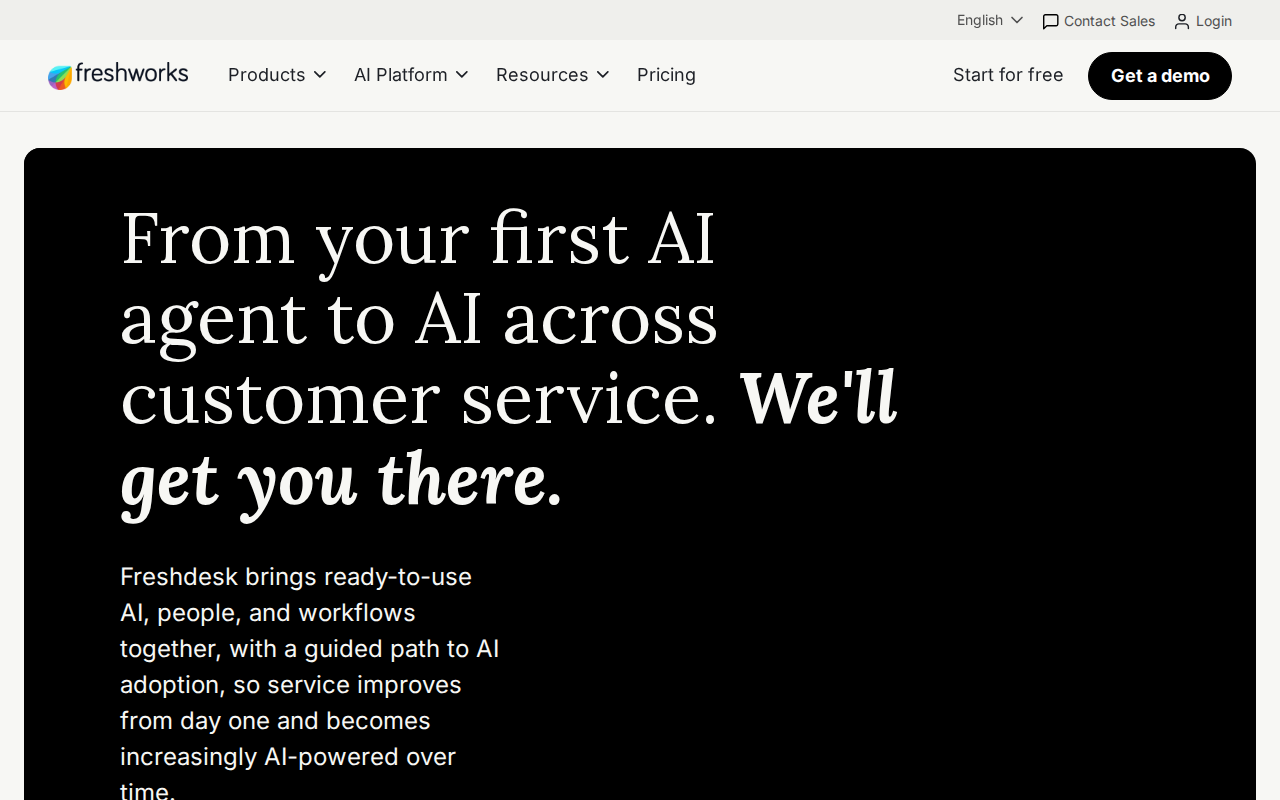
Freshworks launched their own official MCP server in early 2026 (currently in Early Access Program for Enterprise customers). And third-party platforms like CData, Truto, and Zapier fill the gap for teams on any plan.
Here's the landscape in a nutshell:
| Path | What It Does | Best For | Plan Required |
|---|---|---|---|
| CData Connect AI MCP | Remote MCP server → ChatGPT, Claude, Copilot | Ad-hoc natural language queries on Freshdesk data | Any (uses your API key) |
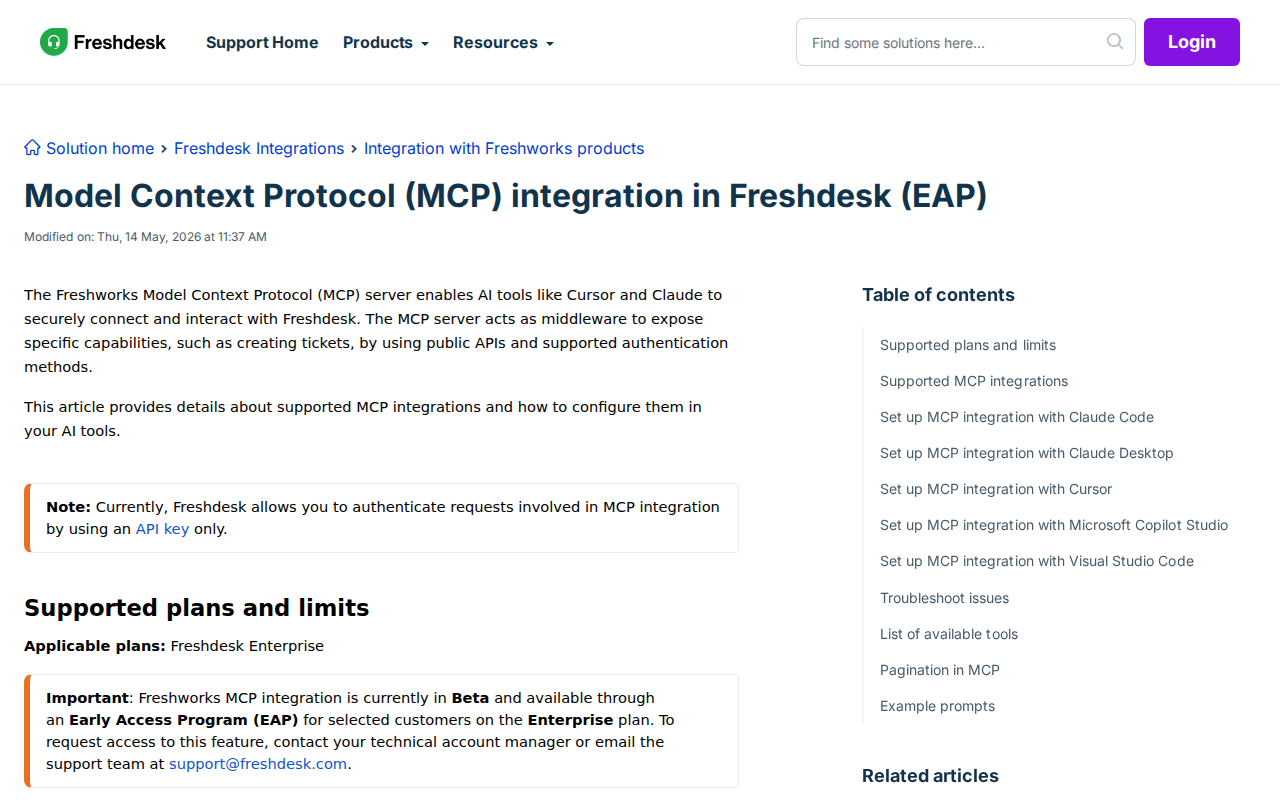
| Freshworks Official MCP (EAP) | https://<domain>/mcp endpoint |
Agentic workflows in Claude, Cursor, Copilot Studio | Enterprise (EAP-gated) |
| Truto Managed MCP | Dynamic tool generation, tenant isolation | Complex ticket orchestration from ChatGPT | Any (managed proxy) |
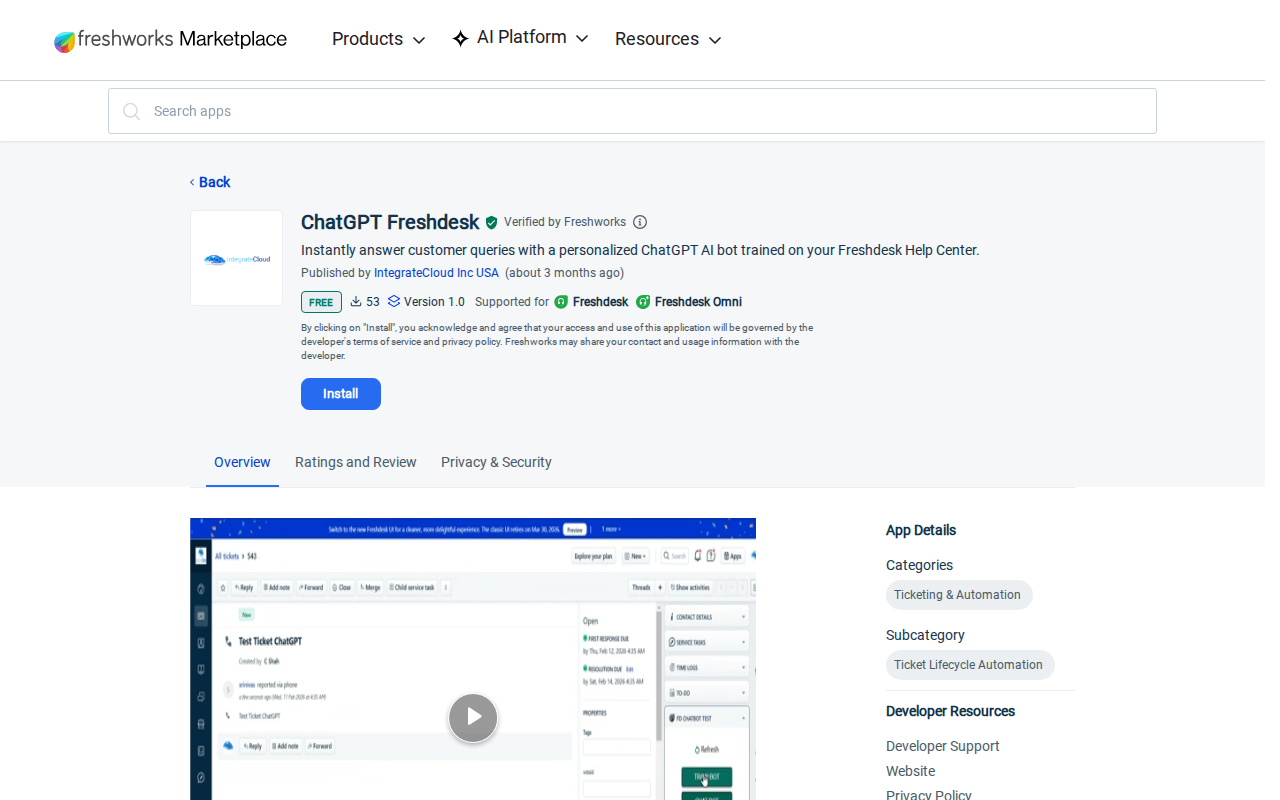
| Freshworks Marketplace Apps | Third-party apps inside Freshdesk UI | Draft replies, sentiment inside Freshdesk | Any (free+ apps exist) |
| Zapier / Make | Event-driven automations | Ticket → ChatGPT → action workflows | Any |
| Direct API + Custom MCP | Roll your own MCP server | Full control, own infrastructure | Any |
Key distinction: Freshworks Marketplace apps sit inside Freshdesk and call out to OpenAI's API. MCP servers (CData, Truto) sit inside ChatGPT and let you query your Freshdesk data with natural language. They solve opposite problems. Most support teams want both: AI inside Freshdesk for agents, and AI chat access for managers doing queue analysis.
Four Ways to Connect Freshdesk to ChatGPT (Ranked by Practicality)
1. CData Connect AI MCP (Best for Quick Start, Any Plan)
CData offers a managed cloud MCP server that translates Freshdesk's REST API into tools ChatGPT can call. No infrastructure to run yourself — they host the bridge.
Setup (under 10 minutes):
- Create a CData Connect AI account
- Add a Freshdesk connection: enter your Freshdesk domain (
https://yourdomain.freshdesk.com) and API key - Open ChatGPT (Plus or Pro required) → Apps → CData Connect AI → Connect
- Authenticate to your Connect AI account
- Start a new chat — CData Connect AI is now available as a connector
What you can query:
- Tickets — List, filter by status/priority/agent, read full conversation history
- Contacts — Look up customers, view ticket history per contact
- Agents & Groups — See current workload, group assignment, availability
- Companies — All contacts and tickets associated with a company
- Analytics — Ticket volume trends, response times, SLA performance
Example prompts:
- "Show me all unresolved high-priority tickets assigned to the billing group"
- "Which agent handled the most tickets last week?"
- "Summarize the conversation history for ticket #2847"
- "What's our average first-response time for the last 30 days?"
Cost: CData Connect AI has a free tier; Freshdesk API access requires API key (all Freshdesk plans include API access).
2. Freshworks Official MCP Server (Best for Enterprise, Claude/Cursor Users)
Freshworks shipped their own MCP server at https://<your-freshdesk-domain>/mcp — a first-party bridge that exposes tickets, contacts, agents, and conversations as MCP tools.
Important caveats:
- Enterprise plan only — not available on Growth, Pro, or Estate plans
- Early Access Program (EAP) — you need to request access from your Freshworks account manager
- No ChatGPT support (yet) — currently documented for Claude Code, Claude Desktop, Cursor, Microsoft Copilot Studio, and VS Code. ChatGPT is conspicuously absent from the supported list
- API key auth only — no OAuth, no token exchange. You use your raw Freshdesk API key as a Bearer token
Setup (Claude Code example):
claude mcp add freshdesk --transport http https://mydomain.freshdesk.com/mcp --header "Authorization: <your-api-key>"
Available tools include:
- Create, list, update, and search tickets
- List and manage contacts
- View and manage companies
- List agents and groups
- Read ticket conversations
Why it's worth watching: Freshworks invested in building this themselves. The EAP is a signal they're serious about MCP. ChatGPT support is almost certainly on the roadmap, even if it's not documented yet. Once it reaches GA, this will likely become the default recommendation for Freshdesk-to-AI connections.
3. Truto Managed MCP Server (Best for Complex Workflows, Tenant Isolation)
Truto provides a managed MCP layer that dynamically generates tools from your Freshdesk API schema. It handles Freshdesk-specific quirks (outbound ticket immutability, conversation vs. thread taxonomy, soft deletes, dependent deletions) that a generic REST-to-MCP bridge won't know about.
Key advantages:
- Dynamic tool generation — tools reflect your actual Freshdesk fields (including custom fields), not a static schema
- Tenant isolation — the MCP URL contains a cryptographic token scoped to a single Freshdesk account
- API quirk awareness — understands Freshdesk's specific constraints: outbound tickets can't have subjects rewritten, conversations ≠ threads, force-delete requirements for contacts
Setup:
- Connect Freshdesk in your Truto dashboard (Integrated Accounts tab)
- Generate an MCP server URL (scoped to read/write per your preference)
- Add the URL to ChatGPT's MCP servers in Developer settings
- Start querying — ChatGPT reads your live Freshdesk data through Truto's tools
Rate limit handling: Truto normalizes Freshdesk's rate limit headers into IETF-standard ratelimit-limit, ratelimit-remaining, ratelimit-reset headers. ChatGPT (or your agent runtime) is responsible for reading these and applying backoff. Truto won't auto-retry — it passes the 429 directly so the caller knows to slow down.
4. Zapier / Make Automation (Best for Event-Driven Workflows)
Use Zapier or Make to build ChatGPT into your Freshdesk processes:
Zapier patterns:
- "New Freshdesk ticket → ChatGPT drafts a reply → add as private note on ticket"
- "Ticket status changed to resolved → ChatGPT generates a post-resolution satisfaction survey → email to customer"
- "High-priority ticket created → ChatGPT analyzes ticket body → suggests group assignment → update ticket"
Make patterns:
- Multi-step: "New Freshdesk ticket → ChatGPT analyzes sentiment + urgency → route to group based on analysis → post summary to Slack"
- Scheduled: "Daily at 9 AM → pull all overdue tickets → ChatGPT generates a triage report → post to team Slack channel"
The tradeoff: Zapier/Make are the most flexible path, but you build and maintain the automation logic. ChatGPT can't "see" your Freshdesk data proactively — each interaction is triggered by a Freshdesk event.
Real Freshdesk + ChatGPT Use Cases
1. Queue Triage With Context (Not Just Keywords)
The problem: Your support queue has 80+ open tickets. Two agents are out sick. You need to know which tickets actually need attention today, not just which ones have the highest priority flag.
With CData MCP + ChatGPT:
"Review my open Freshdesk tickets. For each one marked 'urgent' or 'high', tell me: what the customer is actually asking for (not just the subject line), whether it's been more than 4 hours since the last reply, and if the customer sounds angry. Give me the 5 tickets I should look at first, ranked by actual urgency."
ChatGPT reads the full ticket body and conversation history, not just the metadata. It identifies the customer whose "urgent" ticket about a billing error has been sitting for 6 hours with no reply — even though another ticket has a higher formal priority flag. The priority flag is a label; the actual urgency is in the content.
2. Weekly Support Health Report (Without Spreadsheets)
The problem: Every Monday you spend 45 minutes pulling numbers from Freshdesk reports — tickets created, resolved, average response time, SLA breaches — and formatting them for the team standup. It's manual, it's tedious, and you sometimes miss patterns.
With CData MCP + ChatGPT:
"Analyze my Freshdesk ticket data for last week (Monday-Sunday). Give me: total tickets created vs resolved (with the gap if there is one), which groups had the highest backlog growth, average first-response time and whether it's trending up or down, any SLA breaches with the ticket IDs, and one thing that looks abnormal that I might not have noticed."
ChatGPT returns a structured report with data-backed observations. It flags: "Your billing group's resolution time jumped 40% this week — they're handling 15% more tickets with the same headcount." You didn't ask about that specifically, but ChatGPT notices because it reviewed all the numbers, not just the ones on your dashboard.
3. Conversation Summaries for Handoffs
The problem: A customer has been going back and forth with support for 3 days across 12 ticket replies. Now it's being escalated to a senior agent who has zero context. The handoff is a Slack message: "Can you take a look at #3581? Long thread."
With any MCP path + ChatGPT:
"Read the full conversation history of Freshdesk ticket #3581. Give me: the customer's original problem, what's been tried so far, what worked and what didn't, the customer's current emotional state (are they patient or about to churn?), and the one thing the senior agent needs to know before replying."
The senior agent gets a 5-bullet summary instead of reading 12 messages. They spend 30 seconds getting context instead of 10 minutes scrolling through the thread. The customer doesn't have to repeat their story for the third time.
4. SLA Early Warning System (From Query to Zapier Trigger)
The problem: Your SLA policy says first response within 4 hours, resolution within 24 hours for normal priority. But nobody is watching the clock in real-time — you discover breaches during the weekly report, long after the customer already got frustrated.
With Zapier + ChatGPT:
- Zapier schedules a check every 30 minutes: pull all open tickets approaching SLA deadline
- ChatGPT analyzes: which tickets will breach in the next 60 minutes?
- Output: a prioritized list of ticket IDs with the time remaining → posted to Slack, @mentioning the group lead
This isn't a query you run; it's a guardrail that runs itself. You find out about potential breaches before they happen, not after.
5. Knowledge Base Gap Detection
The problem: Your help center has 200+ articles, but you still get the same 20 questions over and over. Which articles are missing? You don't know until you manually audit the ticket themes.
With CData MCP + ChatGPT:
"Analyze the subject lines and first messages of all Freshdesk tickets from the last 90 days. Group them by topic. Show me the top 10 most common issues that don't appear to have a matching solution article in our knowledge base."
ChatGPT reads ticket patterns and identifies: "82 tickets about 'email delivery failure' — your knowledge base has generic troubleshooting but nothing specific to DMARC/DKIM setup. 47 tickets asking how to change the billing contact — no article exists for this." You now have a prioritized content backlog backed by actual ticket data, not hunches.
Common Pitfalls When Using Freshdesk With ChatGPT
1. Freshworks MCP Doesn't Support ChatGPT (Yet)
The Freshworks official MCP server (https://<domain>/mcp) is documented for Claude, Cursor, Copilot Studio, and VS Code — not ChatGPT. If you try to add it as an MCP server in ChatGPT's developer settings, it may or may not work depending on ChatGPT's HTTP transport support. Even if it connects technically, it's unsupported territory.
Fix: For ChatGPT specifically, use CData Connect AI or Truto. Both are confirmed working with ChatGPT's MCP developer mode. Keep an eye on the Freshworks MCP EAP — ChatGPT support is the obvious next step, but it's not here yet.
2. API Key Auth = Full Account Access
Freshdesk's API uses a single API key with no scoping. That key can read every ticket, every contact, every company — and write to them too. When you hand that key to an MCP server (whether CData, Truto, or your own), you're giving it the keys to your entire support operation.
Fix:
- Create a dedicated agent account for API access (not a real person's key) — this way all API actions are attributed to "ai-assistant@yourdomain.com" instead of a real agent
- If you only need read access, use a report viewer role for the API agent
- For MCP servers that support it (Truto, Merge Agent Handler), scope the tools to read-only operations only
- Rotate API keys regularly — Freshdesk lets you regenerate keys from Profile Settings
3. "Conversations" vs "Threads" Taxonomy Trap
Freshdesk has a specific internal taxonomy: a "conversation" is a reply on a ticket (customer reply, agent reply, or private note). A "thread" is what happens when a ticket gets forwarded to a third party. They're different API endpoints, different data structures, and different use cases.
If you ask ChatGPT to "summarize the full ticket history" and the MCP server only exposes list_conversations, you'll miss any forwarded context. If the ticket was escalated to your engineering team through a thread forward, that history is invisible.
Fix:
- When using a managed MCP server (CData, Truto), verify that it exposes both conversation and thread endpoints
- If building custom MCP tools, explicitly implement both
list_all_conversationsandget_threadtools - In your prompts, specify: "include forwarded threads in the summary" if you know the ticket was escalated externally
4. Outbound Ticket Immutability
Freshdesk distinguishes between inbound tickets (from customers) and outbound tickets (proactive emails you send). The API strictly prevents modifying the subject or description of outbound tickets. If ChatGPT confidently tries to "update the subject to be clearer" on an outbound ticket, the call fails.
Fix: If your MCP tools allow ticket updates, they need to expose which tickets are outbound. Before ChatGPT modifies a ticket, it should check the ticket type. Managed MCP servers from Truto are aware of this constraint; generic REST-to-MCP bridges (including custom ones) may not be.
5. Rate Limits Blow Up on Batch Operations
Freshdesk enforces rate limits tied to your plan: typically 50 requests per minute on lower tiers, scaling up with plan level. ChatGPT's "loop" behavior — scanning 30 tickets one by one to find patterns — will burn through that limit in seconds.
Fix:
- Use the
/tickets/filterendpoint to pull batches instead of individual ticket calls (filter by status, priority, date range) - When asking ChatGPT to analyze tickets, specify a date range or filter rather than "all tickets"
- CData Connect AI optimizes queries server-side with filters and JOINs before hitting the Freshdesk API — this uses far fewer API calls than per-ticket tool invocations
- Monitor
ratelimit-remainingheaders if your MCP server exposes them
6. Custom Fields Don't Survive Generic MCP Bridges
If you've added custom fields to your Freshdesk tickets (product version, customer tier, escalation reason), a generic MCP bridge won't know about them. ChatGPT won't be able to filter or analyze by custom fields unless the MCP schema explicitly includes them.
Fix:
- Truto dynamically generates tools from your actual Freshdesk schema, including custom fields
- CData Connect AI discovers your table schema including custom columns
- If building your own MCP server, query the
/ticket_fieldsendpoint at startup to discover custom fields and inject them into your tool definitions
How Cody Fits In
ChatGPT + Freshdesk is great for ad-hoc queries: "What's in my queue?" "Summarize this ticket." "How's our response time trending?"
But if your support team lives in Slack and wants ongoing Freshdesk visibility without manual prompting, Cody fills the gap:
- Proactive queue monitoring — Cody watches your Freshdesk queue and flags anomalies in Slack: unusual ticket spikes, overdue tickets approaching SLA breach, tickets stuck in "pending" with no agent reply for X hours
- Cross-tool customer context — Cody can correlate a support ticket with the customer's CRM record (HubSpot, Salesforce), their recent product activity (Stripe subscription, Shopify orders), and past conversations (Intercom, Zendesk). Ask "who is this customer?" in Slack and get the full picture, not just their Freshdesk ticket history
- Scheduled summaries — Daily/weekly "Support Health" reports delivered to Slack: queue depth, resolution rate, SLA compliance, agent workload balance
Think of it as:
- ChatGPT + Freshdesk = Your on-demand support analyst: ask anything, get answers from your live data
- Cody + Freshdesk = Your always-on support monitor: flags problems before you think to ask, delivers context where your team already works
Which Path Should You Choose?
| Your Goal | Best Approach |
|---|---|
| Query Freshdesk in ChatGPT with natural language | CData Connect AI MCP — quickest setup, any plan, confirmed ChatGPT support |
| Build complex ticket orchestration (drafts, routing, auto-triage) | Truto Managed MCP — handles Freshdesk API quirks, dynamic tool generation |
| Use Freshdesk with Claude, Cursor, or Copilot (Enterprise plan) | Freshworks Official MCP (EAP) — first-party, request access from Freshworks |
| Add AI drafting/sentiment inside Freshdesk UI | Freshworks Marketplace ChatGPT Apps — installs directly in your Freshdesk instance |
| Automate ticket → ChatGPT → action workflows | Zapier / Make — event-driven, flexible, no-code to build |
| Proactive Freshdesk monitoring in Slack | Cody — always-on, cross-tool context, no manual prompting |
For most teams in mid-2026:
- Start with CData Connect AI MCP — it's the fastest path to "ask ChatGPT about your tickets" regardless of your Freshdesk plan
- Add Freshworks Marketplace ChatGPT apps if agents want AI-assisted drafting inside the Freshdesk UI
- Watch the Freshworks Official MCP — once it reaches GA and adds ChatGPT support, it'll likely become the default recommendation for Enterprise teams
- Add Cody when the team wants support visibility in Slack without logging into Freshdesk or opening ChatGPT
Related Freshdesk Pages on Cody
- Freshdesk AI Automation — AI-powered workflows for ticket triage, SLA monitoring, and queue management from Slack
- Cody AI Assistant for Freshdesk — Cody's dedicated Freshdesk integration with Slack-native support monitoring
- Connect Freshdesk to OpenClaw — DIY integration guide with Freshdesk API proxy setup
- Connect Zendesk to ChatGPT — If you're evaluating help desk options, see how Zendesk's native ChatGPT integration compares
- Connect Intercom to ChatGPT — Another help desk alternative with a native OpenAI connector
What "Freshdesk with ChatGPT" Usually Means
In practice, teams tend to use ChatGPT with Freshdesk in one of four ways:
- Summarising activity, records, conversations, or changes from Freshdesk
- Classifying items such as tickets, leads, tasks, issues, or opportunities
- Drafting replies, updates, reports, documentation, or next steps
- Reasoning over context to suggest priorities, actions, or likely issues
The key is to avoid treating ChatGPT like magic. It needs the relevant Freshdesk context in the prompt - and it works best when you tell it exactly what good output looks like.
Good Use Cases for Freshdesk + ChatGPT
1. Turn raw Freshdesk context into a useful summary
Paste or pipe in the relevant records, notes, messages, or metrics from Freshdesk, then ask ChatGPT to extract only what matters: key changes, risks, blockers, patterns, or action items.
2. Standardise messy workflows
If your team handles similar decisions repeatedly inside Freshdesk, ChatGPT can apply the same rubric every time: classify, explain briefly, and return a structured next step.
3. Draft faster without starting from zero
Use ChatGPT to produce first drafts grounded in the Freshdesk context - support replies, internal updates, status summaries, sales follow-ups, or operating notes.
4. Create reusable prompt-driven operating procedures
Once you find a prompt that works well for Freshdesk, save it as a repeatable workflow so the whole team gets more consistent output.
A Simple Setup Pattern
A practical way to use ChatGPT with Freshdesk looks like this:
- Pull the right context from Freshdesk
- Give ChatGPT one clear task
- Ask for a structured response
- Have a human review anything customer-facing or high-risk
That last point matters. ChatGPT is useful for acceleration, but for anything sensitive - customer communication, financial interpretation, account changes, or production actions - keep a human in the loop.
Copy-Paste Prompts for Freshdesk
Summary prompt
You are helping me work inside Freshdesk. Summarise the context below into 5 bullets: what changed, what matters, what is blocked, and what needs action next. If anything is unclear, say what is missing.
Classification prompt
Review this Freshdesk item and classify it into the best category. Return JSON with: category, confidence, rationale, and next_action. Keep rationale under 50 words.
Drafting prompt
Use the Freshdesk context below to draft a concise response. Keep it specific, avoid made-up details, and list any assumptions separately.
Executive brief prompt
Turn this Freshdesk activity into a short update for leadership: what happened, why it matters, current risks, and recommended next steps.
Where This Breaks Down
Most Freshdesk + ChatGPT workflows fail for predictable reasons:
- Too little real context is provided
- The prompt asks for too many things at once
- The output format is vague
- The team expects ChatGPT to know live Freshdesk data it has not actually been given
- No review step exists for important actions
The fix is usually simple: give better source context, narrow the task, and require a schema or fixed structure in the response.
If You Want This Embedded in the Workflow
You can absolutely use ChatGPT manually with exported Freshdesk context. That works well for one-off tasks and prototyping.
But if you want the workflow to feel operational - available to the team, connected to live systems, repeatable, and embedded where work already happens - you usually want something more integrated.
Want Freshdesk-Style Workflows Without Manual Prompt Copy-Paste?
Cody gives your team a Freshdesk AI assistant in Slack, so people can review queues, spot overdue or at-risk tickets, summarise ticket context, draft replies, and surface recurring customer pain without managing API keys or building the support workflow glue themselves.
Related ChatGPT Guides
Need a more automation-focused angle instead? See: Freshdesk AI Automation.
More Freshdesk + AI Resources
- Cody AI Assistant for Freshdesk — Cody's dedicated Freshdesk integration features
- Connect Freshdesk to OpenClaw — complete DIY integration guide