Freshdesk is where support queues, priorities, requester history, and overdue follow-ups start piling up fast. That makes it a strong fit for an AI assistant that helps support teams triage backlog, spot overdue or at-risk tickets, summarise customer context, and turn queue movement into clear Slack updates without living inside Freshdesk views all day. If you are running OpenClaw yourself, Freshdesk is still one of the more approachable support integrations to build, but Cody is the faster path if you want the assistant experience instead of the API glue.
How OpenClaw Integrations Work
OpenClaw is a self-hosted AI assistant that runs on your own server — typically an EC2 instance — and connects to Slack. It uses Claude under the hood to process requests. Out of the box, OpenClaw doesn't ship with pre-built connections to third-party tools. Instead, integrations are built using the skills system: markdown files in ~/.openclaw/skills/ that give Claude instructions for a particular domain, combined with HTTP tool calls to any API you expose to it.
In practice, adding a real integration means: getting API credentials from the third-party service, building or configuring a small proxy/endpoint that OpenClaw can call, and writing a skill file that tells Claude how to use it. For some tools this is an afternoon of work. For others — like Freshdesk — it's considerably more involved.
Connecting OpenClaw with Freshdesk: Step by Step
Step 1: Get Your Freshdesk API Key
Log into Freshdesk, click your profile picture → Profile Settings, and scroll to 'Your API Key'. Use this as the username in HTTP Basic authentication (the password can be anything — Freshdesk ignores it). Your base URL is https://{your-domain}.freshdesk.com/api/v2.
Step 2: Use the Filter Tickets Endpoint
The /tickets/filter endpoint accepts predefined filters (open, unresolved, overdue, etc.) or custom filter queries. For SLA breach risk, look at the due_by field on tickets compared to the current time. The /tickets/{id} endpoint gives full ticket details including conversation history.
Step 3: Build the Proxy and Skill File
Build your proxy around ticket listing, filtering, and detail endpoints. Write ~/.openclaw/skills/freshdesk.md with your SLA targets and agent names — Freshdesk returns agent IDs, so your proxy should resolve these to human-readable names.
Challenges and Caveats
Filter Complexity Is Limited
Freshdesk's ticket filter API supports a fixed set of conditions — not fully arbitrary queries. For complex queue views, you may need to fetch more data than needed and filter client-side in your proxy.
Webhook Support Varies by Plan
Freshdesk automations and webhooks (for real-time notifications) are available on Growth plan and above. On the free/Sprout plan, you're polling-only.
Freshdesk + OpenClaw in 2026: The API-Key Reality Check
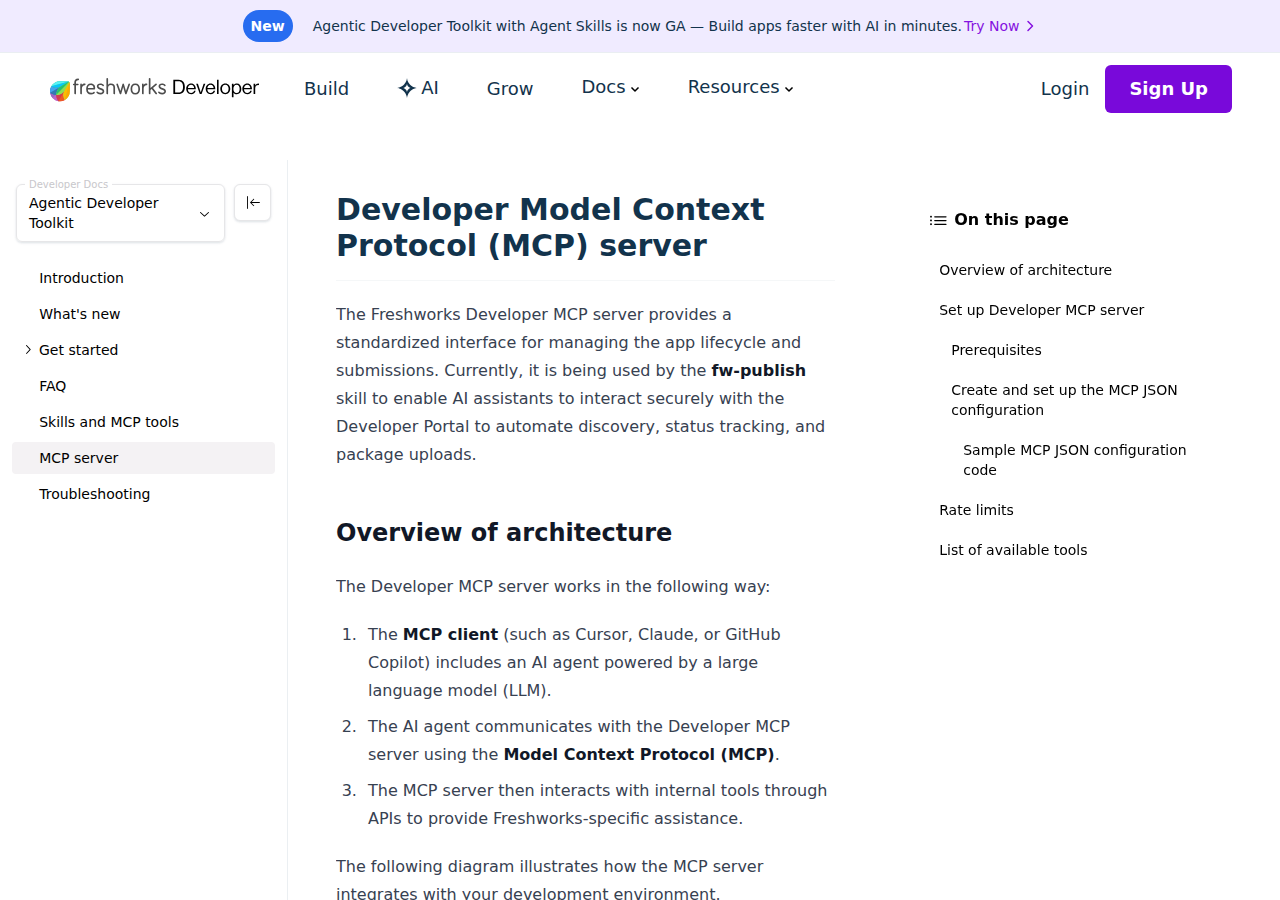
Freshdesk is the help desk where support queues, requester history, and overdue follow-ups pile up fastest — which makes it a genuinely useful thing to put in front of a self-hosted AI assistant like OpenClaw. The good news: there have been real improvements. Freshworks now ships an official MCP server (currently Beta / Early Access Program) and launched an MCP Gateway at Refresh 2026.
But there is one reality you need to understand before building: every Freshdesk integration path authenticates with a plain API key — no OAuth, no scoped tokens. Freshdesk's API v2 uses a single key (usually from Profile Settings) that has full read and write access to every ticket, contact, and company. When you connect that key to an MCP server, you are handing the whole support operation to whatever tools that bridge exposes. That's the central design constraint for every path below.
Path A: Official Freshworks MCP Server (If You're on Enterprise + In the EAP)
Freshworks built its own MCP server for Freshdesk, exposed at https://<your-freshdesk-domain>/mcp. It maps tickets, contacts, conversations, companies, agents, and groups onto MCP tools.
The catch: as of mid-2026 it's Beta via an Early Access Program (EAP) for selected Enterprise-plan customers only, and it authenticates with your API key as a Bearer token — there's no OAuth flow.
For a self-hosted OpenClaw instance, wiring it in looks like this (streamable HTTP transport):
{
  mcpServers: {
    freshdesk: {
      type: "http",
      url: "https://yourdomain.freshdesk.com/mcp",
      headers: { Authorization: "Bearer <your-api-key>" }
    }
  }
}
Why this matters for OpenClaw specifically: the Freshworks MCP docs currently list Claude, Cursor, and Copilot Studio as supported clients — ChatGPT is conspicuously absent. But OpenClaw is not a hosted OpenAI product; it's a self-hosted MCP-speaking agent, so it sits in the same category as Claude/Cursor. The server speaks standard MCP over HTTP, so a self-hosted OpenClaw can point at it directly (the mcp-remote proxy or a direct HTTP transport) without waiting for any vendor certification. If you're on Enterprise and can get EAP access, this is the cleanest path.
What the server exposes (you can name-check these in your skill file):
- Tickets — list, search, create, update, and read full conversation history
- Contacts — look up customers, view every ticket attached to a contact
- Companies — all contacts and tickets for a company
- Agents & Groups — workload, assignment, group membership
- Conversations — the actual replies and notes on each ticket
Path B: Community MCP Servers (Any Plan, More Control)
If you're not on Enterprise (or don't want to wait for EAP), community MCP servers bridge Freshdesk's API v2 to MCP:
Enreign/freshdeck-mcp— an MCP server for Freshdesk API v2 covering ticket and contact management. Runs locally, so it's a natural fit beside a self-hosted OpenClaw.effytech/freshdesk_mcp— an MCP server letting AI models interact with Freshdesk modules.
These run over stdio locally, which actually plays well with OpenClaw:
{
  mcpServers: {
    freshdesk: {
      type: "stdio",
      command: "npx",
      args: ["-y", "freshdesk-mcp"],
      env: {
        FRESHDESK_DOMAIN: "yourdomain",
        FRESHDESK_API_KEY: "<your-api-key>"
      }
    }
  }
}
The trade-off: community servers are less vetted, may not handle Freshdesk's API quirks (outbound-ticket immutability, conversation vs. thread taxonomy, soft deletes), and you own their security and updates. For a production support workflow, prefer the official server if you can get it; use a community one for experimentation or on a self-held instance where you control everything it touches.
Path C: Direct REST API + Skill File (The Classic Self-Hosted Way)
This is the path the base guide above walks through, and it's still the most flexible — especially when you want fine-grained control or aren't on Enterprise. In short:
- Get your API key from Freshdesk → Profile Settings → "Your API Key". Use it as the username in HTTP Basic auth (Fill in the password with anything — Freshdesk ignores it). Base URL:
https://{your-domain}.freshdesk.com/api/v2. - Build a small proxy around the ticket endpoints:
/tickets,/tickets/filter(predefined filters likeopen,unresolved,overdue, plus custom filter queries),/tickets/{id}(full ticket with conversation history),/contacts, and/agents. - Write
~/.openclaw/skills/freshdesk.mddocumenting your SLA targets and — critically — mapping agent IDs to human-readable names. Freshdesk returns agent IDs in ticket fields; your proxy should resolve those so Claude says "assigned to Maya" not "assigned to agent 712345".
Note: Freshdesk's ticket filter API supports a fixed set of conditions, not arbitrary queries. For complex queue views, you may need to fetch a broad set and filter client-side in your proxy — the base guide's first caveat nailed this, and it's the single most common source of "why is my query returning nothing" confusion.
Real Use Cases: What an OpenClaw + Freshdesk Setup Actually Does
These are concrete support workflows, not "ask me anything about tickets" platitudes.
1. Morning queue triage in Slack
Prompt: "Pull all open tickets in the billing group. For each, give me the requester, a one-line summary of what they actually need, how long since the last reply, and whether it's breaching our 4-hour SLA. Rank the five that need attention today." OpenClaw filters by group, reads ticket bodies (not just subject lines), and flags the genuinely urgent ones — the ones where the customer sounds frustrated and the clock is running.
2. Overdue-ticket early warning
Prompt: "Which open tickets have a due_by time in the next 2 hours? List them with time remaining, priority, and assigned agent, and flag any that have had no agent reply for over 24 hours." This turns the due_by field on each ticket into a real SLA radar in Slack — before the weekly report, not after.
3. Customer context before a reply
Prompt: "For ticket #4831, summarize the requester's full history: their past tickets, whether they've been escalated before, and what previous agents told them. Draft a reply that acknowledges how long they've been waiting." The agent pulls /tickets/{id} plus the contact's ticket list, so the reply actually reflects the relationship, not just the current thread.
4. Weekly support health report
Prompt: "Analyze last week's ticket data: created vs resolved, backlog growth by group, average first-response time and its trend, and any SLA breaches with ticket IDs. Flag anything abnormal." OpenClaw batches through the filter endpoint and returns a structured standup-ready briefing.
5. Recurring-pain detection
Prompt: "Group the subject lines and first messages of all tickets from the last 90 days by topic. Show me the top issues that don't have an obvious matching knowledge-base article." The agent reads patterns across tickets and surfaces content gaps — DMARC questions with no article, billing-contact changes nobody documented — a prioritized backlog you'd otherwise never see.
Freshdesk-Specific Pitfalls (Know These Before You Build)
These are the traps that trip people up specifically with Freshdesk + a self-hosted AI agent.
-
API-key auth means full-account access, with no scoping. Freshdesk's API accepts a single key that can read and write every ticket, contact, and company. When you put that key in an MCP config or a proxy, you're exposing the whole support operation. Fix: create a dedicated agent account for API access (all actions attributed to
ai-assistant@instead of a real person), give it a report-viewer role if you only need reads, and rotate the key from Profile Settings periodically. -
The filter API isn't arbitrary SQL.
/tickets/filtersupports a fixed set of predefined filters (open,unresolved,overdue, etc.) and limited custom conditions — not arbitrary queries. An LLM generating "show me all tickets where priority=high and last_reply < 4h and group=billing" will get empty results because that exact filter shape doesn't exist. Fix: design your proxy/skill file around supported filters, and filter further client-side when you need compound views. -
Outbound tickets are immutable. Freshdesk distinguishes inbound (customer) from outbound (proactive emails you send) tickets, and the API prevents modifying the subject or description of outbound tickets. If your agent confidently tries to "clarify the subject" on an outbound ticket, the call fails. Fix: have the proxy expose ticket type before allowing updates, and tell Claude in the skill file to check before modifying.
-
"Conversations" vs "threads" is a real taxonomy trap. A conversation is a reply on a ticket (customer, agent, or private note). A thread is what happens when a ticket is forwarded to a third party — a different endpoint and data structure. Ask the agent to "summarize the full history" and it may miss forwarded escalation context entirely. Fix: expose both conversation and thread endpoints in your proxy, and mention "include forwarded threads" in prompts for escalated tickets.
-
Agent IDs come back, not names. Freshdesk returns numeric agent IDs in ticket fields. Without name resolution, Claude says "assigned to agent 712345" — useless in a Slack alert. Fix: your proxy should resolve IDs to names via the
/agentsendpoint before OpenClaw ever sees the data. -
Rate limits blow up on batch operations. Freshdesk rate limits are plan-tied (roughly 50 req/min on lower tiers). An agent "scanning 30 tickets one by one" burns that instantly. Fix: use
/tickets/filterto pull batches, add date/status/group filters in prompts rather than "all tickets," and use theratelimit-remainingheader in your proxy to back off.
Also read
- How to Use Zendesk with OpenClaw — the closest help-desk comparison
- How to Use Intercom with OpenClaw — the customer-messaging alternative
- How to Use HubSpot with OpenClaw — where the CRM side of a customer lives
- How to Connect Freshdesk to ChatGPT — the ChatGPT-side integration for comparison
- Freshdesk AI Automation — AI workflows for ticket triage and SLA monitoring
Skip All of This — Use Cody Instead
Cody gives your team a Freshdesk AI assistant in Slack, so people can review queues, spot overdue or at-risk tickets, summarise ticket context, draft replies, and surface recurring customer pain without managing API keys or building the support workflow glue themselves.
Related Guides
- Connecting OpenClaw with Zendesk: A Practical Guide
- Connecting OpenClaw with Intercom: A Practical Guide
- Connecting OpenClaw with Hubspot: A Practical Guide
Need the model-flexible version? See: How to Connect Freshdesk to OpenClaw: Setup, Models, and Workflow Guide.