If you're trying to use Airtable with ChatGPT, the real question usually isn't "can these two technically work together?" It's how to make ChatGPT useful inside a Airtable workflow without getting vague, generic output back.
That's the useful framing.
ChatGPT is strongest when you give it the right context, a clear job, and a structured output format. Airtable brings the operational context. When the two are used well together, you get faster triage, better summaries, cleaner drafts, and more consistent decisions.
Airtable for ChatGPT: The Official Native Connector
In December 2025, Airtable launched Airtable for ChatGPT — a native, first-party integration built in partnership with OpenAI. Airtable was one of the launch partners for ChatGPT's new business app directory, and the integration lets you query, analyze, and update your Airtable data directly inside ChatGPT conversations.
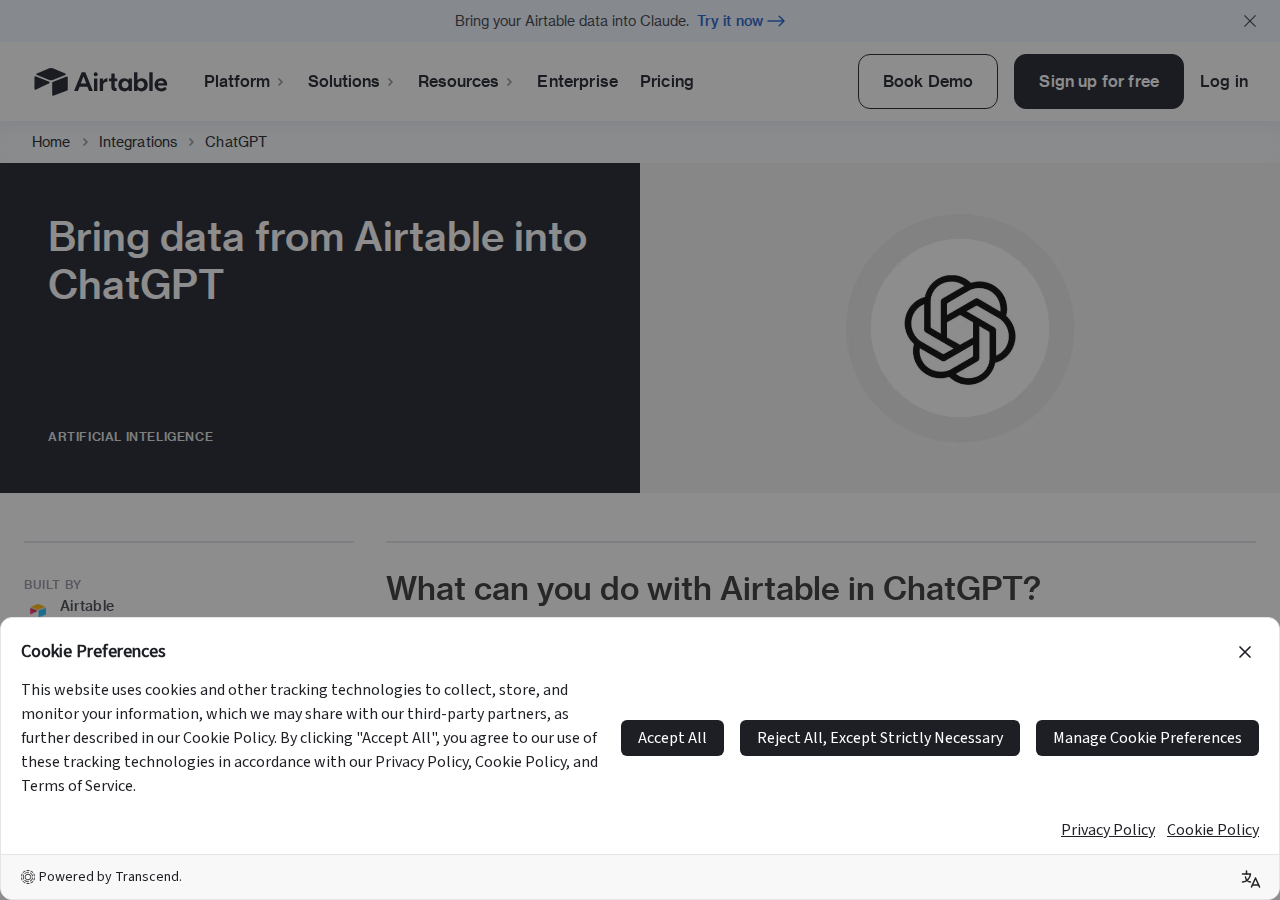
This isn't a third-party bridge, a Zapier workaround, or a copy-paste flow. It's Airtable's own infrastructure, available on all plan tiers of both products (Free and paid). You need edit access or higher in the bases you want to connect.
How It Works Under the Hood
The integration is powered by Airtable's official MCP (Model Context Protocol) server at mcp.airtable.com/mcp. MCP is an open standard that lets AI tools securely connect to external data sources. When you authorize in ChatGPT:
- ChatGPT connects to Airtable's MCP server via OAuth
- The server exposes your bases, tables, records, views, and field data
- ChatGPT can read to answer questions and write to create or update records
- All access respects your existing Airtable permissions — ChatGPT only sees what your account can see
- You can run the connector alongside the MCP server for other tools like Claude and Cursor — same backend, different frontends
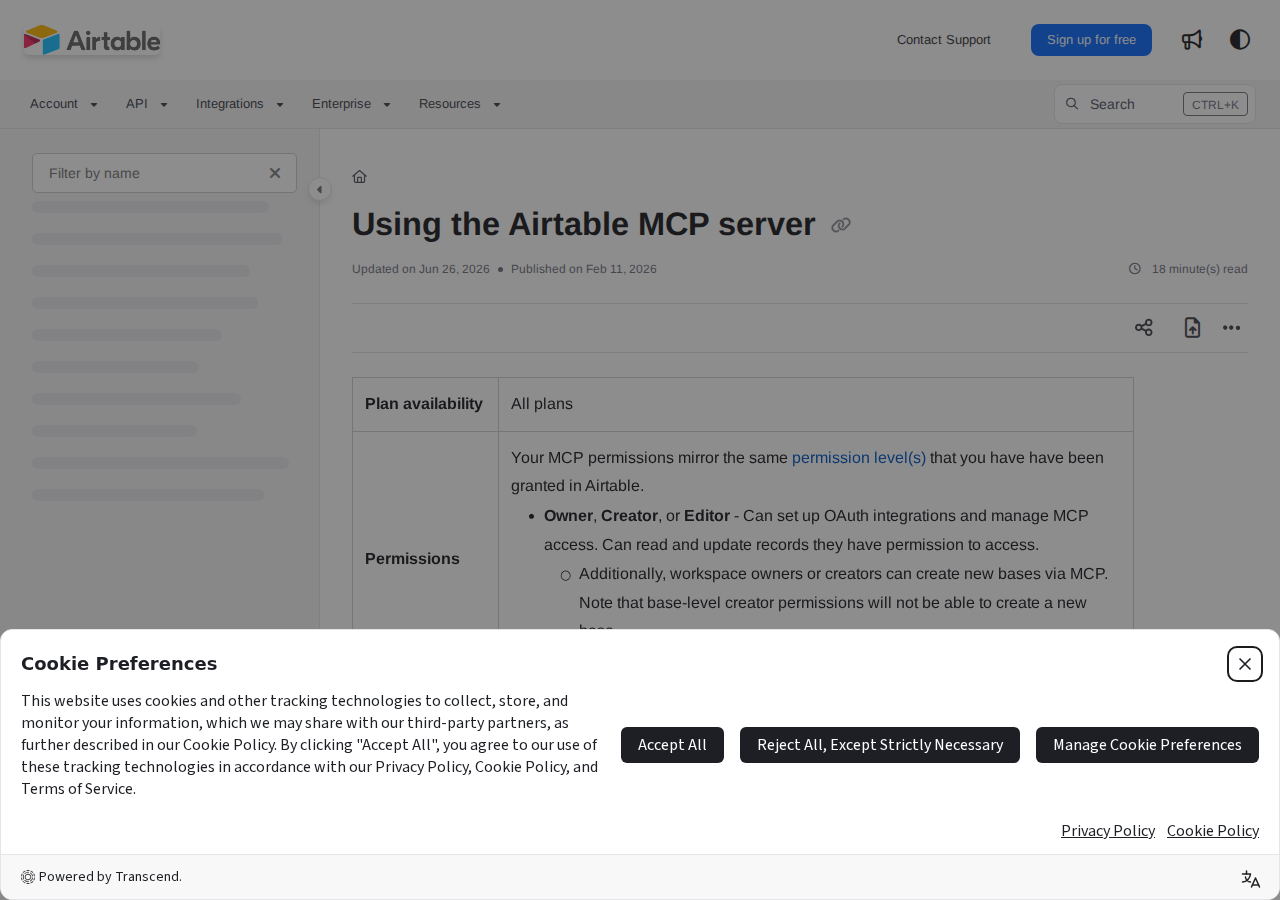
What data is accessible? The connector can access data available through Airtable's public API — records, field values, views, and table schemas. It does NOT have access to Interfaces, Automations, or base-level configuration settings. If a user only has Interface-level access to a base (not direct base access), the connector won't see that data.
Quick Setup (2 Minutes)
- Open ChatGPT → Settings → Apps
- Find "Airtable" in the app directory and install it
- Authorize the connection — sign in with Airtable and select which bases or workspaces ChatGPT can access
- Use it in any chat — type
/Airtableor select it from the tools dropdown under the chat input
Pro tip: Only grant access to the specific bases ChatGPT actually needs. If you use Airtable for everything from marketing campaigns to HR records and financials, there's no reason to give ChatGPT visibility into all of it. Scope to what's relevant for the task.
Setting Up the Airtable MCP Server for ChatGPT (Custom Connection)
If you need to connect multiple Airtable accounts to ChatGPT, or you're in an environment where the pre-built app isn't available, you can set up the MCP server as a custom connector:
- Enable Developer Mode in ChatGPT — go to Settings → Apps → Advanced Settings and toggle Developer mode
- Create a custom app — click "Create app" and enter:
- MCP Server URL:
https://mcp.airtable.com/mcp - Authentication: OAuth
- MCP Server URL:
- Configure OAuth — you have two options:
- Automatic (easier): Use Dynamic Client Registration. After completing the OAuth flow, your client will appear in your Airtable Builder Hub
- Manual (more control): Pre-create an OAuth client in your Airtable Builder Hub, then enter the Client ID and Secret in ChatGPT
- Authorize — complete the OAuth flow and the connection is live
This creates a separate connection from the pre-built app, so you can have one Airtable account on the official connector and another on the custom one.
Four Ways to Connect Airtable to ChatGPT (in Order of Preference)
1. Airtable for ChatGPT (Best)
The native, official way. Two-minute setup through the ChatGPT app directory. Uses Airtable's MCP server. No API keys, no middleware, no maintenance. This is the path you want for most teams.
2. Airtable MCP Server — Custom Connection
For teams with multiple Airtable accounts, specific security requirements, or environments where the pre-built app can't be installed. Same MCP backend, but you manage the OAuth client yourself. Good for IT-governed organizations.
3. Zapier / Make (Automation Workaround)
Build Zaps or scenarios that trigger on Airtable events (new record, updated field) → send to ChatGPT via OpenAI API → write response back to Airtable. Works for specific one-directional automation flows — for example: "When a new customer feedback record is created, have ChatGPT classify the sentiment and write it back to a Sentiment field." Requires ongoing maintenance and API costs.
4. Windsor.ai MCP Connector
Windsor.ai offers a third-party MCP bridge that syncs Airtable data to ChatGPT. It's a secure data bridge built on Windsor's MCP infrastructure. Useful if you're already using Windsor.ai for other data pipeline work, but unnecessary if the native Airtable connector does what you need.
5. Custom API Integration (Developer Path)
Build your own middleware using Airtable's REST API + OpenAI's API. Full control over prompts, context injection, and output formatting. Good for teams with very specific requirements — like analyzing data across 10+ bases simultaneously with custom business logic. The community-maintained domdomegg/airtable-mcp-server on GitHub is also an option if you want a self-hosted MCP server with read/write access.
What You CAN Do with Airtable + ChatGPT
✅ Pull Live Data into Content Creation
Ask ChatGPT to use your Airtable data as source material: "Generate a product update email using the latest entries from our Feature Roadmap base." ChatGPT pulls actual roadmap items — not generic filler — and writes content grounded in your real data.
✅ Analyze Trends Across Your Data
Ask: "Look at our Sales Pipeline base — which deals have been stuck in 'Negotiation' for more than 14 days?" or "What are the top 3 reasons deals are lost in our CRM base?" ChatGPT reads across records, identifies patterns, and surfaces insights you'd need to manually filter and pivot to find.
✅ Update Records Without Leaving the Chat
During a standup conversation in ChatGPT, say: "Update the status of the Q3 Launch task to 'In Progress' and set the due date to August 1." ChatGPT writes the changes back to your Airtable base in real time — no tab switching needed.
✅ Build New Bases from Conversation
Say: "Create a new base called 'Q4 Campaign Tracker' with tables for Assets, Deadlines, and Team Assignments." ChatGPT creates the base structure directly in your Airtable workspace. Workspace owners and creators can create new bases via MCP; base-level creators cannot.
✅ Generate Meeting Pre-Reads from Live Data
Before an executive meeting, ask: "Draft a pre-read using all the latest updates from our Product Roadmap and Customer Feedback bases." ChatGPT compiles the actual status data into a structured briefing document.
✅ Cross-Reference Multiple Bases
Ask: "Cross-reference our Content Calendar base against the Campaign Performance base — which content types have the highest completion-to-publication ratio?" ChatGPT reads across bases and finds relationships you'd normally need a complex linked-record setup to surface.
What You CANNOT Do (Current Limitations as of July 2026)
❌ Access Interface-Only Data
The connector works through Airtable's public API. If a user only has Interface-level access to a base (without direct base access), the connector cannot see that data. This is the #1 issue reported by Airtable Community users — teams that built their workflows around Interfaces find the ChatGPT connector doesn't work for those bases.
❌ Read or Trigger Automations
ChatGPT can read and write record data, but it cannot see, edit, or trigger Airtable Automations. If your workflow depends on "when ChatGPT updates a record, trigger an automation," you'll need a Zapier/Make step in between.
❌ Modify Base Schema (Limited)
While you can create new bases and add records, you can't add new fields to existing tables, change field types, or modify table relationships from ChatGPT. Schema changes still need to happen in Airtable directly.
❌ Access Attachments (View-Only)
ChatGPT can see that a record has file attachments but cannot read the contents of uploaded files. If your workflow involves analyzing PDFs or images stored in Airtable, you'll need to extract those separately.
❌ The "Wrong Base" Problem
If you have access to multiple bases with similar names (e.g., "Marketing Calendar" and "Marketing Calendar 2025"), ChatGPT sometimes pulls from the wrong one. Always be specific: "From the Marketing Calendar 2025 base, show me..." rather than assuming ChatGPT will guess the right base.
❌ Permission Boundaries Are Strict
The connector respects Airtable's permission model precisely. If your ChatGPT account is connected to a workspace where you're a read-only viewer, you can ask questions but can't write. This is a security feature, but teams get caught off guard when they install the connector with a viewer account instead of an editor account.
Real Airtable + ChatGPT Use Cases
1. Content Calendar → Automated Social Copy
The problem: Your content team manages an editorial calendar in Airtable with article titles, target keywords, publish dates, and author assignments. Every time a post is ready, someone manually writes the social media copy for LinkedIn, Twitter, and your newsletter.
With ChatGPT + Airtable: Once the article status is "Final," ask ChatGPT: "Pull the 3 articles in our Content Calendar with status 'Final' and draft social posts for each — one LinkedIn post, two tweets, and a newsletter blurb." ChatGPT reads the real titles and descriptions from Airtable, crafts platform-appropriate copy, and you copy the output directly into your scheduling tool. No more context-switching between the calendar and your content creation.
2. Sales Pipeline → Weekly Forecast in Minutes
The problem: Sales managers spend 45+ minutes every Monday filtering pipeline records, calculating deal-stage totals, and writing a forecast email for leadership.
With ChatGPT + Airtable: On Monday morning, ask: "Summarize our Sales Pipeline base — total deal value by stage, which deals are at risk (no activity in 7+ days), and what's likely to close this month. Format as a bullet-point email draft." ChatGPT reads the live Airtable data, performs the aggregation, and produces a structured forecast in under a minute.
3. Bug Tracker → Pattern Detection
The problem: Your QA team logs bugs in Airtable with fields for severity, affected feature, reporter, and status. Pattern detection requires manual sorting and filtering — and it's easy to miss that 40% of P0 bugs this month are in a single module.
With ChatGPT + Airtable: Ask: "Analyze our Bug Tracker base — are there patterns? Which feature has the most high-severity bugs this quarter? Is the bug count trending up or down month over month?" ChatGPT reads across all records, identifies clusters, and surfaces the pattern in seconds.
4. Customer Feedback → Product Roadmap Prioritization
The problem: Customer feedback lives in an Airtable base with 200+ entries across feature requests, bug reports, and praise items. Prioritizing what to build next means hours of manual review.
With ChatGPT + Airtable: Ask: "Go through our Customer Feedback base and group requests by theme. Rank them by frequency of mention. Flag any requests that appear alongside high revenue accounts (cross-reference with the Accounts base)." ChatGPT reads the feedback data and produces a prioritized list with supporting evidence from your own records.
Common Pitfalls When Connecting Airtable to ChatGPT
1. The Interface-Only Access Trap
This is the most common frustration on the Airtable Community forums. Many teams use Airtable Interfaces as their primary way of interacting with data — but Interfaces don't provide API-level access. If your team members only have Interface access (not direct base access), the ChatGPT connector will not work for them. Before rolling out the integration, verify that your users have editor access to the actual bases, not just the interfaces built on top of them.
2. Field Name Mismatches in Natural Language
ChatGPT reads your field names as they appear in Airtable. If your team calls the priority field "How Urgent" internally but the actual field name is "Severity Level," asking ChatGPT to "find all Urgent items" will fail. Use the exact field names as they appear in Airtable, or give ChatGPT a mapping at the start of the conversation: "In our Tracker base, 'Priority' means the 'Severity Level' field."
3. Linked Records Create Unexpected Scope
Airtable's linked record fields let you connect records across tables. When ChatGPT reads a record, it may pull in linked data from other tables — which can surface information you didn't intend to share. If your Projects table links to a confidential Budget table, asking about projects might inadvertently expose budget data. Review your linked record structure before connecting and scope access to only the bases ChatGPT actually needs.
4. API Rate Limits on Free Tiers
Airtable's API has rate limits (100 requests per base per minute on free plans). If you're running complex multi-base queries through ChatGPT on a free Airtable account, you'll hit this limit quickly. Symptom: ChatGPT starts returning "I couldn't access that data" errors after a few intensive queries. Solution: wait 30 seconds and retry, or upgrade to a paid Airtable plan for higher rate limits.
5. The "Write-Only Trust" Problem
Because ChatGPT can write to your Airtable bases, a poorly-phrased prompt can create a mess. "Update all overdue tasks to 'Cancelled'" might seem like a reasonable ask — until you realize 15 tasks were overdue because they were waiting on a vendor, not because they were cancelled. Always review what ChatGPT proposes to change before authorizing large updates. Use the preview feature when available, and for bulk operations, consider exporting to CSV first as a safety net.
6. Airtable Formula Fields Are Invisible to ChatGPT
If you use Airtable formula fields extensively (e.g., a computed "Days Overdue" field, or a "Full Name" field that concatenates First + Last), ChatGPT can read the formula output but cannot understand the underlying computation logic. It also can't write to formula fields (since they're computed). If your workflows depend on formula-field analysis, make sure you're asking ChatGPT about the source fields, not just the computed ones.
Airtable Native Connector vs. Other Approaches
| Approach | Setup Time | Maintenance | Best For |
|---|---|---|---|
| Airtable for ChatGPT (native) | 2 minutes | None | Day-to-day queries, content generation from live data, quick record updates |
| Airtable MCP — Custom Connection | 10 minutes | Minimal (OAuth client management) | Multiple Airtable accounts, IT-governed environments |
| Zapier/Make automations | 30-60 min | Ongoing (trigger maintenance, API key rotation) | Event-driven workflows (e.g., "every new record → classify with ChatGPT → write back") |
| Windsor.ai MCP bridge | 15 min | Low | Teams already using Windsor.ai for other data pipelines |
| Custom API integration | 2-4 hours | Significant (API changes, error handling) | Unique workflows no off-the-shelf tool supports |
| Manual copy-paste | 0 minutes | Every. Single. Time. | One-off prototyping before committing to a connector |
For most teams in 2026, the native Airtable for ChatGPT connector is the clear starting point. It's available on all plan tiers, takes two minutes to set up, covers the most common workflows, and is maintained by Airtable and OpenAI directly. Add Zapier/Make automations only for specific event-driven workflows that go beyond what conversational AI handles well.
Related Airtable Pages on Cody
- Airtable AI Automation — AI-powered workflows for Airtable from Slack: record search, base summaries, stale work detection, and update drafting
- Cody AI Assistant for Airtable — Cody's dedicated Airtable integration features
- Connect Airtable to OpenClaw — Complete DIY integration guide with API token setup, base/table ID configuration, and proxy setup
What "Airtable with ChatGPT" Usually Means
In practice, teams tend to use ChatGPT with Airtable in one of four ways:
- Summarising activity, records, conversations, or changes from Airtable
- Classifying items such as tickets, leads, tasks, issues, or opportunities
- Drafting replies, updates, reports, documentation, or next steps
- Reasoning over context to suggest priorities, actions, or likely issues
The key is to avoid treating ChatGPT like magic. It needs the relevant Airtable context in the prompt - and it works best when you tell it exactly what good output looks like.
Good Use Cases for Airtable + ChatGPT
1. Turn raw Airtable context into a useful summary
Paste or pipe in the relevant records, notes, messages, or metrics from Airtable, then ask ChatGPT to extract only what matters: key changes, risks, blockers, patterns, or action items.
2. Standardise messy workflows
If your team handles similar decisions repeatedly inside Airtable, ChatGPT can apply the same rubric every time: classify, explain briefly, and return a structured next step.
3. Draft faster without starting from zero
Use ChatGPT to produce first drafts grounded in the Airtable context - support replies, internal updates, status summaries, sales follow-ups, or operating notes.
4. Create reusable prompt-driven operating procedures
Once you find a prompt that works well for Airtable, save it as a repeatable workflow so the whole team gets more consistent output.
A Simple Setup Pattern
A practical way to use ChatGPT with Airtable looks like this:
- Pull the right context from Airtable
- Give ChatGPT one clear task
- Ask for a structured response
- Have a human review anything customer-facing or high-risk
That last point matters. ChatGPT is useful for acceleration, but for anything sensitive - customer communication, financial interpretation, account changes, or production actions - keep a human in the loop.
Copy-Paste Prompts for Airtable
Summary prompt
You are helping me work inside Airtable. Summarise the context below into 5 bullets: what changed, what matters, what is blocked, and what needs action next. If anything is unclear, say what is missing.
Classification prompt
Review this Airtable item and classify it into the best category. Return JSON with: category, confidence, rationale, and next_action. Keep rationale under 50 words.
Drafting prompt
Use the Airtable context below to draft a concise response. Keep it specific, avoid made-up details, and list any assumptions separately.
Executive brief prompt
Turn this Airtable activity into a short update for leadership: what happened, why it matters, current risks, and recommended next steps.
Where This Breaks Down
Most Airtable + ChatGPT workflows fail for predictable reasons:
- Too little real context is provided
- The prompt asks for too many things at once
- The output format is vague
- The team expects ChatGPT to know live Airtable data it has not actually been given
- No review step exists for important actions
The fix is usually simple: give better source context, narrow the task, and require a schema or fixed structure in the response.
If You Want This Embedded in the Workflow
You can absolutely use ChatGPT manually with exported Airtable context. That works well for one-off tasks and prototyping.
But if you want the workflow to feel operational - available to the team, connected to live systems, repeatable, and embedded where work already happens - you usually want something more integrated.
Want Airtable-Style Workflows Without Manual Prompt Copy-Paste?
Cody gives your team an Airtable assistant in Slack, so people can search bases, summarise records, spot stale or missing updates, and draft tracker summaries without managing tokens, formula syntax, or Airtable API plumbing.
Related ChatGPT Guides
Need a more automation-focused angle instead? See: Airtable AI Automation.
More Airtable + AI Resources
- Cody AI Assistant for Airtable — Cody's dedicated Airtable integration features
- Connect Airtable to OpenClaw — complete DIY integration guide