If you're trying to use Asana with ChatGPT, the real question usually isn't "can these two technically work together?" It's how to make ChatGPT useful inside a Asana workflow without getting vague, generic output back.
That's the useful framing.
ChatGPT is strongest when you give it the right context, a clear job, and a structured output format. Asana brings the operational context. When the two are used well together, you get faster triage, better summaries, cleaner drafts, and more consistent decisions.
Asana's Native AI Connector: ChatGPT Built Right In
In December 2025, Asana launched AI Connectors — native, official bridges between Asana and the AI tools teams already use: ChatGPT, Claude, Microsoft 365 Copilot, Gemini, Le Chat, and Quick Suite. This is not a third-party integration, not a Zapier workaround, not a manual copy-paste flow. It's Asana's own infrastructure, built on their MCP (Model Context Protocol) server.
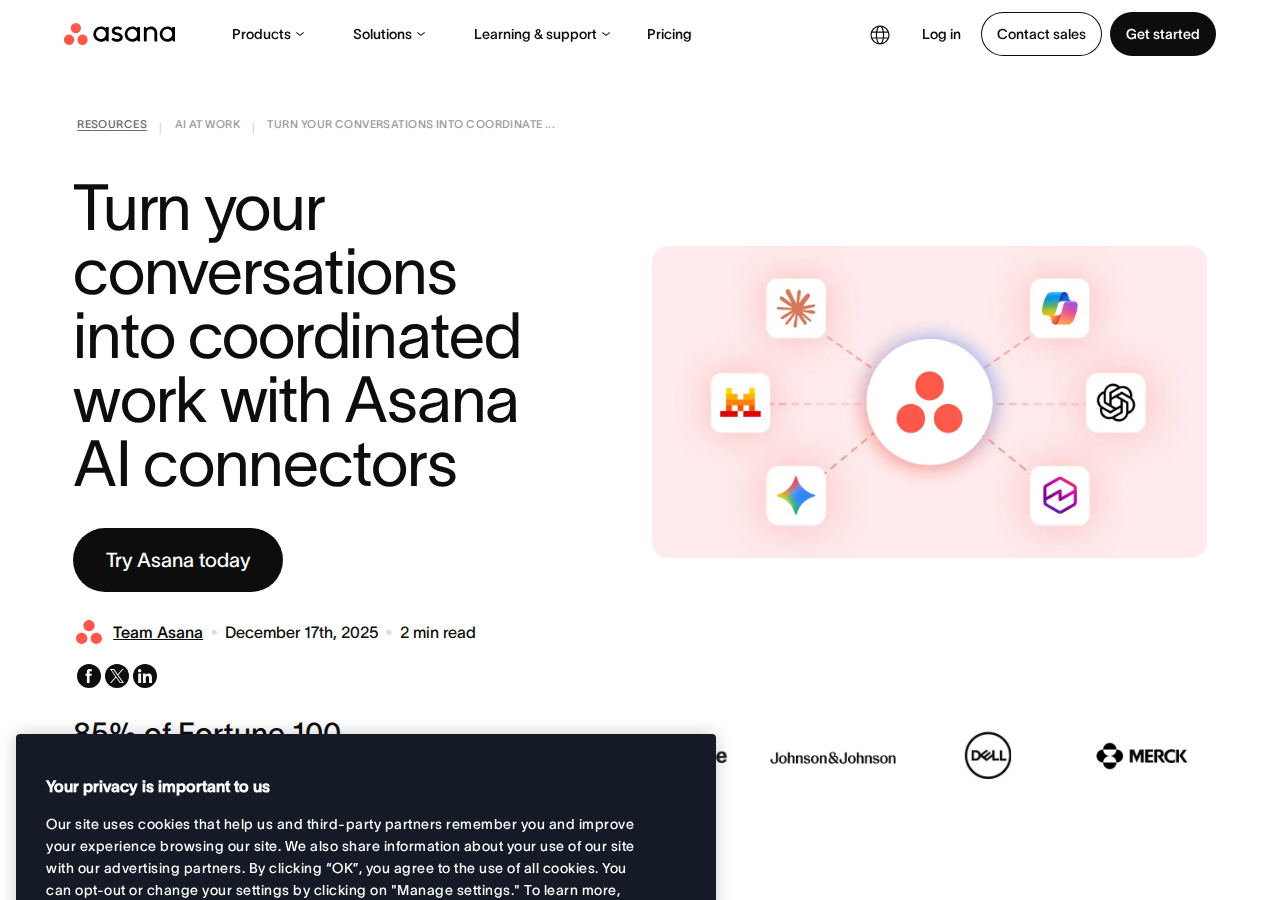
The Asana Connector is available in ChatGPT today, with the full "Asana for ChatGPT" app rolling out through 2026. The connector works across all Asana plan tiers — Personal, Starter, Advanced, Enterprise, and Enterprise+.
How It Works Under the Hood
The connector is powered by Asana's official MCP server at mcp.asana.com/v2/mcp. MCP (Model Context Protocol) is the secure bridge that lets AI assistants access your Asana workspace without you having to copy-paste API tokens or build middleware. When you authorize in ChatGPT:
- ChatGPT connects to Asana's MCP server via OAuth
- The server exposes your Work Graph — tasks, projects, sections, custom fields, due dates, assignees, comments, portfolios, and goals
- ChatGPT can read this data to answer questions, and write to it to create or update tasks
- All access respects your existing Asana permissions — ChatGPT only sees what your account can see
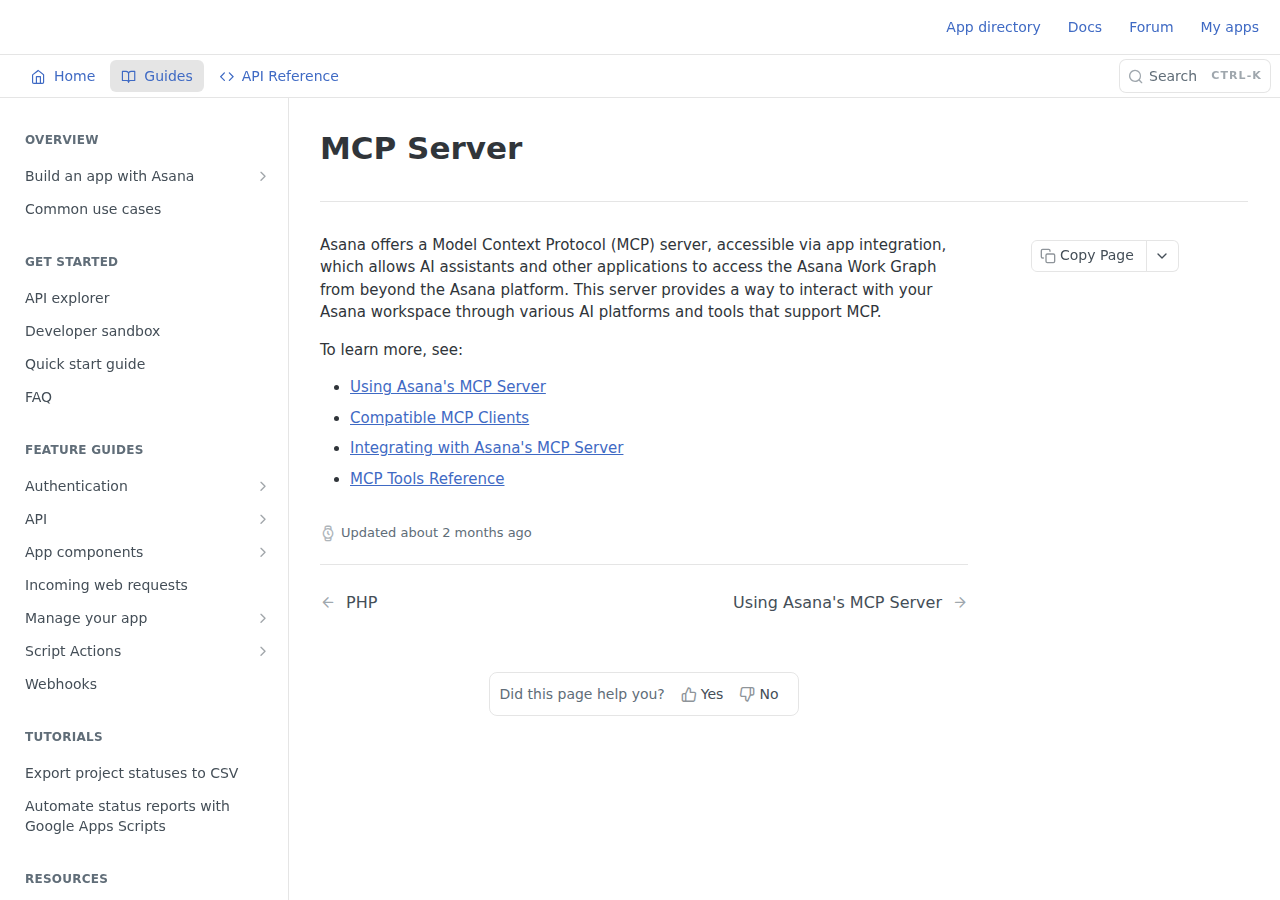
How much can it do? Asana's MCP server exposes 19+ tools covering tasks, projects, portfolios, goals, teams, custom fields, sections, comments, and more. Third-party catalogues list up to 44 endpoints depending on your plan tier and permissions.
Setting Up Asana with ChatGPT (Step by Step)
1. Open ChatGPT Apps
Go to Settings → Apps in ChatGPT. You'll find "Asana" listed under available apps.
2. Authorize the Connection
Click "Connect" on the Asana app. You'll be redirected to Asana to authorize. Choose which workspaces ChatGPT can access. Pro tip: only grant access to the specific workspaces it actually needs — there's no reason to give ChatGPT visibility into HR or finance projects if you're using it for marketing workflows.
3. Start Using It
Once connected, you'll see an Asana panel inside your ChatGPT chat. You can now:
- Ask ChatGPT about your tasks, projects, and deadlines
- Create new projects with structured sections and custom fields
- Get Gantt/timeline views directly in the chat
- Edit task details (assignee, priority, due date) without leaving ChatGPT
4. Set Your Workspace Context
ChatGPT needs to know which workspace you're working in. Be explicit: "In my Marketing workspace, show me all overdue tasks for the Q3 launch project."
What You CAN Do with Asana + ChatGPT
✅ Create Full Projects from Brainstorming Sessions
Brainstorm a campaign in ChatGPT, then say "Turn this into an Asana project." ChatGPT creates the project with tasks grouped by sections, custom fields populated, and due dates set. You get a preview before anything goes live.
✅ Get Real-Time Status Summaries
Ask: "What's overdue in the Marketing workspace this week?" or "Summarize the Home Renovation project — what's done, what's blocked?" ChatGPT pulls live data from Asana, not a stale export.
✅ Edit Tasks Inline
Click on generated tasks right inside ChatGPT to change assignees, priorities (High/Medium/Low), and due dates. No tab-switching needed.
✅ Visual Timeline Views
Switch between List view and Gantt chart view for any project directly in the ChatGPT interface. This is unique — no other project management tool's ChatGPT integration offers timeline visualization inside the chat.
✅ Meeting Notes → Action Items
Paste your meeting notes into ChatGPT and say: "Extract all action items, assign them to the relevant people, and add them to our Weekly Team Meeting project in Asana." ChatGPT parses the notes, identifies owners, and creates the tasks.
What You CANNOT Do (Current Limitations)
❌ Change Project-Level Settings
Once a project is created, you can't change the Project Owner or Team from ChatGPT. You need to click "Open in Asana" to adjust those in the native app.
❌ Read File Attachments
ChatGPT can read task text and custom fields, but it cannot process file attachments (PDFs, images, spreadsheets) attached to Asana tasks. If your workflow depends on analyzing attached documents, you'll need to extract those separately.
❌ Access Projects Outside Your Permissions
The connector respects Asana's permission model strictly. If your Asana account can't see a project, ChatGPT can't either. This is by design — it prevents accidental data leaks across teams — but it also means you can't use ChatGPT for cross-departmental visibility unless your role has that access.
❌ Bulk Operations Are Slow
Creating 50 tasks one-by-one via ChatGPT works, but it's not as efficient as using Asana's CSV import or a dedicated project template. The connector is best for turning conversations into structured work, not for mass data migration.
Four Ways to Connect Asana to ChatGPT (in Order of Preference)
1. Asana AI Connector (Best)
The native, official way. Uses Asana's MCP server. Available in ChatGPT Apps menu. No API keys, no middleware, no maintenance. This is the path you want.
2. Asana Smart Connector in ChatGPT (Upcoming App)
The full "Asana for ChatGPT" app — announced December 2025, rolling out 2026. Adds deeper integration: custom AI fields in Asana, automated workflow triggers, and bidirectional sync. If the basic connector feels limited, this is what to watch for.
3. Zapier / Make (Automation Workaround)
Build Zaps or scenarios that trigger on Asana events (new task, task completed) → send to ChatGPT via OpenAI API → write response back to Asana. Works for specific automation flows but requires ongoing maintenance and API costs. Good for: "When a new task is created with priority=high, ask ChatGPT to estimate effort and add it as a comment."
4. Custom API Integration (Developer Path)
Build your own middleware using Asana's REST API + OpenAI's API. Full control over prompts, context injection, and output formatting. Good for: teams that need specific behavior (e.g., "analyze all tasks across 3 projects, identify dependencies, and flag timeline conflicts").
Real Asana + ChatGPT Use Cases
1. Campaign Planning to Execution in One Session
The problem: Your team spends a 45-minute brainstorm, writes notes in a Google Doc, then someone manually recreates the plan as an Asana project. Tasks get misnamed, dependencies get lost, and the project drifts from what was actually discussed.
With ChatGPT + Asana: Discuss the campaign in ChatGPT. When the strategy is solid, say "Turn this into an Asana project with sections for Pre-launch, Launch Week, and Post-launch. Assign high priority to all promo tasks. Set the launch date for October 15." ChatGPT builds the structured project in seconds, and the team can start executing immediately.
2. Weekly Status That Writes Itself
The problem: Every Monday, the project manager manually checks 4 projects, compiles a status update, and sends it to leadership. This takes 45-60 minutes each week.
With ChatGPT + Asana: On Monday morning, ask: "Summarize progress across the Q3 Marketing, Website Redesign, and Sales Enablement projects. Highlight completed milestones, overdue tasks, and risks." ChatGPT pulls live Asana data and produces a structured status update in under a minute. You review for accuracy, add context, and send.
3. Cross-Project Dependency Detection
The problem: The Design team in Project A is waiting on Content from Project B. Nobody flagged this because the two projects are in different Asana teams. Deadline missed.
With ChatGPT + Asana: Ask: "Look at the Website Redesign and Content Calendar projects. Are there any tasks in Website Redesign that depend on deliverables from Content Calendar? Flag anything at risk." ChatGPT reads both projects and surfaces the dependency before it becomes a fire drill.
4. Onboarding a New Team Member
The problem: A new hire joins and needs to understand what's happening across 3 projects. They spend hours clicking through tasks and reading comments.
With ChatGPT + Asana: Ask: "Summarize the last month of activity in the Client Onboarding project: what shipped, what's in progress, who owns what, and which decisions are still open." New hire gets a clear picture in 5 minutes instead of 3 hours.
Common Pitfalls When Connecting Asana to ChatGPT
1. The "Workspace Confusion" Problem
Asana users with access to multiple workspaces will find ChatGPT sometimes pulls data from the wrong one. Always be explicit about which workspace you mean. Instead of "Show me my tasks," say "Show me my overdue tasks in the Marketing workspace." The connector doesn't guess context — you need to provide it.
2. Custom Field Names Must Match Exactly
ChatGPT reads your Asana custom fields by their actual names. If your team calls the priority field "P0-P4" internally but Asana labels it "Severity Level," ChatGPT won't understand "show me P0 tasks." Use the exact field name as it appears in Asana, or tell ChatGPT the mapping once at the start of the conversation.
3. The "Nice Project, Wrong Team" Problem
When ChatGPT creates a new project, it puts it in your default team. If you're in the Design team but the project should live in Marketing, you'll need to use the "Open in Asana" button to move it. There's no way to specify the target team during project creation from ChatGPT (as of mid-2026).
4. Task Count Limits on Free Tiers
Asana's Personal plan (free) limits you to 10 collaborators per team or project. If you're on the free tier and use ChatGPT to create a large project with many assignees, you'll hit this limit. Upgrade to Starter ($10.99/user/month) for unlimited collaborators.
5. Permission Boundaries Are Real — and Useful
If you connect a junior team member's ChatGPT account to Asana, they can only create and edit tasks in projects they already have access to. This is a security feature, but it catches teams off guard: "Why can't my ChatGPT see the Executive Dashboard project?" Because your Asana account doesn't have access to it. Plan your connector authorization around who needs what visibility.
6. ChatGPT Doesn't Know Your Asana Conventions
Your team might have unwritten rules: "Sprint tasks get a 🏃 emoji prefix," "Blocked tasks go in the 'On Hold' section," "Client projects use the purple color tag." ChatGPT won't know any of this unless you tell it. When first setting up, give ChatGPT a quick primer on your team's Asana conventions so projects match your existing structure.
Asana AI Connector vs. Other Approaches
| Approach | Setup Time | Maintenance | Best For |
|---|---|---|---|
| Asana AI Connector (ChatGPT native) | 2 minutes | None | Day-to-day task management, status updates, project creation from conversations |
| Zapier/Make automations | 30-60 min | Ongoing (trigger maintenance, API key rotation) | Specific event-driven workflows (e.g., "classify every new task with ChatGPT") |
| Custom API integration | 2-4 hours | Significant (API changes, error handling) | Teams with unique workflows no off-the-shelf tool supports |
| Manual copy-paste | 0 minutes | Every. Single. Time. | Quick one-off prompts, prototyping before committing to a connector |
For most teams in 2026, the native AI Connector is the clear starting point. It's free (no additional cost beyond your Asana plan), takes 2 minutes to set up, and covers the most common workflows. Add Zapier/Make automations for specific trigger-based workflows that go beyond what conversational AI handles well.
Related Asana Pages on Cody
- Asana AI Automation — AI-powered workflows for task triage, dependency detection, and project status from Slack
- Cody AI Assistant for Asana — Cody's dedicated Asana integration features
- Connect Asana to OpenClaw — Complete DIY integration guide with API token setup and proxy configuration
What "Asana with ChatGPT" Usually Means
In practice, teams tend to use ChatGPT with Asana in one of four ways:
- Summarising activity, records, conversations, or changes from Asana
- Classifying items such as tickets, leads, tasks, issues, or opportunities
- Drafting replies, updates, reports, documentation, or next steps
- Reasoning over context to suggest priorities, actions, or likely issues
The key is to avoid treating ChatGPT like magic. It needs the relevant Asana context in the prompt - and it works best when you tell it exactly what good output looks like.
Good Use Cases for Asana + ChatGPT
1. Turn raw Asana context into a useful summary
Paste or pipe in the relevant records, notes, messages, or metrics from Asana, then ask ChatGPT to extract only what matters: key changes, risks, blockers, patterns, or action items.
2. Standardise messy workflows
If your team handles similar decisions repeatedly inside Asana, ChatGPT can apply the same rubric every time: classify, explain briefly, and return a structured next step.
3. Draft faster without starting from zero
Use ChatGPT to produce first drafts grounded in the Asana context - support replies, internal updates, status summaries, sales follow-ups, or operating notes.
4. Create reusable prompt-driven operating procedures
Once you find a prompt that works well for Asana, save it as a repeatable workflow so the whole team gets more consistent output.
A Simple Setup Pattern
A practical way to use ChatGPT with Asana looks like this:
- Pull the right context from Asana
- Give ChatGPT one clear task
- Ask for a structured response
- Have a human review anything customer-facing or high-risk
That last point matters. ChatGPT is useful for acceleration, but for anything sensitive - customer communication, financial interpretation, account changes, or production actions - keep a human in the loop.
Copy-Paste Prompts for Asana
Summary prompt
You are helping me work inside Asana. Summarise the context below into 5 bullets: what changed, what matters, what is blocked, and what needs action next. If anything is unclear, say what is missing.
Classification prompt
Review this Asana item and classify it into the best category. Return JSON with: category, confidence, rationale, and next_action. Keep rationale under 50 words.
Drafting prompt
Use the Asana context below to draft a concise response. Keep it specific, avoid made-up details, and list any assumptions separately.
Executive brief prompt
Turn this Asana activity into a short update for leadership: what happened, why it matters, current risks, and recommended next steps.
Where This Breaks Down
Most Asana + ChatGPT workflows fail for predictable reasons:
- Too little real context is provided
- The prompt asks for too many things at once
- The output format is vague
- The team expects ChatGPT to know live Asana data it has not actually been given
- No review step exists for important actions
The fix is usually simple: give better source context, narrow the task, and require a schema or fixed structure in the response.
If You Want This Embedded in the Workflow
You can absolutely use ChatGPT manually with exported Asana context. That works well for one-off tasks and prototyping.
But if you want the workflow to feel operational - available to the team, connected to live systems, repeatable, and embedded where work already happens - you usually want something more integrated.
Want Asana-Style Workflows Without Manual Prompt Copy-Paste?
Cody gives your team an Asana assistant in Slack, so people can check project status, pull task context, spot blocked or overdue work, and draft updates without managing GIDs, PATs, or API plumbing.
Related ChatGPT Guides
- How to Use Monday.com with ChatGPT
- How to Use Airtable with ChatGPT
- How to Use Google Workspace with ChatGPT
Need a more automation-focused angle instead? See: Asana AI Automation.
More Asana + AI Resources
- Cody AI Assistant for Asana — Cody's dedicated Asana integration features
- Connect Asana to OpenClaw — complete DIY integration guide