If you're trying to use Zapier with ChatGPT, the real question usually isn't "can these two technically work together?" It's how to make ChatGPT useful inside a Zapier workflow without getting vague, generic output back.
That's the useful framing.
ChatGPT is strongest when you give it the right context, a clear job, and a structured output format. Zapier brings the operational context. When the two are used well together, you get faster triage, better summaries, cleaner drafts, and more consistent decisions.
Zapier MCP: The Modern Way to Connect Zapier and ChatGPT
As of mid-2026, Zapier MCP is the recommended way to connect Zapier to ChatGPT. It replaces the older AI Actions (GPT Actions) integration, which Zapier has deprecated and is no longer actively developing.
Zapier MCP gives ChatGPT access to Zapier's entire library of 9,000+ app connections and 30,000+ pre-built actions through a single MCP server URL. Instead of building one integration per app, you connect once and get everything.
How Zapier MCP Works
- Create your MCP server at mcp.zapier.com — you get a unique, dynamic MCP server URL
- Select which actions your AI can use: Gmail, Slack, Salesforce, Google Sheets, or any of the 9,000+ apps in Zapier's library
- Connect to ChatGPT by adding the MCP server URL in ChatGPT's MCP settings
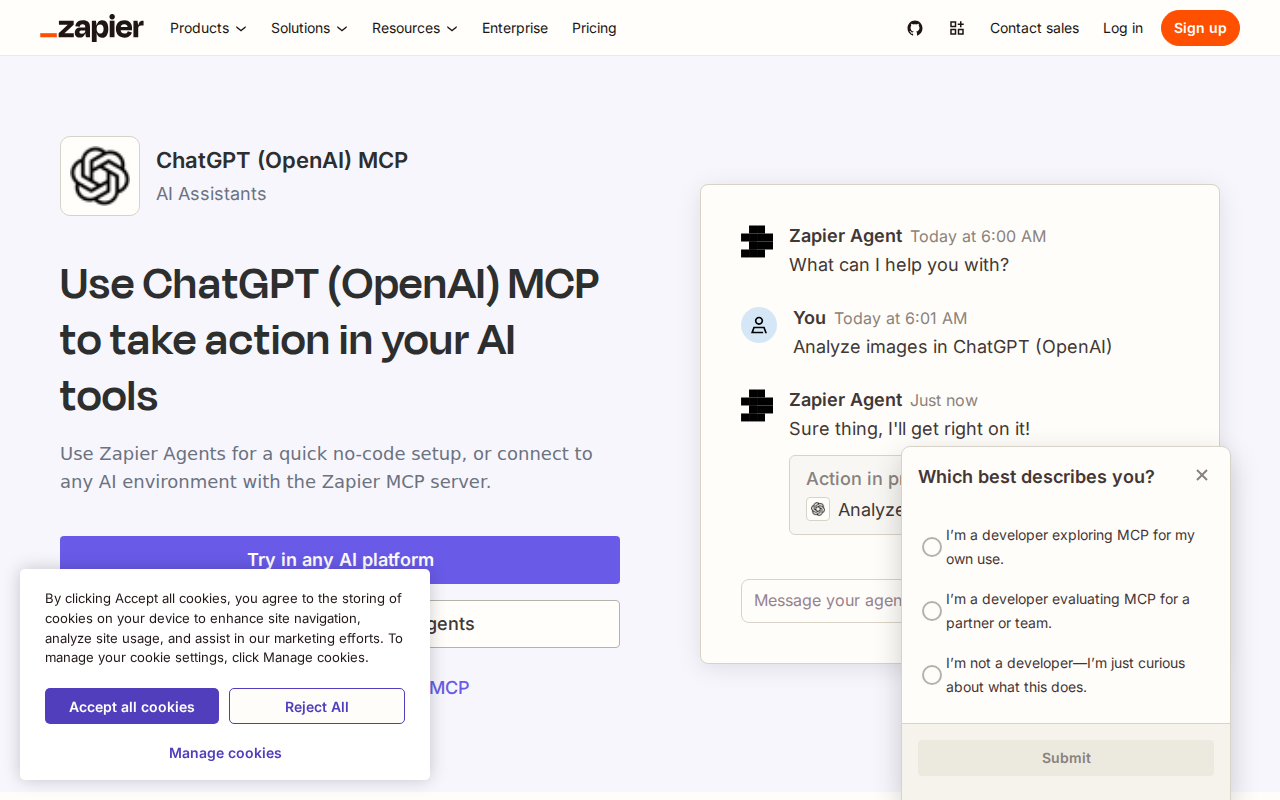
- Use natural language to tell ChatGPT what to do: "Summarize today's unread Slack messages and draft replies for anything that needs my input"
What Makes Zapier MCP Different
Most MCP servers connect to one app. Zapier MCP is a gateway to thousands of apps at once. This matters because:
- One connection, not dozens: Instead of connecting ChatGPT to Gmail, then separately to Slack, then separately to Salesforce, you connect once through Zapier MCP and all your apps are available
- Governance built in: Every action runs through Zapier's governance layer — OAuth, rate limiting, audit logs, and per-action toggles. Admins can control which apps each team member can access and which specific actions (e.g., allow "look up Salesforce contact" but block "delete Salesforce contact")
- No API keys in chat windows: Authentication runs through Zapier, with keys encrypted and rotated. Nobody pastes API tokens into a ChatGPT conversation
- Platform-agnostic: The same Zapier MCP URL works with ChatGPT, Claude, Cursor, and any MCP-compatible AI client
Pricing note: Zapier MCP is available on Zapier's paid plans. The free plan includes limited action runs, but most teams will need at least a Starter or Professional plan for regular use.
The Other Direction: ChatGPT Inside Zapier Zaps
The Zapier-to-ChatGPT connection works in both directions. While Zapier MCP brings Zapier's app library INTO ChatGPT, you can also bring ChatGPT's AI capabilities INTO your Zapier Zaps.
ChatGPT (OpenAI) App on Zapier
Zapier has a first-party ChatGPT (OpenAI) app with 20+ triggers and actions. This lets any Zap call the ChatGPT API as a step in an automation.
Key actions available:
| Action | What it does | Best for |
|---|---|---|
| Conversation (Recommended) | Send a chat to OpenAI with memory, web search, and MCP tooling via Responses API | Multi-turn conversations, context-aware tasks |
| Analyze Text (Recommended) | Summarize, classify, and analyze text via Responses API | Email triage, lead scoring, ticket categorization |
| Extract Structured Data (Recommended) | Pull structured JSON from unstructured text with schema adherence | Form parsing, invoice extraction, data normalization |
| Send Prompt (Legacy) | One-shot prompt → completion via Completions API | Quick lookups, simple transformations |
| Generate An Image | Create images via DALL-E | Auto-generate social media images, product mockups |
How to Connect ChatGPT to Zapier (for Zaps)
Connecting ChatGPT as an action step inside a Zap is straightforward:
- Get your OpenAI API key from platform.openai.com → API keys → Create new secret key
- In Zapier, go to Apps → Add Connection → search for "ChatGPT (OpenAI)"
- Enter your API key (and Organization ID if applicable)
- In any Zap, add a ChatGPT action step — choose Conversation, Analyze Text, or Extract Structured Data
- Map data from your trigger app into the ChatGPT action fields
Important: ChatGPT actions in Zapier use the OpenAI API, not your ChatGPT subscription. You need prepaid billing enabled on your OpenAI account. This is separate from a ChatGPT Plus or Enterprise subscription.
The Deprecated Path: GPT Actions (AI Actions)
Zapier previously offered AI Actions (also called GPT Actions), which let you add Zapier's 30,000+ actions directly into custom GPTs inside ChatGPT.
Zapier has deprecated this feature. The official help article now states:
"AI Actions is no longer being developed and supported. For a fully supported experience, explore Zapier MCP."
If you have existing GPTs using Zapier AI Actions, they'll keep working for now, but Zapier recommends migrating to Zapier MCP for new setups.
Real Zapier + ChatGPT Use Cases
1. Morning Slack Summary with ChatGPT Analysis
Setup: Slack trigger (new messages in #general) → ChatGPT Analyze Text → Slack DM with summary
A Zap catches the overnight messages from your team channel, sends them to ChatGPT for sentiment analysis and action-item extraction, and DMs you a bulleted summary before your first coffee.
Example prompt in the Zap:
"Summarize these Slack messages. Extract: (1) decisions made, (2) action items with owners, (3) anything that needs my immediate response. Be concise."
2. Lead Enrichment from Web Forms
Setup: Typeform/Google Forms trigger → ChatGPT Extract Structured Data → Google Sheets or CRM
When someone fills out your demo request form with just a company name and email, a Zap sends "Enrich this lead: company={name}" to ChatGPT, which returns structured data: industry, company size, LinkedIn URL, recent news — all saved to your CRM automatically.
3. Support Ticket Classification + Drafting
Setup: Zendesk/Intercom trigger (new ticket) → ChatGPT Extract Structured Data (classify: urgency, category, sentiment) → ChatGPT Conversation (draft reply) → Add internal note to ticket
Each new support ticket gets automatically classified by priority and category, and ChatGPT drafts a suggested reply that the support agent can review and send. The agent saves 2-3 minutes per ticket on triage and first-draft writing.
4. Cross-App Pipeline Reporting
Setup: Scheduled trigger (daily at 9 AM) → Multiple app lookups (Salesforce opportunities, Stripe payments, HubSpot deals) → ChatGPT Conversation (create narrative report) → Post to Slack channel
Instead of checking three dashboards, your team gets a single narrative report in Slack every morning: "3 deals moved forward this week, 1 stalled (Acme Corp — no activity in 12 days), $47K closed. Here's what needs attention."
Common Pitfalls When Connecting Zapier to ChatGPT
1. Confusing ChatGPT API Costs with ChatGPT Subscription
This is the #1 mistake. The ChatGPT (OpenAI) app in Zapier uses the OpenAI API, which bills per token — it's completely separate from your ChatGPT Plus or Enterprise subscription. You need to set up prepaid billing on your OpenAI platform account. If you don't, your Zaps will fail with authentication errors even if you're logged into ChatGPT.
2. Using the Legacy "Send Prompt" Action Instead of "Conversation"
Zapier still lists "Send Prompt" (powered by the legacy Completions API) as an available action, but it's inferior to the "Conversation" action (powered by the Responses API). The Conversation action supports memory, web search, file search, and MCP tooling. The Send Prompt action just does a one-shot completion with no context. Always use Conversation for new Zaps.
3. Token Limit Surprises
Each ChatGPT API call consumes tokens from your OpenAI account. A Zap that processes 100 form submissions per day, each sending 2,000 tokens of context and asking for 500 tokens of output, will burn through 250,000 tokens per day. With GPT-4o at ~$2.50 per million input tokens, that's manageable — but if you accidentally configure it with long-context prompts or use a more expensive model like o3, costs can spike unexpectedly.
4. Zapier MCP Action Naming Confusion
When you set up actions in Zapier MCP, you assign them names that you'll use when talking to ChatGPT. If you name an action "Slack DM" and another "Send Slack message," ChatGPT may not know which to use. Give actions distinct, descriptive names — for example, "DM my boss on Slack" vs "Post to #general channel."
5. The "AI Can Do Anything" Assumption
Zapier MCP gives ChatGPT access to apps, but it only exposes the specific actions you've configured. If you ask ChatGPT to "create a Salesforce report" but you haven't added a Salesforce reporting action in Zapier MCP, it can't do it. Plan your action set carefully — add the 5-10 most useful actions rather than trying to expose everything.
Which Path Should You Choose?
| Scenario | Recommendation |
|---|---|
| You want ChatGPT to take action in your apps (Slack, Gmail, CRM) | Zapier MCP — one connection, 9,000+ apps, governed |
| You want to automate ChatGPT calls from other apps | ChatGPT (OpenAI) app in Zapier — trigger-based, runs on Zapier's cloud |
| You have existing custom GPTs with AI Actions | Migrate to Zapier MCP — AI Actions are deprecated |
| You want an AI teammate that runs autonomously | Zapier Agents — AI that runs multi-step workflows independently |
| You want AI automation in Slack without wiring MCP servers | Cody — connects to your tools directly, no Zapier configuration needed |
For most users in 2026, Zapier MCP is the clear winner for connecting ChatGPT to your apps. It's the officially recommended path, it's actively maintained, and it gives you governed access to thousands of apps through a single connection. The ChatGPT (OpenAI) app in Zapier remains useful for the reverse direction — when you want ChatGPT to be a step inside an existing automation workflow.
What "Zapier with ChatGPT" Usually Means
In practice, teams tend to use ChatGPT with Zapier in one of four ways:
- Summarising activity, records, conversations, or changes from Zapier
- Classifying items such as tickets, leads, tasks, issues, or opportunities
- Drafting replies, updates, reports, documentation, or next steps
- Reasoning over context to suggest priorities, actions, or likely issues
The key is to avoid treating ChatGPT like magic. It needs the relevant Zapier context in the prompt - and it works best when you tell it exactly what good output looks like.
Good Use Cases for Zapier + ChatGPT
1. Turn raw Zapier context into a useful summary
Paste or pipe in the relevant records, notes, messages, or metrics from Zapier, then ask ChatGPT to extract only what matters: key changes, risks, blockers, patterns, or action items.
2. Standardise messy workflows
If your team handles similar decisions repeatedly inside Zapier, ChatGPT can apply the same rubric every time: classify, explain briefly, and return a structured next step.
3. Draft faster without starting from zero
Use ChatGPT to produce first drafts grounded in the Zapier context - support replies, internal updates, status summaries, sales follow-ups, or operating notes.
4. Create reusable prompt-driven operating procedures
Once you find a prompt that works well for Zapier, save it as a repeatable workflow so the whole team gets more consistent output.
A Simple Setup Pattern
A practical way to use ChatGPT with Zapier looks like this:
- Pull the right context from Zapier
- Give ChatGPT one clear task
- Ask for a structured response
- Have a human review anything customer-facing or high-risk
That last point matters. ChatGPT is useful for acceleration, but for anything sensitive - customer communication, financial interpretation, account changes, or production actions - keep a human in the loop.
Copy-Paste Prompts for Zapier
Summary prompt
You are helping me work inside Zapier. Summarise the context below into 5 bullets: what changed, what matters, what is blocked, and what needs action next. If anything is unclear, say what is missing.
Classification prompt
Review this Zapier item and classify it into the best category. Return JSON with: category, confidence, rationale, and next_action. Keep rationale under 50 words.
Drafting prompt
Use the Zapier context below to draft a concise response. Keep it specific, avoid made-up details, and list any assumptions separately.
Executive brief prompt
Turn this Zapier activity into a short update for leadership: what happened, why it matters, current risks, and recommended next steps.
Where This Breaks Down
Most Zapier + ChatGPT workflows fail for predictable reasons:
- Too little real context is provided
- The prompt asks for too many things at once
- The output format is vague
- The team expects ChatGPT to know live Zapier data it has not actually been given
- No review step exists for important actions
The fix is usually simple: give better source context, narrow the task, and require a schema or fixed structure in the response.
If You Want This Embedded in the Workflow
You can absolutely use ChatGPT manually with exported Zapier context. That works well for one-off tasks and prototyping.
But if you want the workflow to feel operational - available to the team, connected to live systems, repeatable, and embedded where work already happens - you usually want something more integrated.
Want Zapier-Style Workflows Without Manual Prompt Copy-Paste?
Cody gives your team a Zapier AI assistant in Slack, so people can inspect Zaps, explain workflow ownership, triage task failures, and trigger approved automations without living inside Zap editors, folders, and task history all day.
Related ChatGPT Guides
Need a more automation-focused angle instead? See: Zapier AI Automation.
More Zapier + AI Resources
- Cody AI Assistant for Zapier — Cody's dedicated Zapier integration features
- Connect Zapier to OpenClaw — complete DIY integration guide