If you're searching for "how to connect Stripe to OpenClaw", the real question is usually not just whether the connection is possible. It's how to make Stripe usable inside an OpenClaw workflow with the right model, the right context, and the right level of control.
That's the practical framing.
OpenClaw gives you the orchestration layer: connectors, skills, tools, prompts, approvals, and the ability to run workflows where your team already works. Stripe provides the domain context. The integration becomes valuable when those two pieces are connected cleanly.
Stripe + OpenClaw: The Payment Operations Layer Your Team Can Actually Use
When someone searches for "how to connect Stripe to OpenClaw," they're usually not asking about API plumbing. They're trying to solve a real operational problem: making Stripe data — subscriptions, payments, refunds, invoices, customer billing history — accessible to their team in Slack without everyone needing a Stripe dashboard login.
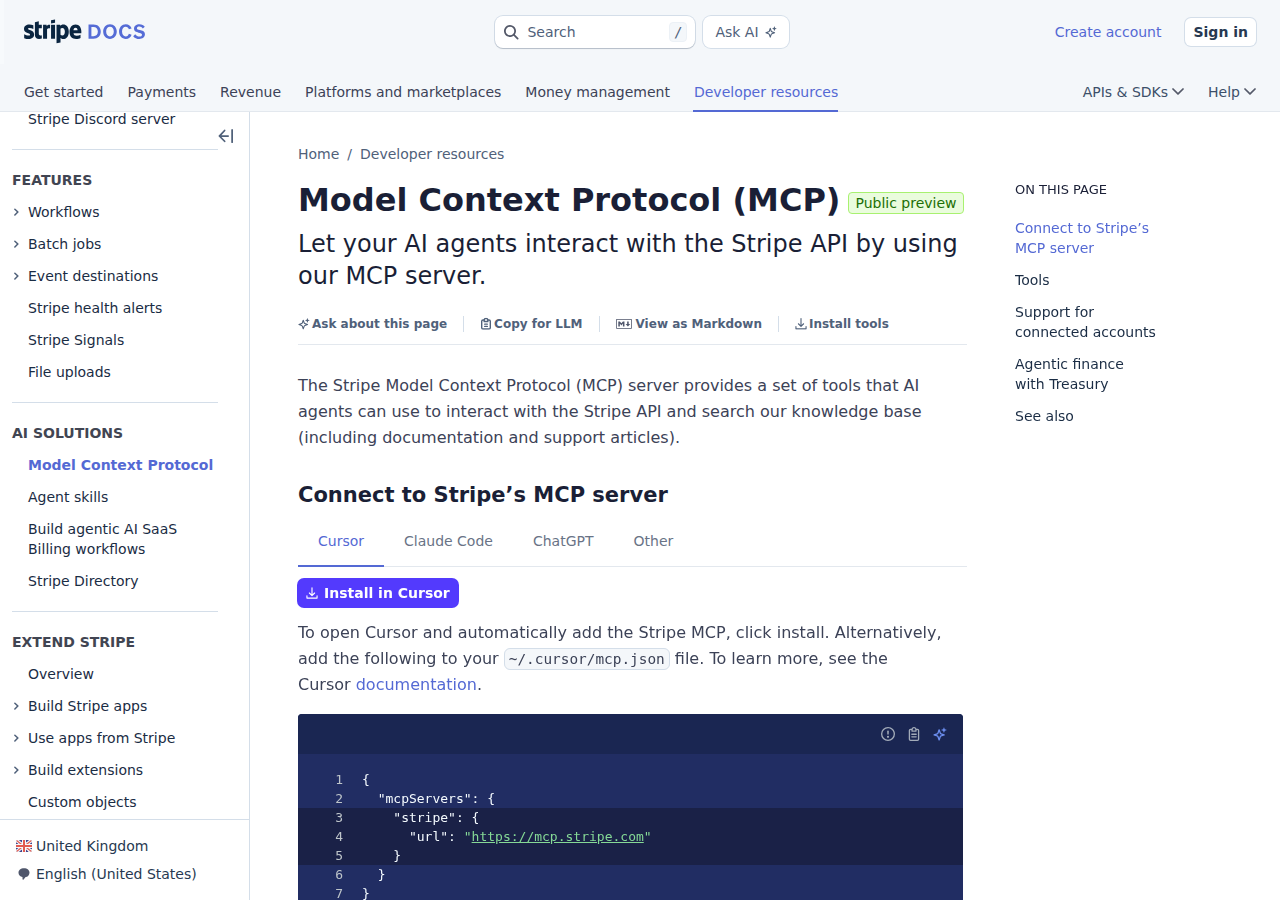
The good news: Stripe launched an official remote MCP server at mcp.stripe.com, and it's the cleanest integration path available in mid-2026. It's maintained by Stripe's engineering team, handles OAuth natively, and exposes the Stripe API surface through MCP tools — no proxy code to write, no Docker containers to manage.
The less-obvious news: connecting Stripe to OpenClaw is fundamentally different from connecting it to ChatGPT, Cursor, or Claude Code. Those are single-user developer tools. OpenClaw is a multi-user, multi-channel agent harness that handles approvals, scheduling, and team context. The integration has to work for an entire team, not just one developer.
Path A: Stripe's Official Remote MCP Server (Recommended)
Stripe's MCP server is hosted at:
https://mcp.stripe.com
It's a Streamable HTTP MCP endpoint. You point your client at it, authenticate via OAuth (or a restricted API key for autonomous agents), and you get access to Stripe's full API surface through MCP tools. No self-hosting required.
How this connects to OpenClaw: OpenClaw consumes remote MCP servers as tools. In your OpenClaw Gateway config:
{
  mcp: {
    servers: {
      stripe: {
        url: "https://mcp.stripe.com",
        transport: "streamable-http",
        auth: "oauth"
      }
    }
  }
}
Once connected, any OpenClaw agent with access to the Stripe MCP tools can query customers, retrieve subscription details, check invoice status, search for charges, and create refunds — all from Slack.
Setup Steps:
Step 1: Enable MCP access in the Stripe Dashboard. An administrator must enable MCP access at dashboard.stripe.com/settings/mcp. Access is managed separately for live mode and sandbox.
Step 2: Add the server to your OpenClaw config. Point it at https://mcp.stripe.com, then run openclaw mcp login stripe to complete OAuth. Verify the connection with openclaw mcp doctor stripe --probe.
Step 3: Manage sessions. Administrators can view and revoke MCP OAuth sessions from the Team and security page in the Stripe Dashboard. This matters for OpenClaw because you may have multiple team members each with their own OAuth session — you need visibility into who has access.
⚠️ Important: Stripe's MCP server respects the user's existing Stripe permissions. A support agent who can only view charges in the dashboard will only get read access through MCP. A finance admin with refund permissions will be able to create refunds. This is a good security model for team environments — each person's Stripe role controls what the agent can do on their behalf.
Path B: Stripe Restricted API Key + OpenClaw Skill File (For Autonomous Agents)
The OAuth flow works perfectly for interactive use — a human in Slack asks about a subscription, OpenClaw uses the MCP server with their OAuth token, and the response comes back. But what about scheduled workflows? Nightly revenue summaries? Automated fraud checks?
For autonomous/headless agents, OAuth PKCE flows don't work — there's no browser to open. Stripe's MCP server supports this case: you can pass a restricted API key as a Bearer token instead of using OAuth.
Step 1: Create a Restricted API Key
Go to Stripe Dashboard → Developers → API Keys → Create restricted key. Grant it the minimum permissions your agent needs:
Customers: Read
Charges: Read
Subscriptions: Read
Invoices: Read
Refunds: Read
PaymentIntents: Read
Balance: Read
Key principle: Never use your account's secret key for an AI agent. Restricted keys limit the blast radius. If your agent's prompt gets hijacked, the worst it can do is read data — it can't create charges or issue refunds without write permissions.
Step 2: Configure the MCP Server with Bearer Auth
Some MCP clients accept a headers field:
{
  mcp: {
    servers: {
    stripe: {
      url: "https://mcp.stripe.com",
      headers: {
        Authorization: "Bearer rk_live_..."
      }
    }
    }
  }
}
If your client doesn't support custom headers, you can use a thin proxy that injects the Authorization header before forwarding to mcp.stripe.com.
Step 3: Write the Skill File
Create ~/.openclaw/skills/stripe.md documenting your Stripe account's key data points and common query patterns:
# Stripe Skill

## Account Context
- Default currency: EUR
- Main products: Pro Plan (€29/mo), Enterprise Plan (€99/mo)
- Payment methods: card, SEPA Direct Debit
- Refund policy: 30 days, full refund

## Common Queries
- **MRR snapshot:** List active subscriptions, sum monthly amounts
- **Failed payments (last 24h):** List PaymentIntents with status=requires_payment_method
- **Customer lookup:** Search by email, retrieve subscriptions and recent charges
- **Churn watch:** Subscriptions canceled in last 30 days with cancel reason
- **Dispute alert:** New disputes opened today

## Important
- MRR is not a native Stripe metric — calculate from active subscription intervals
- Stripe uses cursor-based pagination (`starting_after`) for all list endpoints
- Test mode and live mode have completely separate API keys — verify which key you're using
- Restricted keys cannot access Connected accounts — use platform-level keys for Connect
Path C: Stripe REST API Proxy + OpenClaw Skill File (Maximum Control)
The official MCP server covers ~133 API methods and most common use cases. But some scenarios push past its limits:
- Stripe Connect platforms with multiple connected accounts — the MCP server's OAuth flow is per-user, not per-connected-account
- Sigma/Data pipelines — the MCP server doesn't expose Sigma scheduled queries
- Webhook event processing — the MCP server is API-driven, not event-driven
- Custom analytics — MRR, churn rate, LTV calculations that require multi-step logic
For these, building a thin proxy around Stripe's REST API gives you complete control:
Understanding Stripe's API Surface
| Domain | Key Endpoints |
|---|---|
| Customers | GET /v1/customers, POST /v1/customers, GET /v1/customers/:id |
| Charges | GET /v1/charges, GET /v1/charges/:id, POST /v1/charges/:id/refund |
| Subscriptions | GET /v1/subscriptions, POST /v1/subscriptions, DELETE /v1/subscriptions/:id |
| Invoices | GET /v1/invoices, POST /v1/invoices, POST /v1/invoices/:id/finalize |
| PaymentIntents | GET /v1/payment_intents, POST /v1/payment_intents, GET /v1/payment_intents/:id |
| Refunds | GET /v1/refunds, POST /v1/refunds |
| Balance | GET /v1/balance, GET /v1/balance_transactions |
| Products & Prices | GET /v1/products, POST /v1/products, GET /v1/prices, POST /v1/prices |
| Disputes | GET /v1/disputes, POST /v1/disputes/:id |
| Payouts | GET /v1/payouts, GET /v1/payouts/:id |
| Coupons & Promo Codes | GET /v1/coupons, POST /v1/coupons, GET /v1/promotion_codes |
| Checkout Sessions | GET /v1/checkout/sessions, GET /v1/checkout/sessions/:id |
| Payment Links | GET /v1/payment_links, POST /v1/payment_links |
| Tax | GET /v1/tax/settings, GET /v1/tax_codes |
| Issuing | GET /v1/issuing/cards, GET /v1/issuing/transactions |
| Billing Portal | GET /v1/billing_portal/configurations |
All list endpoints use cursor-based pagination with limit (max 100) and starting_after. All responses include a has_more boolean and a data array.
Building the Proxy
Your proxy accepts simple HTTP requests from OpenClaw and translates them into Stripe API calls:
GET /stripe/customer?email=jane@acme.com→ searches for a customer by emailGET /stripe/subscriptions?status=active→ lists active subscriptionsGET /stripe/charges?customer=cus_xxx&limit=10→ recent charges for a customerPOST /stripe/refundwith{ charge: "ch_xxx" }→ issues a refund (with approval gate!)
The proxy handles authentication (API key), pagination, rate limiting (Stripe allows 100 read ops/sec and 25 write ops/sec in live mode), and response formatting. For write operations, your proxy should enforce an approval gate — OpenClaw's built-in approval system can handle this if you configure it properly.
Stripe MCP Server Tools (Full Reference)
The official MCP server at mcp.stripe.com exposes 13 tools. Here's the complete reference, based on Stripe's developer documentation as of July 2026:
| Tool | What It Does |
|---|---|
stripe_api_search |
Search for Stripe API methods by keyword. Start here when you don't know which endpoint to use |
stripe_api_details |
Get detailed parameter information for a specific Stripe API method — required fields, optional fields, data types |
stripe_api_read |
Execute any Stripe API GET method. This is the Swiss Army knife — it covers customers, charges, subscriptions, invoices, payment intents, disputes, products, prices, and ~60+ more endpoints |
stripe_api_write |
Execute any Stripe API POST, PATCH, PUT, or DELETE method. Create customers, update subscriptions, finalize invoices, issue refunds |
get_stripe_account_info |
Retrieve account details — country, default currency, business name, charges enabled status |
create_refund |
Create a refund. This is a dedicated tool separate from stripe_api_write — likely because it's the most sensitive operation and warrants explicit tool-level control |
get_balance_summary |
Interactive balance summary across Stripe balance and Treasury accounts (public preview) |
search_stripe_resources |
Search Stripe resources using Stripe's search API — supports customers, charges, invoices, subscriptions, products, prices, payment intents, and more |
fetch_stripe_resources |
Fetch a specific Stripe object by ID — faster than stripe_api_read for single-object lookups |
search_stripe_documentation |
Search Stripe's documentation and knowledge base. Useful for "how do I..." questions during setup |
stripe_implementation_planner |
Guides you through Stripe product choices — what APIs to use for accepting payments, setting up billing, building a marketplace |
send_stripe_mcp_feedback |
Submit feedback directly to Stripe's MCP team. If a tool is missing or behaves unexpectedly, use this |
stripe_report |
Search, retrieve, and create reports and report runs — connects to Stripe's reporting infrastructure |
The key insight: stripe_api_read and stripe_api_write together cover ~133 API methods. Instead of having 133 individual MCP tools bloating your context window, Stripe uses a smart composable approach — two generic tools + parameter discovery via stripe_api_search and stripe_api_details.
What's NOT in the MCP server (as of July 2026):
- Stripe Connect platform-level operations (connected account management, transfers, platform fees)
- Stripe Sigma scheduled queries
- Stripe Climate / carbon removal data
- Stripe Identity verification results
- Stripe Terminal reader management
For these, fall back to the REST API proxy (Path C).
Real Use Cases for a Stripe + OpenClaw Agent
These are workflows teams actually run once the connection is working — specific to Stripe's data model, not generic "ask questions about your payments."
1. Morning Revenue Briefing
Every morning at 9 AM, OpenClaw queries Stripe and posts to #finance:
📊 Revenue Briefing — July 23 Yesterday's revenue: €4,820 from 38 charges MRR: €142,500 (↑ 3.2% MoM) New subscriptions: 12 (€3,720 total) Cancellations: 4 (€1,180 total, net +€2,540) Failed payments: 7 (€890) — 3 are retryable, 4 need manual follow-up Pending refunds: 2 (€340) ⚠️ Disputes: 1 (€89) — opened yesterday, reason: "product not received"
The agent uses stripe_api_read for charges (filtered by created timestamp), subscriptions, and disputes. The MRR calculation happens in the agent's reasoning layer (Stripe doesn't expose MRR natively — see Pitfall #1 below).
2. Customer 360 — Billing Context on Demand
A support agent pastes a customer email in #support. OpenClaw:
- Searches for the customer (
search_stripe_resourcesorGET /v1/customers?email=...) - Retrieves active subscriptions and plan details
- Lists last 5 charges with status and amounts
- Checks for any open invoices or disputes
- Returns everything in a single Slack thread
Customer: jane@acme.com Customer since: March 2024 | LTV: €2,340 Active subscriptions: Pro Plan (€29/mo, started Jan 2026) + Analytics Add-on (€15/mo) Last charge: €44.00 — Jul 15, succeeded Open invoices: 0 | Disputes: 0 Payment method: Visa ending 4242, exp 08/27 Notes: Upgraded from Basic to Pro in Jan, no support tickets in last 90 days
3. Failed Payment Triage
Every 4 hours, the agent scans for PaymentIntents with status=requires_payment_method from the last 24 hours:
🔴 Failed Payments — Last 12 Hours Total: 8 failed charges (€1,240) Retryable: 5 — cards declined, Stripe will retry automatically Action needed: 3 — expired cards, no retry scheduled
- john@widgetco.com — €290 invoice, card expired 06/26, last successful charge May 2026
- sarah@startup.io — €99 subscription, card expired 07/26
- info@agency.fr — €89 one-time, card expired 04/26 I can draft emails for these three — want me to?
4. Churn Early Warning
Weekly (every Monday), the agent analyzes subscription cancellations from the past 7 days and patterns:
📉 Churn Watch — Week 29 Cancellations: 5 (€1,410 MRR lost) Avg customer lifetime: 8.2 months for churned accounts (below 14-month average) Common pattern: 3 of 5 cancelled after first failed payment — no retry outreach happened At risk this week: 12 subscriptions with failed payment in last 7 days Recommendation: Automate retry outreach for failed payments. Currently manual.
5. Cross-Tool Financial Intelligence
During a monthly business review, the agent combines data across Stripe, HubSpot, and your analytics:
- Stripe: Revenue, MRR, churn, refund rate, dispute rate
- HubSpot: Deals closed this month, pipeline value, sales cycle length
- PostHog/GA: Trial → paid conversion rate, feature adoption
July Business Review Revenue: €148K MRR (Stripe) | Pipeline: €420K (HubSpot) Net revenue retention: 104% (expansion offsets churn) Avg deal size: €2,800 (HubSpot) vs €29/mo (self-serve Stripe) — two different motions Conversion: 8.2% trial → paid (up from 7.1% last month) ⚠️ Refund rate: 3.8% (above 2% target) — 6 of 8 refunds were "product didn't meet expectations"
This works because OpenClaw can consume multiple MCP servers simultaneously — Stripe, HubSpot, and your analytics tool all feed into one reasoning layer.
Stripe-Specific Pitfalls (What Most Guides Miss)
These are the real-world gotchas from teams running Stripe integrations in production:
1. MRR Is Not a Native Stripe Metric
Stripe doesn't expose an MRR endpoint. There's no GET /v1/mrr or stripe_api_read /v1/mrr. You have to calculate it from active subscriptions: sum up (unit_amount × quantity) / interval_count for monthly subscriptions, divide annual ones by 12, handle weekly ones × 4.33. Then you need to exclude trialing, paused, and incomplete subscriptions. And subscriptions with cancel_at_period_end=true still count until the period ends. Getting this wrong produces numbers off by 20-40% — but no error message tells you. Fix: Pre-calculate MRR in a scheduled job (nightly) and store it. Your agent queries the pre-calculated value, not the raw subscription list.
2. Test Mode vs Live Mode: The Silent Data Gap
Stripe has completely separate test and live API keys. There is nothing in the API response that says "you are in test mode." The data simply doesn't exist. If your OpenClaw gateway is accidentally configured with a test key, the agent will return empty results for real customers — and it will look like Stripe is broken, not misconfigured. The MCP server's OAuth flow handles this correctly (the consent screen shows which mode you're authorizing), but bearer auth with restricted keys doesn't. Fix: Add a smoke test to your agent's setup: query get_stripe_account_info and verify the account matches your production account ID. Build this check into your skill file onboarding.
3. Cursor Pagination != Offset Pagination
Every Stripe list endpoint uses cursor-based pagination (starting_after), not offset pagination (page=2). If your agent prompt says "get me the 50 most recent charges," the model needs to know to paginate — fetch limit=100, check has_more, and if true, repeat with starting_after set to the last object ID. Many agents default to assuming offset-based pagination and return incomplete results. The MCP server's stripe_api_read tool returns paginated responses — your agent prompt needs to handle the pagination loop. Fix: Document the pagination pattern in your skill file. For high-volume queries, set limit=100 to minimize round trips.
4. Restricted Keys Don't Work with Stripe Connect
If you're running a Stripe Connect platform (marketplace, SaaS billing for connected accounts), restricted keys cannot access connected account data. You need platform-level keys with Connect permissions. The MCP server's OAuth flow authenticates per-user, not per-connected-account — so multi-tenant Connect platforms hit a wall. Fix: For Connect platforms, build a proxy (Path C) that handles the Stripe-Account header for connected account switching. This is the one scenario where Path A (official MCP) genuinely doesn't work out of the box.
5. The MCP Server's Tools Are Generated from the OpenAPI Spec
Stripe's MCP server generates its tools dynamically from Stripe's OpenAPI specification. This means the available methods grow automatically as Stripe ships new APIs — but it also means parameter documentation is only as good as the OpenAPI spec. Some endpoints have terse descriptions, and optional parameters like expand (for fetching nested objects in one call) aren't always obvious. Fix: Use stripe_api_details before calling an unfamiliar endpoint. The expand parameter is the most important one to know about — it lets you fetch nested objects (like a charge's customer details) in a single call instead of making follow-up requests.
6. Idempotency Is Not Automatic with AI Agents
Stripe supports idempotency keys for write operations — you can safely retry a POST without creating duplicates. But AI agents don't automatically generate idempotency keys. If your agent creates a customer and the request times out, the model might retry and create a duplicate. The MCP server's stripe_api_write tool accepts an idempotency_key parameter — but the agent has to know to use it. Fix: Build idempotency into your agent's standard operating procedure. For every write operation, generate a UUID idempotency key. For scheduled workflows (nightly revenue briefing), include the date in the idempotency key — that way a re-run of "Wednesday's report" doesn't double-post.
7. Rate Limits Are Per-Mode, Per-Key
Stripe's API rate limit (100 read ops/sec, 25 write ops/sec in live mode) is per API key, not per account. If you have multiple OpenClaw agents using the same restricted key, they share the limit. In test mode, the limits are lower (25 read ops/sec). The MCP server authenticates per-user via OAuth, so each team member gets their own rate limit budget — this is actually a hidden advantage of Path A over Path B. With a single restricted key (Path B), all autonomous agents compete for the same 100 ops/sec. Fix: For Path B (autonomous agents), stagger your scheduled workflows. Don't run the revenue briefing, churn check, and dispute scan all at the same minute. For Path A (OAuth), you get natural isolation because each user has their own session.
8. The MCP Server Has No Webhook Integration
Stripe webhooks fire events in real time: charge.succeeded, invoice.payment_failed, customer.subscription.updated. The MCP server doesn't receive webhooks — it's purely request-response. If you want your OpenClaw agent to react to "a high-value charge just succeeded" or "a dispute was opened," you need the webhook. Fix: Don't try to make the MCP server event-driven. Use it for on-demand queries (Path A/B) and build a separate webhook → OpenClaw bridge for real-time events. A lightweight Express endpoint that receives Stripe webhooks and pushes a message to OpenClaw's API is ~50 lines of code.
Decision Matrix: Which Path Should You Take?
| Scenario | Best Path | Why |
|---|---|---|
| Team wants Stripe data in Slack today, interactive queries | Official MCP — Path A | Zero infrastructure, OAuth per-user, maintained by Stripe |
| Small team (5-15), want Stripe + Slack agent today without any setup | Cody | Full OpenClaw + Stripe, ready in minutes |
| Autonomous/scheduled workflows (daily revenue briefing, churn watch) | MCP with restricted key — Path B | No browser OAuth needed for background jobs |
| Stripe Connect platform with multiple connected accounts | API Proxy — Path C | Official MCP doesn't handle Stripe-Account header |
| Custom analytics (MRR, LTV, cohort analysis) not possible with raw API | API Proxy — Path C | Pre-calculate derived metrics, not query them live |
| Real-time alerts (dispute opened, large charge failed) | Webhook bridge + any path | MCP is request-response only. Webhooks are event-driven |
| Multi-tool financial intelligence (Stripe + HubSpot + analytics) | Official MCP — Path A | OpenClaw consumes multiple MCP servers. Use the official one for Stripe and handle the rest separately |
| Regulated industry (PSD2, PCI DSS) with strict audit requirements | API Proxy — Path C | Full control over logging, access controls, and data retention |
Related Pages
- Cody AI Assistant for Stripe — Cody's dedicated Stripe integration features
- How to Connect Stripe to ChatGPT — connecting Stripe to ChatGPT via MCP, ACP, and no-code connectors
- How to Connect HubSpot to OpenClaw — CRM integration with similar multi-path architecture
- Stripe AI Automation — AI automation workflows for Stripe teams
What “Connect Stripe to OpenClaw” Actually Means
In practice, connecting Stripe to OpenClaw usually involves four layers:
- Authentication so OpenClaw can securely access Stripe
- Tooling or proxy endpoints that expose the right Stripe actions and data
- Skills/instructions that tell OpenClaw how to reason over Stripe context
- Model selection so the assistant uses the right LLM for the job
That last piece matters more than most people expect.
Which Models Can You Use?
OpenClaw is model-flexible, so a Stripe integration does not need to be tied to a single provider. Depending on your setup, teams commonly want to use:
- OpenAI models for broad reasoning, structured extraction, and tool use
- Anthropic models for writing, analysis, and long-context work
- Google models for multimodal and large-context workflows
- Other model backends if your OpenClaw environment exposes them
Model names and availability change frequently, so check your OpenClaw model catalogue rather than copying a version from a guide. The practical point is that you can connect Stripe once, then choose a supported model for each workflow.
For example:
- Use Claude for nuanced summarisation or drafting
- Use OpenAI for structured extraction, tool-heavy workflows, or general-purpose copiloting
- Use Gemini when multimodal or very large context windows matter
A Good Integration Pattern for Stripe
A strong Stripe + OpenClaw setup usually looks like this:
- OpenClaw receives a request in chat or from an automation
- It calls the right Stripe endpoint or proxy
- The selected model reasons over the returned context
- OpenClaw returns an answer, draft, classification, or action
- High-risk actions stay behind approvals or structured guardrails
That is what makes the setup operational rather than just experimental.
Step-by-Step: Connect Stripe to OpenClaw
Step 1: Create a Restricted API Key
In Stripe Dashboard → Developers → API Keys, create a restricted key rather than using your secret key. Grant it read access to the resources you need: Customers, Subscriptions, Charges, Invoices, Payment Intents. This limits blast radius if the key is ever compromised.
Step 2: Identify Your Key Queries
The most useful queries for an OpenClaw integration: list subscriptions by status, retrieve customer by email, list recent charges, retrieve invoice by ID. Stripe's API uses cursor-based pagination (starting_after) — your proxy needs to handle this for queries that return multiple objects.
Step 3: Build the Proxy and Skill File
Use the official Stripe Node.js or Python library in your proxy — they handle authentication, retries, and pagination cleanly. Write ~/.openclaw/skills/stripe.md documenting what financial data is queryable. Note: MRR is not a native Stripe metric — your proxy needs to calculate it from active subscriptions.
Model-Specific Workflow Ideas
Stripe + OpenAI
Use this when you want a strong general-purpose setup for extraction, classification, action planning, and tool-driven workflows around Stripe.
Stripe + Claude
Use this when you want better writing quality, clearer summaries, stronger nuance, and reliable long-context reasoning over Stripe data.
Stripe + Gemini
Use this when the workflow benefits from large context windows, multimodal inputs, or Google-native ecosystem alignment.
Common Mistakes
Most teams do not fail because the model is bad. They fail because:
- the Stripe connection is too thin
- the model lacks the right live context
- prompts are vague
- no structured outputs are enforced
- permissions and approvals are skipped
- one model is forced to do every job, even when another would be a better fit
The best setup is usually one integration layer, multiple model options, and clear guardrails.
Challenges and Caveats
MRR Calculation Is Non-Trivial
Stripe doesn't expose an MRR endpoint — you have to calculate it from active subscription intervals, quantities, and prices. Handling annual plans (divided by 12), trial periods, and paused subscriptions correctly is easy to get wrong. Use a dedicated billing analytics tool or pre-calculate and cache MRR.
Test Mode vs Live Mode
Stripe has completely separate test and live API keys. Make absolutely sure your production integration uses your live key and that test key is only used in staging. It's embarrassingly easy to wire up production OpenClaw to the test key and get confused by missing data.
Want Stripe Connected to OpenClaw Without Building the Whole Stack Yourself?
Cody has Stripe integration built in. Ask about subscriptions, failed payments, refunds, invoices, and billing health from Slack without wiring up the API yourself.
Related OpenClaw Guides
- How to Connect Shopify to OpenClaw
- How to Connect QuickBooks to OpenClaw
- How to Connect HubSpot to OpenClaw
Looking for a more workflow-first angle? See: Stripe AI Automation and Stripe AI Assistant.
More Stripe Resources
- Cody AI Assistant for Stripe — Cody's dedicated Stripe integration features and benefits