If you're searching for "how to connect Shopify to OpenClaw", the real question is usually not just whether the connection is possible. It's how to make Shopify usable inside an OpenClaw workflow with the right model, the right context, and the right level of control.
That's the practical framing.
OpenClaw gives you the orchestration layer: connectors, skills, tools, prompts, approvals, and the ability to run workflows where your team already works. Shopify provides the domain context. The integration becomes valuable when those two pieces are connected cleanly.
Shopify + OpenClaw: What's Actually Happening Here
When someone searches for "how to connect Shopify to OpenClaw," they're usually running an e-commerce operation and want their Slack-based AI agents to see orders, check inventory, look up customers, or spot revenue anomalies without logging into the Shopify admin. The question isn't whether the connection is possible — Shopify has shipped one of the richest MCP ecosystems of any platform. The question is which of Shopify's four distinct MCP server types actually solves your problem.
Shopify powers roughly 26% of all e-commerce websites globally, with 4.8 million active storefronts. Since the Winter '26 Edition (December 2025), Shopify has gone all-in on the Model Context Protocol, shipping native MCP endpoints on every store, open-sourcing a developer AI toolkit, and building an entirely new interactive UI layer for AI-powered shopping. On March 24, 2026, Agentic Storefronts went live by default for eligible US merchants, making 5.6 million stores automatically discoverable inside ChatGPT, Microsoft Copilot, Google AI Mode, and Gemini.
For OpenClaw operators, the MCP ecosystem means you can connect your store to your Slack-based agents through several paths — each with different tradeoffs around auth, capabilities, and maintenance. Let's walk through what actually works in mid-2026.
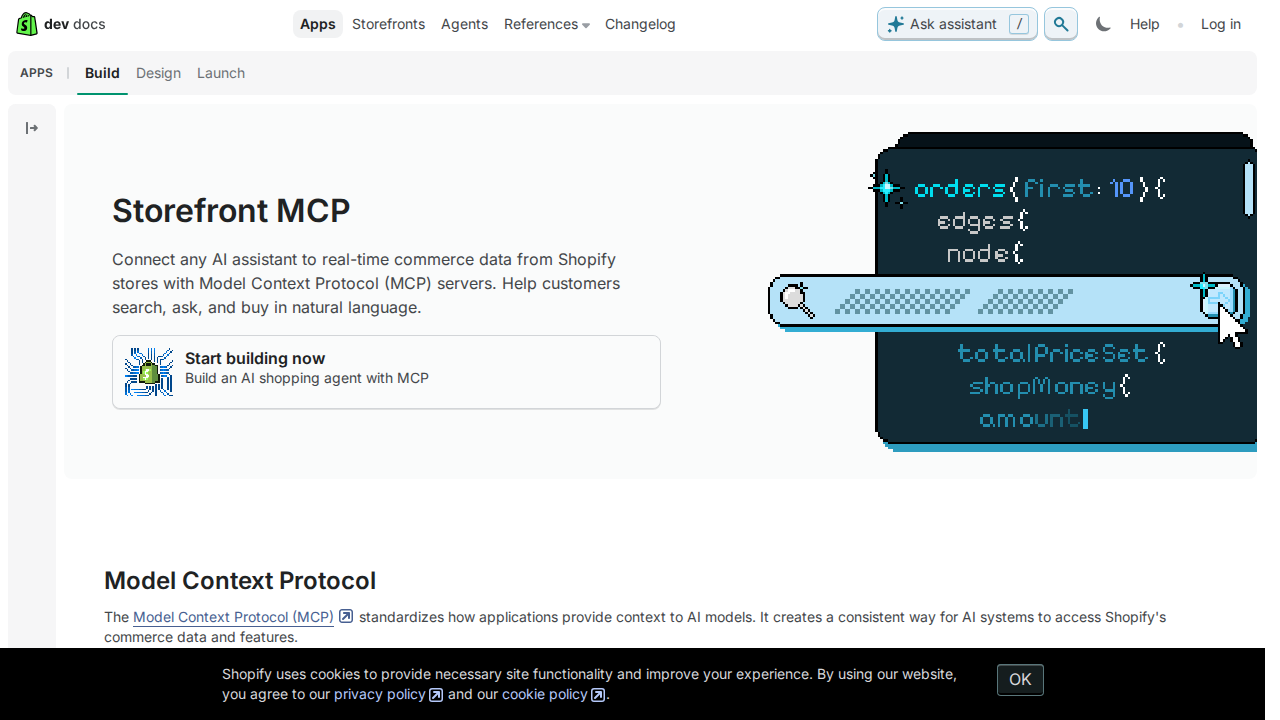
The Four Shopify MCP Server Types (Get This Right First)
The most common mistake people make is treating "Shopify MCP" as one thing. It's four different servers, each built for a different job:
| Server Type | Who Built It | What It Does | Auth Required | Best For |
|---|---|---|---|---|
| Storefront MCP | Shopify (official, built-in) | Product search, cart, policies, checkout for shoppers | None (read-only) | Customer-facing AI shopping assistants |
| Customer Accounts MCP | Shopify (official, built-in) | Order tracking, returns, account info for logged-in shoppers | Customer auth | Post-purchase customer support |
| Dev MCP / AI Toolkit | Shopify (official, open-sourced Apr 2026) | API doc search, GraphQL validation, store operations via CLI | Shopify CLI + Partner | Developers building Shopify apps/themes |
| Community Admin MCP | Open-source (GeLi2001/shopify-mcp, 169★, 31 tools) | Full CRUD on products, orders, customers, inventory | Admin API token | Store operators managing the backend |
For connecting Shopify to OpenClaw, the Community Admin MCP server and the Dev MCP server are the two that matter. Storefront and Customer Accounts MCP servers are built for customer-facing AI shopping — OpenClaw workflows are about store operations, analytics, and team productivity. Different use case.
Path A: Community Admin MCP Server → OpenClaw (Recommended for Store Ops)
The most practical path for connecting Shopify to OpenClaw today is through GeLi2001's shopify-mcp package, the leading community-built MCP server for the Shopify Admin GraphQL API. It has 169 GitHub stars, 31 tools, and connects to any MCP-compatible client — including OpenClaw.
How this connects to OpenClaw: OpenClaw can consume MCP servers through its gateway config. You run the shopify-mcp server locally (or on your OpenClaw host), and the OpenClaw gateway picks up the tools:
{
  mcp: {
    servers: {
    shopify: {
      command: "npx",
      args: [
        "-y",
        "shopify-mcp",
        "--clientId", "YOUR_CLIENT_ID",
        "--clientSecret", "YOUR_CLIENT_SECRET",
        "--domain", "your-store.myshopify.com"
      ]
    }
    }
  }
}
Step 1: Create a Shopify custom app. In Shopify Admin → Settings → Apps and sales channels → Develop apps → Create an app. Choose "Custom app" (not public). Configure Admin API scopes: read_products, read_orders, read_customers, read_inventory for read-only use; add write_products, write_orders if you want agents to modify store data. Install the app.
Step 2: Get credentials. For apps created after January 2026, Shopify provides Client ID + Client Secret (OAuth client credentials). For legacy apps, use the Admin API access token (starts with shpat_). The server supports both.
Step 3: Add to OpenClaw config. Drop the MCP server block into your OpenClaw gateway configuration. Restart the gateway. Any OpenClaw agent with tool access can now query your store.
The 31 Tools at a Glance
shopify-mcp exposes these tool groups:
- Products:
get-products,get-product,create-product,update-product,delete-product— full CRUD with variant and option handling - Customers:
get-customers,get-customer,create-customer,update-customer,delete-customer,merge-customers— customer management including deduplication - Orders:
get-orders,get-order,fulfill-order,cancel-order,refund-order— order lifecycle management with smart lookup (by order name, numeric ID, or full GID) - Inventory:
get-inventory-levels,adjust-inventory— stock visibility and adjustments - Metafields:
get-metafields,set-metafield,delete-metafield— custom data layers - Collections:
get-collections,create-collection,add-to-collection - Tags:
get-tags,add-tags,remove-tags
Path B: Shopify Dev MCP (AI Toolkit) → OpenClaw (For Dev Workflows)
On April 9, 2026, Shopify open-sourced the AI Toolkit — a free, MIT-licensed Dev MCP server that connects coding AIs directly to Shopify's documentation, GraphQL schemas, and live store operations. This is primarily for developers building apps and themes, not store operators, but it's useful if your OpenClaw agents assist with Shopify development.
{
  mcp: {
    servers: {
    "shopify-dev": {
      command: "npx",
      args: ["-y", "@shopify/dev-mcp@latest"]
    }
    }
  }
}
The toolkit exposes 7 tools: learn_shopify_api (API surface overview), search_docs_chunks + fetch_full_docs (real-time doc retrieval), introspect_graphql_schema (live schema queries), validate_graphql_codeblocks, validate_component_codeblocks, validate_theme_codeblocks (pre-run validation), and store execute operations via Shopify CLI.
Important: The Dev MCP authenticates via shopify auth login through the Shopify CLI. It needs Partner account permissions. For store operations, you still need to authenticate — the Dev MCP wraps the CLI, which handles auth separately.
Privacy note: By default, code validated through the AI Toolkit is sent to Shopify's servers. If this is a concern, set OPT_OUT_INSTRUMENTATION=true in your environment before running the server.
Path C: REST/GraphQL API Proxy + OpenClaw Skill File (Maximum Control)
If you need more control than an MCP server provides — custom rate limiting, filtered data exposure, integration with non-Shopify data — building a thin proxy around Shopify's API is the most flexible path.
Shopify has two Admin APIs:
| API | Endpoint | Auth | Rate Limit | Best For |
|---|---|---|---|---|
| REST Admin | https://{store}.myshopify.com/admin/api/2024-10/ |
X-Shopify-Access-Token header |
40 req/s (leaky bucket) | Simple CRUD, CSV exports |
| GraphQL Admin | https://{store}.myshopify.com/admin/api/2024-10/graphql.json |
Same header | Cost-based (1,000 pts/s on Plus) | Complex queries, bulk operations, nested data |
Why GraphQL usually wins for AI agents: REST returns fixed payloads — you get everything whether you need it or not. GraphQL lets you request exactly the fields the agent needs: order total, customer email, line item SKUs, and fulfillment status in a single query. This matters when your Slack agent is responding to a "show me today's high-value orders" request — you don't want to pull 200KB of JSON when 2KB of targeted data is enough.
Example GraphQL query for a daily sales snapshot:
query dailyOrders {
  orders(first: 20, query: "created_at:>2026-07-21", reverse: true) {
    edges {
      node {
        name
        totalPriceSet { shopMoney { amount currencyCode } }
        customer { displayName email }
        fulfillmentStatus
        lineItems(first: 3) { edges { node { title quantity } } }
      }
    }
  }
}
Skill file template for OpenClaw:
# Shopify Store Ops

Store: your-store.myshopify.com
API: https://{store}/admin/api/2024-10/graphql.json
Auth: X-Shopify-Access-Token header

## Common Queries
- Daily revenue: orders query filtered by created_at date
- Low stock: inventoryLevels with available < threshold
- Customer lookup: customers query by email or phone
- Fulfillment status: orders filtered by fulfillment_status
- Refund review: refunds from orders endpoint

## Guardrails
- Write operations (fulfill, refund, product updates) require explicit approval
- Never expose the access token in Slack responses
- Cache product lookups for 5 minutes to stay under rate limits
- GraphQL cost points: first:50 orders = ~55 points; batch wisely
Real Use Cases: Shopify + OpenClaw in Slack
1. Morning Revenue Briefing
"Good morning. Yesterday: $12,847 revenue from 43 orders. Top product: EcoBottle 32oz (14 units, $4,200). 2 unfulfilled orders over $500. 1 refund requested."
Your OpenClaw agent runs the GraphQL query at 8:30 AM, formats the numbers, and drops it into #ecommerce. The team starts the day with context without opening Shopify.
2. Low-Stock Early Warning
Agent checks inventory levels against recent sales velocity. When a product dips below a 7-day coverage threshold, it posts to #ops: "⚠️ Vintage Logo Tee — only 12 units left. Sold 8 in the past 3 days. At current velocity, stockout in ~4.5 days. Purchase order link: [Shopify inventory page URL]"
3. High-Value Order Alert
Agent monitors the orders feed for transactions above a threshold ($500, $1,000, whatever you set). When one lands, it posts to #sales with customer details, line items, and risk flags (first-time customer? high-ticket item? shipping to a different country than billing?).
4. Weekly Store Health Report
Every Monday, the agent compiles: revenue vs prior week and same week last year, top 5 products by units and revenue, return/refund rate, average order value, new vs returning customer split, inventory aging report (SKUs with no movement in 30+ days). This replaces the manual spreadsheet export + analysis routine.
5. Fraud/Chargeback Monitoring
Agent cross-references high-risk order signals (billing/shipping mismatch, multiple orders from same IP, unusually large order from first-time customer) and flags them in a dedicated channel. For stores doing $1M+/year, this catches issues before they become chargebacks.
Shopify-Specific Pitfalls (The Stuff Nobody Tells You)
1. GraphQL Cost Points Matter More Than REST Rate Limits
Shopify's GraphQL API uses a cost-based rate limit — each query has a "cost" score based on the fields and number of objects requested. A naive orders(first: 250) query can burn 255 points, blowing through a Basic plan's 50-point bucket instantly. Solution: Use smaller page sizes (first: 25-50) and paginate. Learn to estimate cost: first: N on orders = 1 + N points.
2. REST → GraphQL Migration Isn't 1:1
Shopify's REST API returns order totals under total_price. GraphQL nests them under totalPriceSet.shopMoney.amount. Customer phone numbers that REST returns directly require a separate customerJourney query in GraphQL. Solution: Refer to the GraphQL Admin API reference, not REST docs, when writing queries. The field names differ, and some REST fields don't exist in GraphQL at all.
3. The Storefront MCP Is NOT for Store Management
This is the #1 confusion. /api/mcp on your store is for AI shoppers browsing your catalog and adding to cart. It does not expose orders, customers, or inventory to the merchant. It is read-only, unauthenticated, and customer-facing. If you want to manage your store from Slack, you need the Community Admin MCP or a direct API proxy. Using the wrong MCP endpoint is like trying to run a warehouse from the fitting room.
4. API Version Deprecation Is Quarterly
Shopify releases API versions quarterly (2024-01, 2024-04, 2024-07, 2024-10) and supports each for 12 months. Your integration hard-codes a version in the URL, and when that version sunsets, your requests start failing. Solution: Set a calendar reminder to bump your API version every ~9 months. The Community MCP server usually auto-updates, but if you built a custom proxy, the version string is your responsibility.
5. Custom App vs Public App Scope Confusion
Custom apps (what you'd use for your own OpenClaw integration) have access to most Admin API scopes. But some endpoints — like checkout, multipass, and certain B2B features — are locked to public/sales channel apps. Solution: Check the "Available for custom apps?" column in Shopify's REST API docs before building an endpoint into your workflow.
6. Rate Limiting Is Shared Across All Apps
Shopify's REST rate limit (40 req/s) applies to the entire store, not per app. If you have 3 apps hitting the Admin API, they share the same bucket. The GraphQL cost limit (50/200/1,000 points per second for Basic/Shopify/Plus plans) is also store-wide. Solution: Use GraphQL for bulk reads — 1 query vs 10 REST calls. Batch queries overnight, not during peak traffic. Implement exponential backoff with jitter.
7. The MCP Server Auth Gap for Headless Agents
The Community Admin MCP server (shopify-mcp) works beautifully for interactive AI tools where a human is driving. But for fully automated OpenClaw agents (cron-triggered reports, scheduled inventory checks), the OAuth flow requires interactive browser auth. Solution: Use a static Admin API access token (shpat_) for headless agent workflows. Store it as an environment variable, never in plain-text config files visible in Slack.
Decision Matrix: Which Path for Your OpenClaw Setup?
| Scenario | Path | Why |
|---|---|---|
| Store ops team wants natural-language queries in Slack | Community Admin MCP (Path A) | 31 pre-built tools, zero code, works with any MCP client |
| Developer building Shopify apps/themes with AI assistance | Dev MCP / AI Toolkit (Path B) | Official, MIT-licensed, GraphQL validation built-in |
| Need custom rate limiting or multi-store aggregation | API Proxy + Skill File (Path C) | Full control over data exposure and caching |
| Headless/cron agents that run without human interaction | API Proxy + static token (Path C) | MCP OAuth flows require browser; static tokens work in cron |
| Shopify Plus with 1,000 pts/s GraphQL budget | Community Admin MCP (Path A) | Cost limits are high enough for aggressive querying |
| Basic Shopify plan (50 pts/s GraphQL) | API Proxy + Skill File (Path C) | Custom batching and caching essential to stay under limits |
| Multi-tool workflow (Shopify + Klaviyo + Google Analytics) | API Proxy + Skill File (Path C) | Orchestrate cross-source queries through a single proxy |
| Just want something that works today with minimal setup | Community Admin MCP (Path A) | npx shopify-mcp and you're connected |
Bottom line: Shopify's MCP ecosystem is richer than most platforms — four distinct server types covering shopping, accounts, development, and admin operations. For connecting Shopify to OpenClaw, the Community Admin MCP server (shopify-mcp) is the recommended path for store ops teams. It's mature (169 stars, 31 tools, full CRUD), well-documented, and works immediately with OpenClaw's MCP gateway config.
If you want the zero-config experience — managed Shopify tooling, no server to run, no API keys to manage — Cody's Shopify AI assistant gives your Slack team order visibility, inventory checks, and store ops answers without the infrastructure work.
What “Connect Shopify to OpenClaw” Actually Means
In practice, connecting Shopify to OpenClaw usually involves four layers:
- Authentication so OpenClaw can securely access Shopify
- Tooling or proxy endpoints that expose the right Shopify actions and data
- Skills/instructions that tell OpenClaw how to reason over Shopify context
- Model selection so the assistant uses the right LLM for the job
That last piece matters more than most people expect.
Which Models Can You Use?
OpenClaw is model-flexible, so a Shopify integration does not need to be tied to a single provider. Depending on your setup, teams commonly want to use:
- OpenAI models for broad reasoning, structured extraction, and tool use
- Anthropic models for writing, analysis, and long-context work
- Google models for multimodal and large-context workflows
- Other model backends if your OpenClaw environment exposes them
Model names and availability change frequently, so check your OpenClaw model catalogue rather than copying a version from a guide. The practical point is that you can connect Shopify once, then choose a supported model for each workflow.
For example:
- Use Claude for nuanced summarisation or drafting
- Use OpenAI for structured extraction, tool-heavy workflows, or general-purpose copiloting
- Use Gemini when multimodal or very large context windows matter
A Good Integration Pattern for Shopify
A strong Shopify + OpenClaw setup usually looks like this:
- OpenClaw receives a request in chat or from an automation
- It calls the right Shopify endpoint or proxy
- The selected model reasons over the returned context
- OpenClaw returns an answer, draft, classification, or action
- High-risk actions stay behind approvals or structured guardrails
That is what makes the setup operational rather than just experimental.
Step-by-Step: Connect Shopify to OpenClaw
Step 1: Create a Shopify Custom App
In Shopify Admin → Settings → Apps → Develop apps, create a new custom app. Select the API scopes you need (e.g., read_orders, read_products, read_customers). Install the app and copy the Admin API access token.
Step 2: Use the REST Admin API
The Shopify Admin REST API base is https://{your-store}.myshopify.com/admin/api/2024-01/. Key endpoints: /orders.json for order data, /products.json for inventory, /customers/search.json for customer lookups. There's also a GraphQL Admin API if you prefer.
Step 3: Build the Proxy and Skill File
Build your proxy around order, product, and customer search endpoints. Write ~/.openclaw/skills/shopify.md with your store domain and common query patterns — daily sales summaries, low inventory checks, and customer order lookups are good starting points.
Model-Specific Workflow Ideas
Shopify + OpenAI
Use this when you want a strong general-purpose setup for extraction, classification, action planning, and tool-driven workflows around Shopify.
Shopify + Claude
Use this when you want better writing quality, clearer summaries, stronger nuance, and reliable long-context reasoning over Shopify data.
Shopify + Gemini
Use this when the workflow benefits from large context windows, multimodal inputs, or Google-native ecosystem alignment.
Common Mistakes
Most teams do not fail because the model is bad. They fail because:
- the Shopify connection is too thin
- the model lacks the right live context
- prompts are vague
- no structured outputs are enforced
- permissions and approvals are skipped
- one model is forced to do every job, even when another would be a better fit
The best setup is usually one integration layer, multiple model options, and clear guardrails.
Challenges and Caveats
API Version Updates Are Required
Shopify releases API versions quarterly and deprecates older ones. Your proxy must be updated to use supported API versions, or requests will eventually stop working. Budget for quarterly maintenance.
Rate Limits Use a Leaky Bucket System
Shopify's API uses a leaky bucket rate limiter — 40 requests per second for REST (higher for GraphQL with cost-based limits). High-frequency queries during busy periods need retry logic with backoff.
Want Shopify Connected to OpenClaw Without Building the Whole Stack Yourself?
Cody gives your team a Shopify assistant in Slack, so people can check orders, customers, products, inventory, and store activity without wiring Admin API auth, handling version churn, or building ecommerce workflow glue.
Related OpenClaw Guides
- How to Connect Stripe to OpenClaw
- How to Connect Google Analytics to OpenClaw
- How to Connect HubSpot to OpenClaw
Looking for a more workflow-first angle? See: Shopify AI Automation and Shopify AI Assistant.
More Shopify Resources
- Cody AI Assistant for Shopify — Cody's dedicated Shopify integration features and benefits