Segment sits between your product, warehouse, and downstream tools, which means source outages, disabled destinations, identity issues, and profile questions can quietly block a lot of teams at once. A Segment AI assistant is most useful when it helps data, product, growth, and lifecycle teams check pipeline health, inspect sources and destinations, look up customer profile traits, and turn workspace changes into clear Slack updates without living inside the Segment UI.
How OpenClaw Integrations Work
OpenClaw is a self-hosted AI assistant that runs on your own server — typically an EC2 instance — and connects to Slack. It uses Claude under the hood to process requests. Out of the box, OpenClaw doesn't ship with pre-built connections to third-party tools. Instead, integrations are built using the skills system: markdown files in ~/.openclaw/skills/ that give Claude instructions for a particular domain, combined with HTTP tool calls to any API you expose to it.
In practice, adding a real integration means: getting API credentials from the third-party service, building or configuring a small proxy/endpoint that OpenClaw can call, and writing a skill file that tells Claude how to use it. For some tools this is an afternoon of work. For others — like Segment — it's considerably more involved.
Connecting OpenClaw with Segment: Step by Step
Step 1: Get a Segment Access Token
Go to Segment → Settings → Access Management → Tokens and create a token with the appropriate permissions. For pipeline monitoring, Source Admin and Destination Admin roles are needed. For Profiles API access, you'll need to enable the Profiles API separately in your Segment workspace settings.
Step 2: Identify the Endpoints You Need
The Config API (https://api.segmentapis.com) handles workspace configuration — sources, destinations, and their status. The Profiles API (https://profiles.segment.com/v1/spaces/{space_id}/collections/{collection}/profiles) handles user trait lookups. These are different APIs with different base URLs and auth.
Step 3: Build the Proxy and Skill File
Build your proxy to handle both API bases. Write ~/.openclaw/skills/segment.md documenting what can be queried — source names, destination names, and (for Profiles) the trait names your team has instrumented.
Challenges and Caveats
The Profiles API Requires Extra Setup
The Segment Profiles API is only available on Business plans and must be explicitly enabled. It also requires a Space ID which is separate from your Workspace ID. Don't assume these are the same thing.
Delivery Status Is Not the Same as Event Delivery
The Config API tells you whether a destination is enabled and its configuration status — not whether events are actually flowing. For actual event delivery debugging, you need the Segment Debugger in the UI or event delivery webhooks.
Segment + OpenClaw in 2026: The Two-API Reality Check
Segment is a Customer Data Platform (CDP) that sits between your product, your warehouse, and a long tail of downstream destinations, so source outages, disabled destinations, identity-resolution issues, and profile questions can quietly block a lot of teams at once. That makes it a genuinely useful thing to put in front of a self-hosted AI assistant like OpenClaw — as long as you understand one structural fact first.
Segment is not a single API. The base template above hand-waves "get an access token and build a proxy," but Segment actually splits its surface across multiple APIs with different base URLs, different auth, and different plan tiers:
- Config API —
https://api.segmentapis.com— workspace configuration: sources, destinations, their status. Needs a token with roles likeSource Admin/Destination Admin. - Profiles API —
https://profiles.segment.com/v1/spaces/{space_id}/collections/{collection}/profiles— user trait lookups. Needs its own separate enablement, a Business plan, and a Space ID that is not your Workspace ID. - Tracking API —
https://api.segment.io/v1— the write path that ingeststrack/identify/group/pagecalls from your SDKs.
There is also no official Segment MCP server yet (more on that below), so "connect Segment to OpenClaw" really means "decide which of these per-job paths you need, then wire the right one." Here's the full picture.
Path A: The Open Source "Event Push" MCP Server (for demo/test event injection)
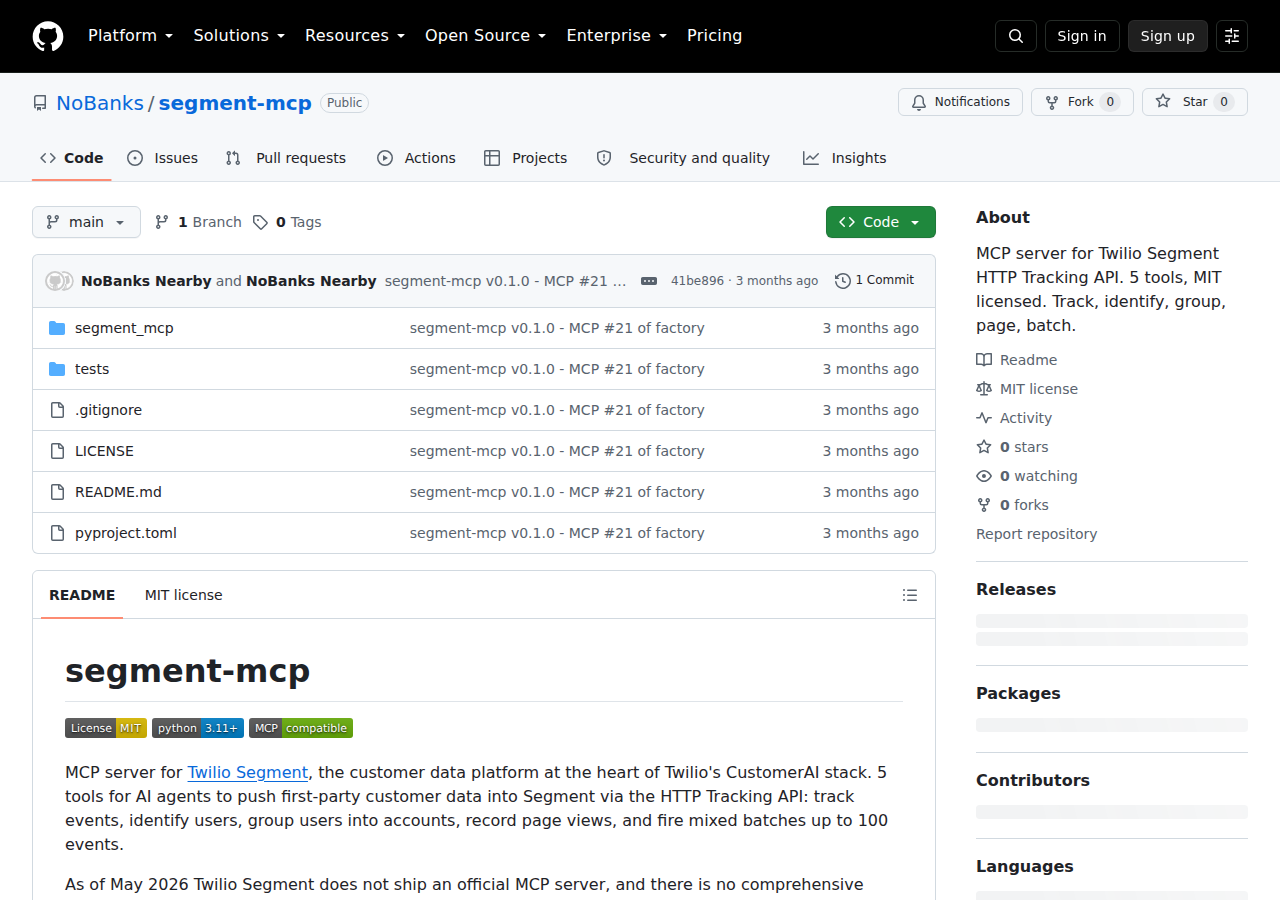
The one reasonably maintained community MCP server for Segment is NoBanks/segment-mcp, built specifically to push events through the HTTP Tracking API. It exposes five tools:
| Tool | What it does |
|---|---|
track |
Send a track event (e.g. "Order Completed") |
identify |
Set traits on a user |
group |
Associate a user with a group/account |
page |
Record a page view |
batch |
Fire a mixed batch of up to 100 events in one call |
It authenticates with a source write key:
{
  "mcpServers": {
    "segment": {
      "command": "npx",
      "args": ["-y", "nobanks-segment-mcp"],
      "env": {
        "SEGMENT_WRITE_KEY": "your-source-write-key",
        "SEGMENT_API_BASE": "https://api.segment.io/v1"
      }
    }
  }
}
The catch that matters for a self-hosted agent: a Segment source write key is a public identifier — it ships in your site's client-side analytics snippet and anyone can read it from the browser network tab. So this path is fine for firing test/demo events, but it's not a read path: it can't pull profiles, pipeline health, or destination status, and you must never place it next to privileged credentials on your server.
Path B: Config API + Profiles API Proxy (the path that actually reads your workspace)
If your real goal is "ask my AI assistant about my Segment setup" — which sources are failing, which destinations are disabled, what traits a known user has — no MCP server does this reliably today. The dependable approach is a small API proxy plus a skill file, which is exactly the setup described in the steps above, but done with the two-API split handled explicitly:
- Config API proxy — routes to
api.segmentapis.comfor source/destination inventory and status. Authenticated with a workspace token bearingSource Admin/Destination Admin. - Profiles API proxy — routes to
profiles.segment.comfor user-trait lookups, using a Space ID that is not your Workspace ID. - Skill file (
~/.openclaw/skills/segment.md) — documents which sources, destinations, and trait names your team actually uses, so the model asks the right questions instead of guessing.
A single proxy that branches on the first path segment to hit both bases, plus that skill file, is what gives OpenClaw genuine workspace-aware answers today — no waiting on an official Segment MCP server.
Path C: Twilio's Docs-Only MCP (schemas, not data)
TWILIO now owns Segment, and Twilio ships a hosted MCP server at mcp.twilio.com/docs that indexes 1,800+ API endpoints including Segment docs. It's useful if your agent needs API schemas, but it's read-only documentation — two tools (twilio__search, twilio__retrieve) that return specs, not workspace data. Pointing your coding agent at it is free and requires no auth:
claude mcp add --transport http twilio-docs https://mcp.twilio.com/docs
Remember: great for "what's the endpoint for X," useless for "is my pipeline healthy." Twilio's roadmap lists execute-ready, OAuth-authenticated Segment CDP tools as planned, not shipped.
Real Workflows (built around Segment's actual jobs)
Workflow A: Monday pipeline health check (Config API proxy)
Your data team wants a Slack digest of which destinations are disabled or misconfigured before anyone notices a silent data gap.
You: "List every destination in the 'prod' source, flag any that are disabled
or showing a config error, and draft a short Slack update for the team."

AI: "Checked 6 destinations in 'prod':
- Snowflake: healthy
- Braze: healthy
- Google Ads: disabled (config changed — needs reactivation)
- S3: healthy
  ...
Draft update ready."
Workflow B: Customer 360 trait lookups (Profiles API)
Support wants to know everything Segment has resolved about a user before a renewal call — the traits your team actually instruments.
You: "Pull the profile traits for user_12345 from the Profiles API and summarize
plan, org size, and last-seen features."

AI: "user_12345 → plan=growth, org_size=50-200, features=[reports, api],
last_seen=2026-08-18."
Workflow C: Fire a realistic test event (event-push server)
A growth engineer wants to inject a "Trial Started" event for a test user without touching the analytics snippet.
You: "Fire a 'Trial Started' track event for test@acme.com with props
org_size='50-200' and plan='growth'."

AI: "Sent track event 'Trial Started'. Response: 200 OK (event accepted)."
Segment-Specific Pitfalls (read before wiring anything)
- Profiles API is a separate product — don't assume you have it. It's Business-plan-gated, must be explicitly enabled, and uses a Space ID distinct from your Workspace ID. The single most common 403 cause is "I have Segment so I have Profiles" — you don't, until you turn it on.
- Config API status ≠ event delivery. The Config API tells you a destination is enabled and configured, not that events are actually flowing. For real delivery debugging you need the Segment Debugger UI or event-delivery webhooks — neither of which your proxy exposes directly.
- A source write key is public, not secret. It ships client-side and is readable by anyone. Never store it in a secrets vault and never let the event-push MCP server near privileged credentials.
- "Event accepted" isn't "event delivered." The Tracking API returns 200 on ingestion. A silent downstream destination failure won't surface in your MCP call — verify in the UI.
- Three base URLs, three auth models.
api.segment.io/v1(tracking) vsapi.segmentapis.com(Config) vsprofiles.segment.com(Profiles). Mixing them up produces cryptic 401s/404s that waste a full debugging session. Encode the split in your skill file so the model never guesses. - No official Segment MCP server exists as of mid-2026. Listings that imply a first-party Segment connector exists (or that Twilio's docs server covers the CDP) are misleading. Budget for the proxy approach until Twilio ships execution tools.
Now that you understand the landscape, the recommendation is simple: event injection → community event server (tests/demos); workspace & profile reads → Config/Profiles proxy + skill file; docs/schemas → Twilio's docs MCP server.
If you're comparing analytics and CDP platforms, also see our guides for Mixpanel, Google Analytics, and Amplitude.
Skip All of This — Use Cody Instead
Cody gives your team a Segment AI assistant in Slack, so people can check pipeline health, inspect source and destination status, look up customer profiles, and understand workspace changes without wiring Config API tokens, Profiles API setup, or custom monitoring glue.
Related Guides
- Connecting OpenClaw with Mixpanel: A Practical Guide
- Connecting OpenClaw with Amplitude: A Practical Guide
- Connecting OpenClaw with Google Analytics: A Practical Guide
Need the model-flexible version? See: How to Connect Segment to OpenClaw: Setup, Models, and Workflow Guide.