If you're trying to use Hunter.io with ChatGPT, the real question usually isn't "can these two technically work together?" It's how to make ChatGPT useful inside a Hunter.io workflow without getting vague, generic output back.
That's the useful framing.
ChatGPT is strongest when you give it the right context, a clear job, and a structured output format. Hunter.io brings the operational context. When the two are used well together, you get faster triage, better summaries, cleaner drafts, and more consistent decisions.
Hunter MCP Server: Find Emails From ChatGPT Without Leaving the Chat
In July 2025, Hunter.io launched their official remote MCP (Model Context Protocol) server — a hosted connector that lets ChatGPT pull real contact data, verify email addresses, and build lead lists using Hunter's database of 100M+ companies. No code, no API proxy, no CSV exports.
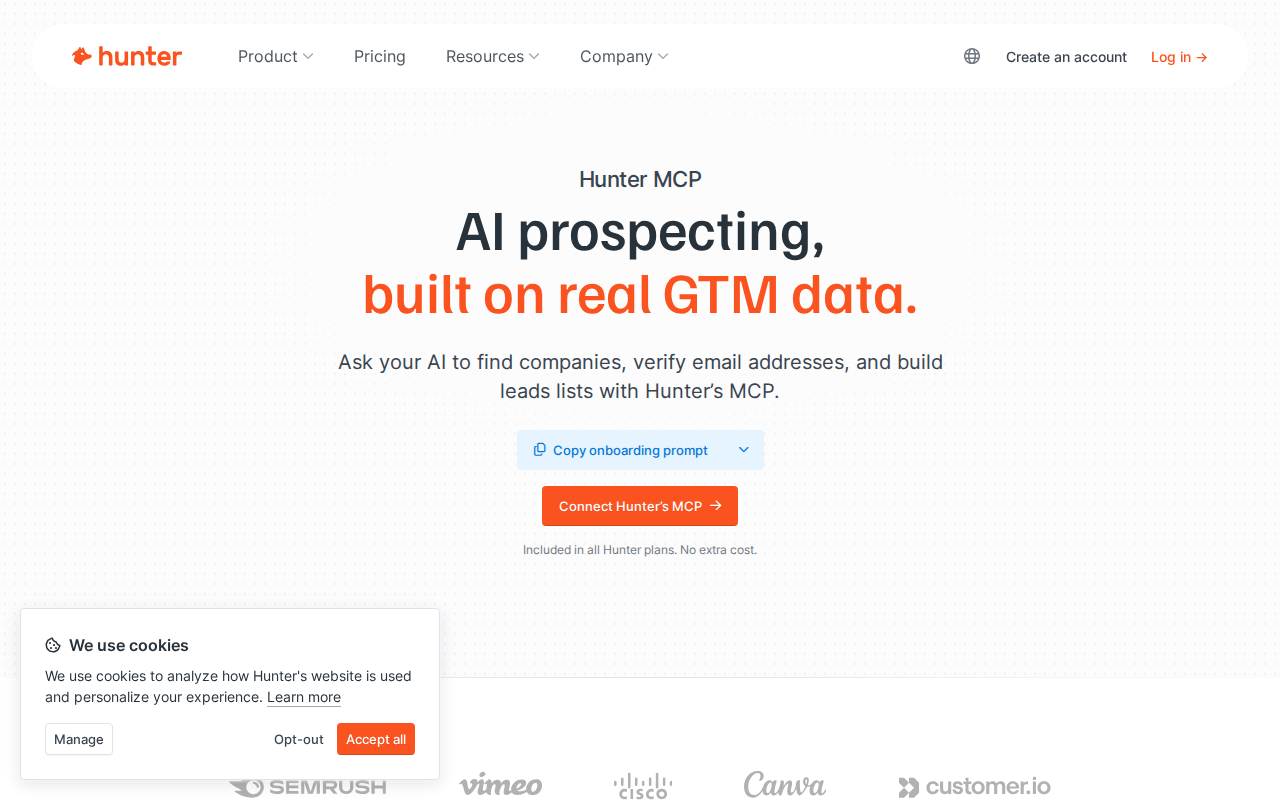
For ChatGPT specifically, the setup is even simpler than most MCP tools: Hunter authenticates ChatGPT via OAuth, so you don't need to copy an API key. ChatGPT connects directly, and Hunter's data flows in on demand.
What Hunter MCP Gives You Inside ChatGPT
Hunter exposes its full API surface through MCP — six core tools that cover the entire outbound prospecting workflow:
| MCP Tool | What It Does | Example Prompt |
|---|---|---|
| Domain Search | Find all verified contacts at a company | "Show me the marketing team at stripe.com" |
| Email Finder | Find one person's email by name + company | "What's the best email for Sam Altman at OpenAI?" |
| Email Verifier | Check if an email is deliverable with confidence score | "Verify these 20 emails and flag any with a score below 80" |
| Company Search | Discover companies matching criteria | "Find pharmaceutical startups in Switzerland with under 50 employees" |
| Lead Management | Create and manage lead lists in Hunter | "Save all verified contacts from this search as a new leads list" |
| Sequences | Build and launch email outreach campaigns | "Create a 3-step outreach sequence for my SaaS CTO leads list" |
How to Connect Hunter.io to ChatGPT (3 Minutes)
The setup is fast because Hunter's MCP is remote-hosted and ChatGPT is one of the three OAuth clients Hunter explicitly supports:
- Sign up or log in at hunter.io — the Free plan includes 50 credits and 100 verifications per month, enough to test every feature
- Open ChatGPT Web on a Pro or Plus plan (MCP Developer Mode is required — not available on Free)
- Enable Developer Mode in ChatGPT's settings
- Add a new MCP source — click "+" in Developer Mode, search for Hunter, or enter the remote MCP server URL from hunter.io/mcp
- Authorize via OAuth — ChatGPT will redirect you to Hunter's OAuth consent screen. Click "Allow" — no API key needed
- Verify the connection — ask ChatGPT: "Using Hunter MCP, verify the email hello@hunter.io and tell me the confidence score"
Heads up: The ChatGPT MCP client is still in beta. If the connection isn't working, check that you're on a ChatGPT Pro or Plus plan (not Free, not Team, not Enterprise — MCP support varies by plan type).
Real Hunter.io + ChatGPT Use Cases (With Prompts That Work)
1. Build a Verified Prospect List From Target Companies
The old way: Open Hunter's Domain Search, search each company one by one, export individual CSVs, merge them manually in Google Sheets, verify each email, build the final list.
With Hunter MCP in ChatGPT:
"Using Hunter MCP, search these 10 companies and find their CTO or VP Engineering: stripe.com, github.com, figma.com, vercel.com, linear.app, notion.so, netlify.com, railway.app, render.com, planetscale.com. For each, return: name, title, email, confidence score. Save verified contacts to a new leads list called 'DevTools CTOs July 2026'."
ChatGPT runs 10 domain searches in sequence, pulls the most relevant contacts, verifies each email, and saves them to a named list — all in one conversation.
2. Email List Hygiene With Deliverability Scores
"Using Hunter MCP, verify these 50 email addresses from my last campaign CSV. Group results into three buckets: safe to send (confidence > 85), risky (confidence 60-85), and do not send (confidence < 60 or invalid). Export the safe-to-send list as a table and save them as a new leads list."
Hunter's verifier checks MX records, SMTP server response, and catch-all status. Each email gets a confidence score from 0-99. ChatGPT surfaces only the contacts worth emailing and saves them directly in Hunter — no CSV cleanup needed.
3. Discover Companies That Fit Your ICP
"Using Hunter MCP's Company Search, find SaaS companies in Berlin with 10-200 employees that raised a Series A in the last 18 months. Return company name, domain, employee count, industry, and the most senior marketing contact for each. Limit to 20 results."
This is where Hunter's MCP goes beyond basic email lookup. The Company Search tool uses natural language filters — "pharmaceutical startups in Switzerland," "Series A SaaS in Berlin" — and returns structured results you can act on immediately.
4. Draft Personalized Outreach From Real Contact Data
"Using Hunter MCP, pull the top 5 contacts from my 'DevTools CTOs July 2026' leads list. For each contact, draft a 3-sentence personalized cold email that references their company's tech stack (infer from the company domain and recent tech blog posts if available). Use a casual, peer-to-peer tone. Include a clear CTA for a 15-minute call."
This combines Hunter's data with ChatGPT's writing ability. Instead of generic "I came across your profile" emails, each message is grounded in the recipient's actual company context.
5. Weekly Prospecting Pipeline Report
"Using Hunter MCP, check my leads lists for the last 7 days. Report: total new leads added, average confidence score, domains with the most new contacts, and any leads that need re-verification. Suggest the top 10 leads to prioritize for outreach based on confidence score and company size."
A weekly pipeline health check without opening Hunter's dashboard — useful for sales managers who want quick status updates and priority lists.
Common Pitfalls When Using Hunter.io With ChatGPT
1. ChatGPT Uses Web Search Instead of MCP
By default, ChatGPT may use web search to answer prospecting questions — even when Hunter MCP is connected. Web search gives you outdated or generic data, not Hunter's verified contact database.
Fix: Start every prompt with "Using Hunter MCP..." and explicitly add "Do not use web search for this query." ChatGPT respects explicit tool routing when you name the connector.
2. Credit Burn on Unbounded Queries
The Free plan gives you 50 credits/month, and each domain search or email verification costs 1 credit. Asking ChatGPT to "find all contacts at every YC W26 company" could burn through your entire monthly allocation in one prompt — and with 500+ companies per batch, that's expensive even on paid plans.
Fix: Always specify result limits in your prompts ("top 5 contacts," "limit to 10 companies"). Check your credit usage at hunter.io/dashboard after heavy MCP sessions. On paid plans, set up a credit alert so you don't accidentally overspend.
3. Confidence Scores Are Estimates, Not Guarantees
Hunter's verifier returns confidence scores based on MX records, SMTP checks, and pattern matching — but a score of 95 doesn't mean the email is 100% deliverable. Some companies use email security gateways that accept everything at SMTP level (catch-all), giving false positives.
Fix: For high-value outreach (C-level, enterprise accounts), supplement Hunter verification with a separate deliverability tool or a warm-up service like MailReach or Warmbox before sending. Add to your prompt: "Flag any emails from domains with catch-all configurations — mark these as 'needs manual verification.'"
4. OAuth Auth Can Be Confusing With Multiple AI Clients
Hunter's MCP uses OAuth for ChatGPT, Claude, and Claude Code — but header-based auth (API key) for Cursor, VS Code, Windsurf, and Codex. If you connect Hunter to both ChatGPT and Claude, signing out of one OAuth session silently revokes the other.
Fix: For multi-client setups, use the API key auth path instead of OAuth. Generate a key at hunter.io/api-keys and use it across all clients. ChatGPT can still use OAuth (simpler for one-off setup), but if you're connecting to multiple AI tools, the API key is more reliable.
5. Lead Lists Created via MCP Don't Sync to CRM
Hunter MCP can create leads and manage lists inside Hunter, but it doesn't automatically push contacts to your CRM (Salesforce, HubSpot, Pipedrive). The contacts live in Hunter until you manually export or set up a separate CRM integration.
Fix: After ChatGPT builds a leads list via MCP, either set up Hunter's native CRM integrations for automatic sync, or use Zapier/Make to trigger a CRM push when new leads hit a Hunter list. Add to your workflow: after building the list, ChatGPT can generate a reminder to export it.
6. Free Plan Limits Are Easy to Hit
25 free searches and 50 verifications per month sounds generous — until you realize each domain search that returns 10 contacts counts as 1 search + up to 10 verifications if you ask ChatGPT to verify each contact. A single "build me a prospect list" session can burn through the entire free allocation.
Fix: On the Free plan, use the MCP connection primarily for learning and testing. When you're ready for real prospecting, move to the Starter plan ($34/month, 500 searches) or Growth plan ($104/month, 5,000 searches). The MCP server is included on all plans with no extra cost.
Alternative Paths (If You Don't Use MCP)
Manual Copy-Paste
For one-off tasks: search contacts on Hunter.io, copy the results, paste them into ChatGPT, and ask it to analyze or draft outreach. Works on the Free ChatGPT plan (no Developer Mode needed). The downside is obvious — repetitive, error-prone, and the data is stale the moment you paste it.
Google Sheets Add-On
Hunter's Google Sheets add-on lets you run email finder and verifier directly in spreadsheets. Export the enriched sheet, paste into ChatGPT for analysis. This is a good middle ground for teams already working in Sheets — the data is structured, and you can batch-process hundreds of rows before handing off to ChatGPT.
Zapier / Make
Both Zapier and Make have Hunter integrations for automated workflows: "when a new lead is found in Hunter, send it to Slack," or "trigger an email verification when a new row appears in Google Sheets." These are automation paths, not conversation paths, but they complement ChatGPT usage — let Zapier handle the trigger, let ChatGPT handle the analysis.
Direct API
Hunter's REST API at api.hunter.io/v2/ is well-documented and straightforward. If you're building a custom AI agent rather than chatting interactively, calling the API directly gives you more control over rate limits, pagination, and error handling than going through MCP.
Which Path Should You Choose?
| Scenario | Recommendation |
|---|---|
| You have ChatGPT Pro/Plus and a Hunter account | Hunter MCP via OAuth — 3-minute setup, live data, zero code |
| You're on ChatGPT Free (no Developer Mode) | Manual copy-paste or Google Sheets add-on |
| You're building an automated prospecting agent | Direct API + MCP for tool access |
| You want the team prospecting from Slack | Cody — Hunter AI assistant in Slack, no ChatGPT tab needed |
For most outbound teams, Hunter's MCP server is the right choice — it's the official path, requires no code, and turns ChatGPT into a live prospecting assistant. Just watch your credit consumption, be specific in your prompts, and keep a human in the loop for any customer-facing outreach.
For a more automated approach, see also: Hunter.io AI Automation for Slack and Connect Hunter.io to OpenClaw.
What "Hunter.io with ChatGPT" Usually Means
In practice, teams tend to use ChatGPT with Hunter.io in one of four ways:
- Summarising activity, records, conversations, or changes from Hunter.io
- Classifying items such as tickets, leads, tasks, issues, or opportunities
- Drafting replies, updates, reports, documentation, or next steps
- Reasoning over context to suggest priorities, actions, or likely issues
The key is to avoid treating ChatGPT like magic. It needs the relevant Hunter.io context in the prompt - and it works best when you tell it exactly what good output looks like.
Good Use Cases for Hunter.io + ChatGPT
1. Turn raw Hunter.io context into a useful summary
Paste or pipe in the relevant records, notes, messages, or metrics from Hunter.io, then ask ChatGPT to extract only what matters: key changes, risks, blockers, patterns, or action items.
2. Standardise messy workflows
If your team handles similar decisions repeatedly inside Hunter.io, ChatGPT can apply the same rubric every time: classify, explain briefly, and return a structured next step.
3. Draft faster without starting from zero
Use ChatGPT to produce first drafts grounded in the Hunter.io context - support replies, internal updates, status summaries, sales follow-ups, or operating notes.
4. Create reusable prompt-driven operating procedures
Once you find a prompt that works well for Hunter.io, save it as a repeatable workflow so the whole team gets more consistent output.
A Simple Setup Pattern
A practical way to use ChatGPT with Hunter.io looks like this:
- Pull the right context from Hunter.io
- Give ChatGPT one clear task
- Ask for a structured response
- Have a human review anything customer-facing or high-risk
That last point matters. ChatGPT is useful for acceleration, but for anything sensitive - customer communication, financial interpretation, account changes, or production actions - keep a human in the loop.
Copy-Paste Prompts for Hunter.io
Summary prompt
You are helping me work inside Hunter.io. Summarise the context below into 5 bullets: what changed, what matters, what is blocked, and what needs action next. If anything is unclear, say what is missing.
Classification prompt
Review this Hunter.io item and classify it into the best category. Return JSON with: category, confidence, rationale, and next_action. Keep rationale under 50 words.
Drafting prompt
Use the Hunter.io context below to draft a concise response. Keep it specific, avoid made-up details, and list any assumptions separately.
Executive brief prompt
Turn this Hunter.io activity into a short update for leadership: what happened, why it matters, current risks, and recommended next steps.
Where This Breaks Down
Most Hunter.io + ChatGPT workflows fail for predictable reasons:
- Too little real context is provided
- The prompt asks for too many things at once
- The output format is vague
- The team expects ChatGPT to know live Hunter.io data it has not actually been given
- No review step exists for important actions
The fix is usually simple: give better source context, narrow the task, and require a schema or fixed structure in the response.
If You Want This Embedded in the Workflow
You can absolutely use ChatGPT manually with exported Hunter.io context. That works well for one-off tasks and prototyping.
But if you want the workflow to feel operational - available to the team, connected to live systems, repeatable, and embedded where work already happens - you usually want something more integrated.
Want Hunter.io-Style Workflows Without Manual Prompt Copy-Paste?
Cody gives your team a Hunter.io AI assistant in Slack, so people can search domains, find likely work emails, verify deliverability, and clean up outbound lists without wiring API keys or building email-finding workflow glue themselves.
Related ChatGPT Guides
Need a more automation-focused angle instead? See: Hunter.io AI Automation.
More Hunter.io + AI Resources
- Cody AI Assistant for Hunter.io — Cody's dedicated Hunter.io integration features
- Connect Hunter.io to OpenClaw — complete DIY integration guide