Hunter.io is where outbound teams search company domains, find likely work email addresses, and verify whether a contact record is safe enough to use. A Hunter.io AI assistant is most useful when it helps reps and growth teams compare domain coverage, find the best contact path, verify deliverability, and turn lookup results into cleaner outbound decisions from Slack instead of tab-hopping across searches and spreadsheets. If you are running OpenClaw yourself, Hunter is still a relatively approachable integration to wire up, but Cody is the faster path if you want the assistant experience instead of the API glue.
How OpenClaw Integrations Work
OpenClaw is a self-hosted AI assistant that runs on your own server — typically an EC2 instance — and connects to Slack. It uses Claude under the hood to process requests. Out of the box, OpenClaw doesn't ship with pre-built connections to third-party tools. Instead, integrations are built using the skills system: markdown files in ~/.openclaw/skills/ that give Claude instructions for a particular domain, combined with HTTP tool calls to any API you expose to it.
In practice, adding a real integration means: getting API credentials from the third-party service, building or configuring a small proxy/endpoint that OpenClaw can call, and writing a skill file that tells Claude how to use it. For some tools this is an afternoon of work. For others — like Hunter.io — it's considerably more involved.
Connecting OpenClaw with Hunter.io: Step by Step
Step 1: Get Your Hunter API Key and Decide the Lookup Workflows That Matter
Log into Hunter.io and go to API in the top navigation to copy your API key. Before wiring anything up, decide which lookup flows your team actually needs in Slack, for example domain search for company coverage, email finder for named contacts, or email verification before a sequence goes live. The Hunter API base URL is https://api.hunter.io/v2/, and requests use your key as the api_key query parameter.
Step 2: Expose Domain Search, Email Finder, and Verification Through a Small Proxy
The core Hunter endpoints are /domain-search for company-domain results, /email-finder for named-contact lookups, and /email-verifier for deliverability checks. Wrap those in a small proxy so OpenClaw can ask cleaner questions like "show me the best emails at this company" or "is this address safe enough to use" without exposing raw API details in every prompt.
Step 3: Write the Skill File Around Confidence, Verification, and Handoff Decisions
Write ~/.openclaw/skills/hunter.md with the available lookup types, how Hunter confidence should be interpreted, what verification outcomes mean for outbound safety, and how Claude should present ambiguous results. The important behavior is not just returning emails, but helping the team distinguish safer addresses from risky ones and turning lookup results into a usable outbound handoff.
Challenges and Caveats
Monthly Credits Disappear Faster Than Teams Expect
Hunter usage counts against a monthly credit budget, and domain searches or repeated verification passes can burn through that budget quickly when multiple reps are using the tool conversationally. Cache repeat lookups where possible and avoid re-running the same search unless something actually changed.
Confidence and Verification Help, but They Do Not Eliminate Risk
Hunter confidence scores and verification statuses are useful signals, not guarantees. Lower-confidence results can still bounce, and even stronger-looking addresses may need human judgment before they go into a live sequence. Your assistant should present verification and confidence as decision support, not as certainty.
Domain Results Can Get Noisy Without Prioritisation
A company-domain search can return many contacts, patterns, and partial records. If the assistant simply dumps those results into chat, it creates more work instead of less. The useful version is one that highlights the most likely addresses, the observed pattern, and the contacts worth acting on first.
Hunter.io + OpenClaw: What's Actually Available in 2026
If you're searching "how to connect Hunter.io to OpenClaw," the question is almost always one of two things: either you run OpenClaw on your own server and want a real integration for outbound prospecting, or you're evaluating Cody (OpenClaw managed hosting) and want to know how Hunter's data gets into Slack without wiring API clients by hand.
Hunter's AI-connectivity story changed dramatically in 2025 and again in early 2026. There are now three distinct integration paths — and the good news if you self-host OpenClaw is that one of them (the official remote MCP server) was built to work with any MCP-compatible client, which is exactly what OpenClaw is, no vendor certification required.
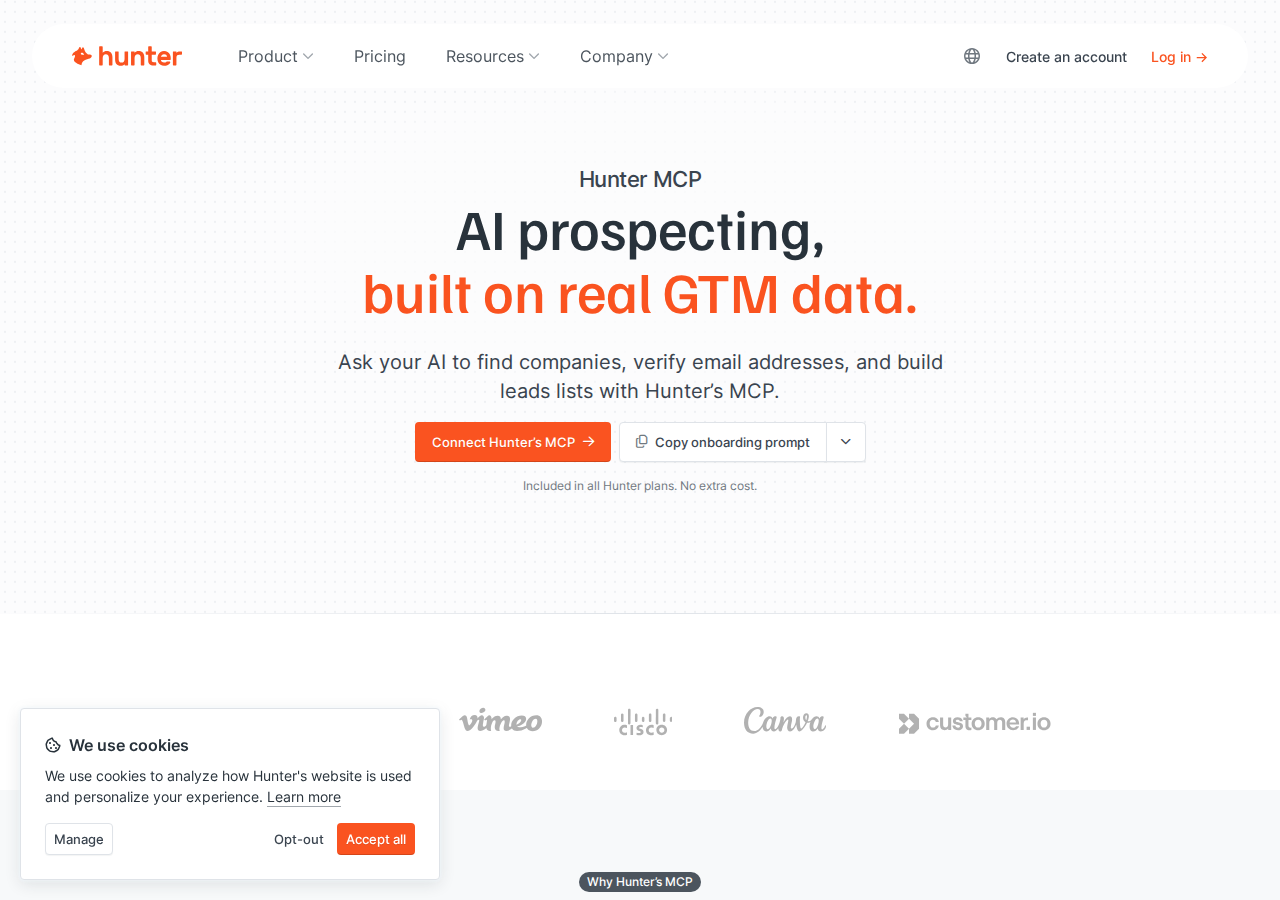
Path A: Hunter Official Remote MCP Server (mcp.hunter.io/mcp — Easiest for OpenClaw)
Hunter launched an official remote MCP server at https://mcp.hunter.io/mcp. It's bundled into every Hunter plan at no extra cost and is explicitly documented to work with "Claude, ChatGPT, and any MCP-compatible client." Because OpenClaw speaks MCP natively, you can point it at the same endpoint — no proxy, no custom connector, no developer-mode requirements.
Authentication — this is the clean OpenClaw win: Hunter's remote MCP accepts an API key passed in the X-API-Key header (the one-click OAuth flow is only where your client supports it). For a self-hosted OpenClaw, the header-based auth is actually more convenient than the ChatGPT path, which requires OAuth/Developer Mode on a paid plan. You generate an API key at hunter.io, put it in your OpenClaw config, and you're connected.
How you'd wire it to OpenClaw (self-hosted ~/.openclaw/settings.json):
{
  mcpServers: {
    hunter: {
      url: "https://mcp.hunter.io/mcp",
      transport: "streamable-http",
      headers: {
        "X-API-Key": "<your-hunter-api-key>"
      }
    }
  }
}
What the MCP server exposes — six tools covering the full prospecting funnel:
| MCP Tool | What It Does | Example Prompt Inside OpenClaw |
|---|---|---|
| Domain Search | Find the key contacts at a company domain | "Show me the marketing team at stripe.com" |
| Email Finder | Find a named person's verified email by name + company | "Find the best email for the CTO of Vercel" |
| Email Verifier | Check deliverability with a confidence score | "Verify these 20 emails, flag any below 80" |
| Email Enrichment | Enrich a known email with details | "Enrich this list of emails with title and company" |
| Company Enrichment | Pull company profile data from a domain | "Give me company size and industry for rail.com" |
| Lead Creation | Save verified contacts straight into Hunter Leads | "Save all verified contacts from this search to a new list" |
This is the path the base template above would describe if it were updated — but the important nuance for OpenClaw users is that you can skip the proxy-and-skill-file work entirely and just point OpenClaw at the remote server.
Heads-up: Hunter's older GitHub project (hunter-io/hunter-mcp) was archived in July 2025 and is now read-only — all functionality moved to the remote MCP server above. Don't build a stdio/uv-based local server expecting it to be the current path; it isn't maintained.
Path B: Direct Hunter API v4 + Skill File (The Classic Self-Hosted Way)
If you don't want to depend on MCP for any reason (air-gapped setup, finer control over caching/rate limits, or just a preference for plain HTTP), the self-hosted approach is straightforward. Hunter's REST API base is https://api.hunter.io/v2/, and requests use your key as the api_key query parameter.
The core endpoints: /domain-search for company results, /email-finder for named-contact lookups, and /email-verifier for deliverability checks. Wrap those behind a small proxy and write ~/.openclaw/skills/hunter.md so Claude knows which lookup types exist, how to interpret confidence scores, and how to present verification outcomes as decision support rather than certainty.
This is the most controllable approach — no third-party connector, full control over caching and credit usage — but it's also the most work, and it's the path where credit burn is easiest to get wrong (see the pitfalls below).
Path C: Managed Connectors (Composio / Truto-style Toolkits)
For teams that want the integration without maintaining either an MCP config or a proxy, managed agent-tool platforms like Composio and Truto maintain Hunter toolkits with managed authentication. You grant the platform access to your Hunter API key, and it presents the Hunter actions to OpenClaw on demand over the tooling transport it supports. Use this when you're already invested in a managed tool-router for several integrations and want Hunter to join the same fold.
Real Use Cases: What an OpenClaw + Hunter.io Setup Actually Does
These are concrete workflows that make the integration worth wiring up — not generic "automate prospecting" platitudes.
1. Build a verified prospect list from Slack, without CSV juggling
Ask OpenClaw (from a #sales channel): "Using Hunter, search these 10 companies and find their CTO or VP Engineering: stripe.com, figma.com, vercel.com, linear.app, notion.so. For each, return name, title, email, and confidence score. Save verified contacts to a new leads list called 'DevTools CTOs'." OpenClaw runs the domain searches, dedupes, verifies, and saves — no exporting, no merging spreadsheets.
2. Pre-call account research
Before a sales call, prompt: "I have a call with Acme Corp tomorrow. Use Hunter to find the company domain, pull all contacts there, and identify the most senior people in the IT department with their verified emails." The output is a ready-to-read brief the rep can skim 60 seconds before dialing.
3. Email-list hygiene with deliverability gating
Schedule OpenClaw to run the verifier over a freshly-imported event-contact list and group results: "safe to send (confidence > 85), risky (60-85), do not send (<60 or invalid)." Enforce the rule that nobody emails a bucket below "risky" without a human sign-off — this keeps your domain reputation intact.
4. Weekly prospecting pipeline report
At the end of each week, OpenClaw checks your Hunter leads lists and reports: total new leads, average confidence score, domains with the most new contacts, and any leads needing re-verification — then posts the summary to #sales-ops automatically.
5. Inbound lead qualification on the spot
Prompt: "I just got a lead from Sarah at acme.com. Use Hunter to verify her email, pull company size, and find who else at the account I should be aware of." A quick snapshot with zero tab-switching.
Hunter-Specific Pitfalls (Know These Before You Build)
These are the traps that trip people up specifically with Hunter + an AI agent — the things a generic "connect an API" guide won't warn you about.
-
Credit burn is the real cost — and agents burn credits fast. Every Hunter operation (domain search, email finder, verification) consumes credits from your monthly allocation, and OpenClaw will happily run hundreds of them if you ask an unbounded question like "find all contacts at every YC company." Mitigation: always bound your prompts ("top 5 contacts," "limit to 10 companies"), cache repeat lookups in the skill file so OpenClaw re-queries only on a schedule, and check usage at hunter.io/dashboard after heavy sessions. On the Free tier the allocation disappears shockingly fast.
-
Confidence scores are estimates, not guarantees. Hunter's verifier checks MX records, SMTP response, and catch-all status to return a 0-99 score — but a 95 can still bounce, especially against security gateways that accept everything at SMTP level. Bake the rule into the skill file: present verification as decision support, never as certainty, and flag catch-all domains as "needs manual verification" for high-value outreach.
-
The standard skill-file approach duplicates what the remote MCP already does. If you're going to the trouble of building a proxy + skill file, you're reimplementing the six MCP tools that Hunter's remote server already exposes for free. Consider starting with Path A (MCP) and only falling back to the proxy when you have a concrete reason (air-gap, custom caching).
-
Hunter's archived GitHub project is a trap if you copy old configs. Plenty of tutorials still reference running
hunter-io/hunter-mcplocally viauvwithHUNTER_API_KEY. That repo is archived (July 2025) and read-only — it still works in the sense that the code is there, but it's not maintained and not the intended current path. The remote MCP server is the supported option. -
Domain-search results get noisy without prioritization. A company-domain search can return many contacts, patterns, and partial records. If OpenClaw just dumps them into chat, it creates more work. Write the skill file (or prompt) so it highlights the most likely addresses, the observed pattern, and the contacts worth acting on first.
-
Leads saved via MCP/API stay in Hunter until you push them onward. Hunter doesn't auto-sync to your CRM. After OpenClaw builds a leads list, either use Hunter's native CRM integrations or trigger a Zapier/Make push — add a step where OpenClaw reminds your team to export or sync.
Also read
- How to Use Hunter.io with ChatGPT — the ChatGPT-side Hunter integration, including the official remote MCP server and OAuth flow
- Hunter.io MCP Connection Guide — the MCP-server-focused breakdown of Hunter's six tools
- How to Connect Apollo.io to OpenClaw — the closest sales-intelligence competitor, for comparing approaches
Skip All of This — Use Cody Instead
Cody gives your team a Hunter.io AI assistant in Slack, so people can search domains, find likely work emails, verify deliverability, and clean up outbound lists without wiring API keys or building email-finding workflow glue themselves.
Related Guides
- Connecting OpenClaw with Apollo: A Practical Guide
- Connecting OpenClaw with Clay: A Practical Guide
- Connecting OpenClaw with Instantly: A Practical Guide
Need the model-flexible version? See: How to Connect Hunter.io to OpenClaw: Setup, Models, and Workflow Guide.