If you're trying to use Ahrefs with ChatGPT, the real question usually isn't "can these two technically work together?" It's how to make ChatGPT useful inside a Ahrefs workflow without getting vague, generic output back.
That's the useful framing.
ChatGPT is strongest when you give it the right context, a clear job, and a structured output format. Ahrefs brings the operational context. When the two are used well together, you get faster triage, better summaries, cleaner drafts, and more consistent decisions.
The Ahrefs MCP Server: Official, Remote, Zero-Install
In October 2025, Ahrefs launched their official remote MCP (Model Context Protocol) server — a hosted connector that lets you pull live Ahrefs data directly into ChatGPT, Claude, and Copilot. No code, no local setup, no API proxy to build.
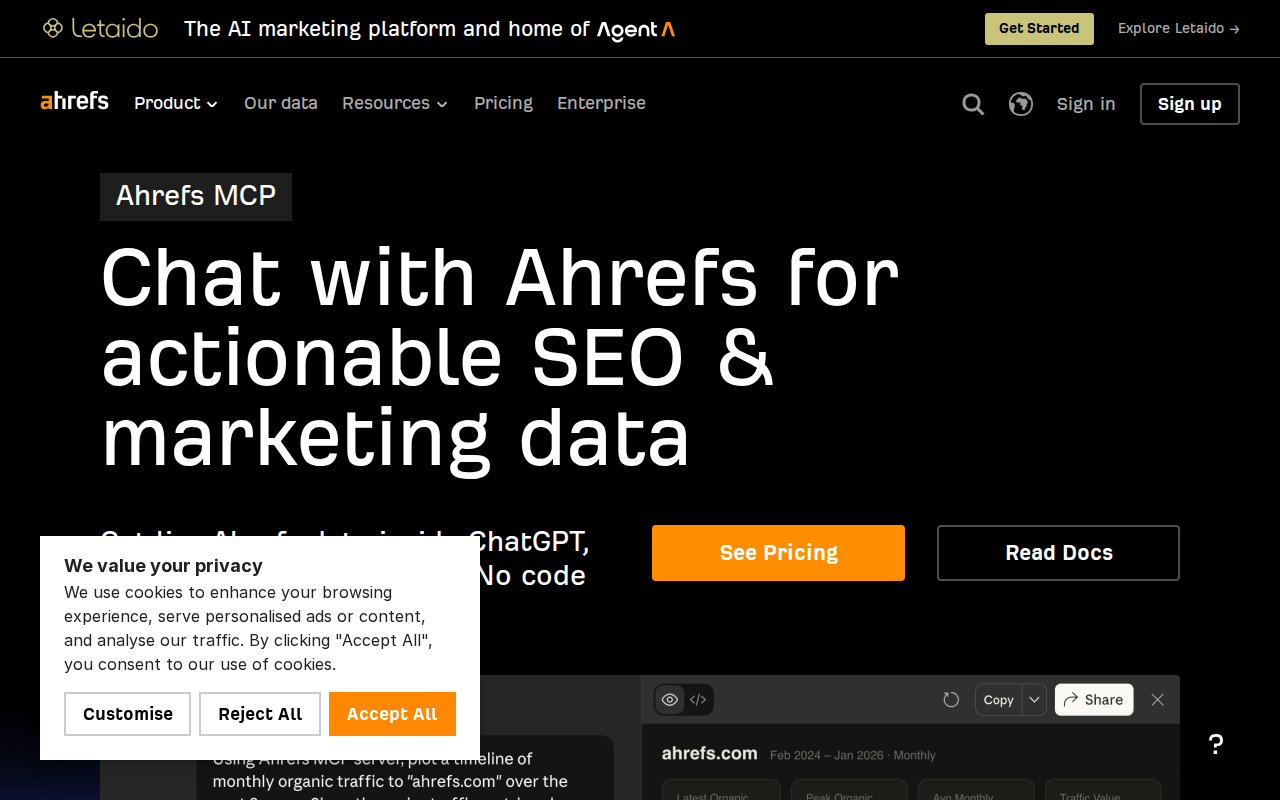
This is the cleanest way to connect Ahrefs to ChatGPT. Unlike the old workflow where you'd export CSV files from Ahrefs, paste them into ChatGPT, and hope the context window doesn't overflow, the MCP server streams live data on demand.
What Ahrefs MCP Gives You Inside ChatGPT
When connected via MCP, ChatGPT can pull data from Ahrefs across these areas:
- Keywords Explorer — Search volume, keyword difficulty, traffic potential, growth trends, and related keyword suggestions
- Site Explorer — Organic keywords a domain ranks for, backlink profiles, referring domains, domain rating (DR), and URL rating (UR)
- Rank Tracker — Position tracking, Share of Voice, competitor comparison data
- Content Explorer — Top-performing content by backlinks, social shares, and organic traffic
- Brand Radar (add-on) — AI Overviews and AI Mode presence tracking
Plan Limits That Matter
Ahrefs MCP is included on Lite plans and higher (not available on the legacy Starter plan). But your plan determines how much data you can pull:
| Plan | API Units/Month | Max Rows Per Request |
|---|---|---|
| Lite | 100,000 | 100 |
| Standard | 400,000 | 250 |
| Advanced | 1,000,000 | 500 |
| Enterprise | 2,000,000 | Unlimited |
Each API call via MCP consumes a minimum of 50 API units, with more complex requests using more. Those units are shared across MCP, Ahrefs Connect, and direct API v3 usage — so if your team is already hammering the API for reporting, MCP usage will eat into the same pool.
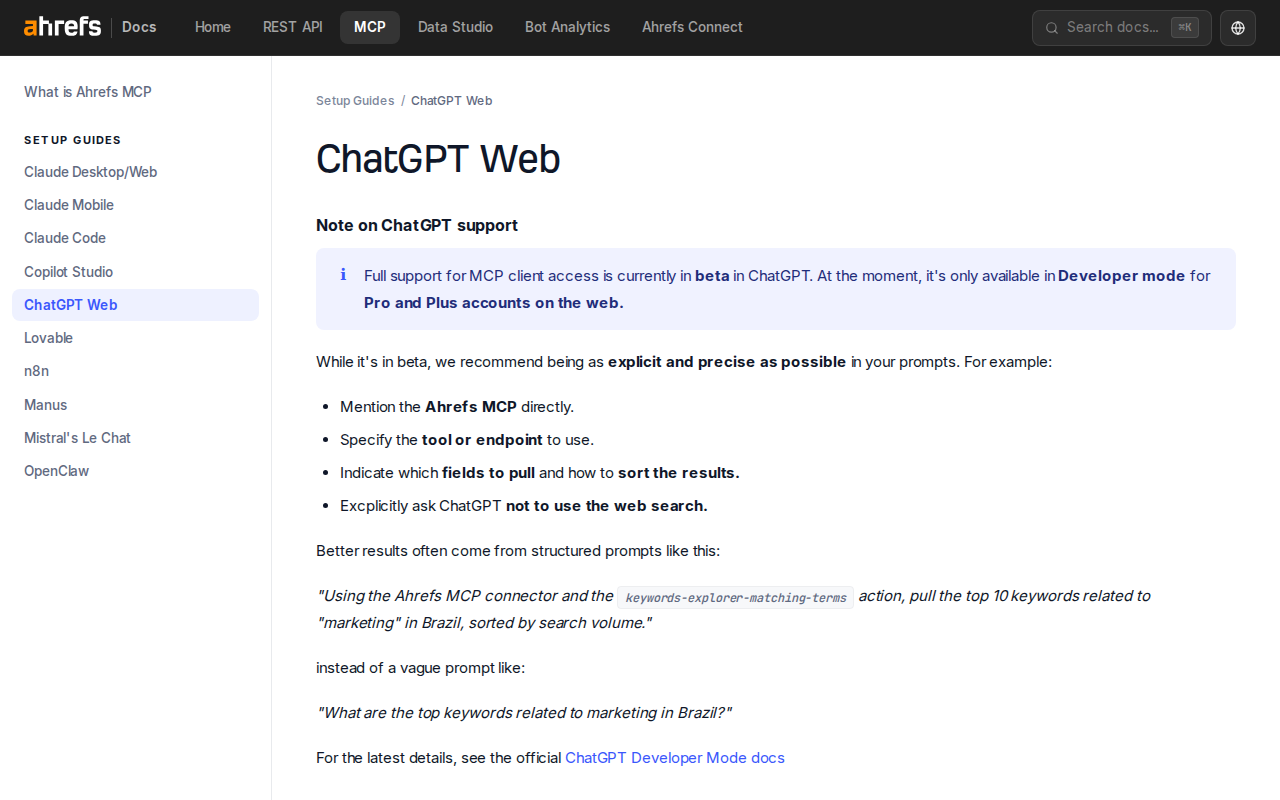
How to Connect Ahrefs MCP to ChatGPT (Web)
The setup takes about 5 minutes if you already have an Ahrefs account:
- Get your Ahrefs API key — Go to Account → API in Ahrefs and generate a token
- Open ChatGPT Web with a Pro or Plus account (Developer Mode MCP support is currently in beta — not available on the free tier)
- Enable Developer Mode in ChatGPT's settings
- Add a new MCP source — Click the "+" icon in ChatGPT, choose "Developer Mode," then "Connect more" under sources
- Enter the MCP Server URL — Use the Streamable HTTP endpoint provided in your Ahrefs MCP dashboard
- Authorize — ChatGPT will ask you to trust the connection. Click "Allow" and select your workspace.
Note: The full MCP client experience in ChatGPT is currently in beta. Ahrefs recommends being as explicit as possible in your prompts — mention "Ahrefs MCP," specify the exact tool or endpoint, and ask ChatGPT not to use web search when you want MCP data.
Real Ahrefs + ChatGPT Use Cases (With Prompts That Work)
1. Competitor Traffic Gap Analysis in One Chat
The old way: Export competitor domains from Ahrefs, cross-reference them manually in Excel, spend an afternoon making sense of the overlap.
With Ahrefs MCP in ChatGPT:
"Using the Ahrefs MCP connector, pull the organic keywords for both my site and my top 3 competitors from Site Explorer. Identify keywords where at least 2 competitors rank but I don't. Sort by the competitors' combined traffic to those keywords, highest first. Limit to 50 results."
ChatGPT pulls the live data, runs the gap analysis, and returns a ranked list of keywords you're missing — along with the traffic you'd capture by ranking for them.
2. Backlink Profile Audit With Prioritized Outreach
"Using Ahrefs MCP and the Site Explorer backlinks endpoint, pull the last 100 new backlinks for my domain. Filter for referring domains with DR below 30 and flag any with spam indicators. Sort by ahrefs_rank. For domains with DR above 50, suggest whether they'd be good outreach targets for a guest post."
This combines link analysis with strategic judgment — the AI screens hundreds of backlinks and surfaces only the ones worth acting on.
3. Keyword Content Calendar From Trending Searches
"Using Ahrefs MCP, run Keywords Explorer for my niche ('project management software'). Pull the top 20 keywords with the highest growth rate in the last 6 months. Exclude any with keyword difficulty above 40. Group them by search intent (informational, commercial, transactional) and suggest a content format for each."
The result is a prioritized content calendar grounded in real search data — not hunches.
4. Competitor Monitoring Dashboard in Natural Language
"Using Ahrefs MCP and Rank Tracker, compare my domain against these 5 competitors for our top 50 tracked keywords. Show me: who gained the most positions in the last 30 days, who dropped, and which keywords saw the biggest changes. Format as a table with competitor names as columns and keywords as rows."
Instead of building a custom dashboard or wrestling with the Rank Tracker UI, you get an on-demand competitive intelligence report in plain English.
Common Pitfalls When Using Ahrefs With ChatGPT
1. API Unit Burn on Overly Broad Queries
Each MCP call costs at least 50 API units, and a single prompt like "analyze my entire backlink profile" can trigger dozens of sequential calls. On the Lite plan (100,000 units/month), an afternoon of enthusiastic prompting can burn through 20% of your monthly allocation.
Fix: Be precise about limits in your prompts — always specify row limits ("top 20," "limit to 50") and sort criteria. Review your API unit dashboard at app.ahrefs.com/account/limits-and-usage/web after heavy MCP sessions.
2. ChatGPT Searches the Web Instead of Using MCP
By default, ChatGPT may use web search to answer SEO questions — even when Ahrefs MCP is connected. This gives you generic, possibly outdated data instead of live Ahrefs numbers.
Fix: Start every prompt with "Using the Ahrefs MCP connector..." and explicitly add "Do not use web search for this query." ChatGPT respects explicit tool routing when you name which connector to use.
3. Row Limits Produce Incomplete Data
If your plan limits you to 100 rows per request and you have a domain with 50,000 backlinks, ChatGPT gets a 100-row sample and draws conclusions from it. The analysis looks authoritative but is based on a tiny slice of data.
Fix: For large datasets, use pagination in your prompts ("pull rows 0-100, then 101-200") or narrow the scope ("backlinks with DR above 30 from the last 30 days only").
4. Keyword Difficulty Doesn't Translate Directly to Ranking Feasibility
Ahrefs' keyword difficulty (KD) score is a useful proxy, but it doesn't account for your site's specific authority, content quality, or topical relevance. ChatGPT might recommend targeting a KD 20 keyword that's actually dominated by pages from domains with DR 90+ — possible to beat but requiring significantly more effort than KD alone suggests.
Fix: Always cross-reference KD with the actual domains ranking on page 1. Add to your prompt: "For each keyword recommended, also pull the top 5 ranking URLs and their domain rating."
5. Historical Data Depth Varies by Plan
Not all Ahrefs plans include the same historical depth for keyword trends, backlink growth, and position changes. ChatGPT might confidently show a "6-month trend" chart that's based on only 3 months of actual data because your plan doesn't include more.
Fix: Check your Ahrefs plan's historical data limits before asking for long time-series analyses. On Lite and Standard, stick to 3-6 month windows where the data is complete.
6. The "AI Knows My Site" Trap
ChatGPT won't know which of your pages you're actively trying to rank, which ones are new, or which ones you've been building links to — unless you tell it. Asking "show me my SEO opportunities" without context produces generic advice.
Fix: Before the session, give ChatGPT a brief context file: your top 10 target pages, your current priority keywords, and any recent content or link-building campaigns. Paste this once at the start, and every subsequent MCP query benefits from that context.
Alternative Paths (If You Don't Use MCP)
Manual Copy-Paste
The low-tech approach still works for one-off tasks: export CSV reports from Ahrefs, paste the data into ChatGPT, and ask it to analyze. This is free (no MCP consumption) but tedious for recurring work.
Composer / Composio
Composio offers an Ahrefs MCP toolkit that wraps the Ahrefs API as managed MCP tools — useful if you're building AI agents rather than chatting interactively. This is overkill for human-in-the-loop ChatGPT usage but relevant for automated workflows.
Pipedream Workflows
Pipedream has Ahrefs + OpenAI integration triggers for programmatic workflows — e.g., "when a new backlink appears, run it through ChatGPT to classify the link quality." This is automation territory, not chat territory.
Which Path Should You Choose?
| Scenario | Recommendation |
|---|---|
| You have an Ahrefs paid plan and want the fastest ChatGPT integration | Ahrefs MCP — remote, zero-install, live data |
| You're on a free ChatGPT plan (no Developer Mode) | Manual copy-paste — export CSVs, paste into ChatGPT |
| You're building an automated AI agent for SEO | Composio or direct API — programmatic MCP toolkits |
| You want the team querying Ahrefs from Slack daily | Cody — Ahrefs AI assistant in Slack, no ChatGPT tab needed |
For most SEO teams on a paid Ahrefs plan, the Ahrefs MCP server is the right choice — it's the official path, requires no code, and turns ChatGPT into a live SEO research tool. Just watch your API unit consumption and be precise in your prompts.
For a more automated, team-friendly approach, see also: Ahrefs AI Automation for Slack.
What "Ahrefs with ChatGPT" Usually Means
In practice, teams tend to use ChatGPT with Ahrefs in one of four ways:
- Summarising activity, records, conversations, or changes from Ahrefs
- Classifying items such as tickets, leads, tasks, issues, or opportunities
- Drafting replies, updates, reports, documentation, or next steps
- Reasoning over context to suggest priorities, actions, or likely issues
The key is to avoid treating ChatGPT like magic. It needs the relevant Ahrefs context in the prompt - and it works best when you tell it exactly what good output looks like.
Good Use Cases for Ahrefs + ChatGPT
1. Turn raw Ahrefs context into a useful summary
Paste or pipe in the relevant records, notes, messages, or metrics from Ahrefs, then ask ChatGPT to extract only what matters: key changes, risks, blockers, patterns, or action items.
2. Standardise messy workflows
If your team handles similar decisions repeatedly inside Ahrefs, ChatGPT can apply the same rubric every time: classify, explain briefly, and return a structured next step.
3. Draft faster without starting from zero
Use ChatGPT to produce first drafts grounded in the Ahrefs context - support replies, internal updates, status summaries, sales follow-ups, or operating notes.
4. Create reusable prompt-driven operating procedures
Once you find a prompt that works well for Ahrefs, save it as a repeatable workflow so the whole team gets more consistent output.
A Simple Setup Pattern
A practical way to use ChatGPT with Ahrefs looks like this:
- Pull the right context from Ahrefs
- Give ChatGPT one clear task
- Ask for a structured response
- Have a human review anything customer-facing or high-risk
That last point matters. ChatGPT is useful for acceleration, but for anything sensitive - customer communication, financial interpretation, account changes, or production actions - keep a human in the loop.
Copy-Paste Prompts for Ahrefs
Summary prompt
You are helping me work inside Ahrefs. Summarise the context below into 5 bullets: what changed, what matters, what is blocked, and what needs action next. If anything is unclear, say what is missing.
Classification prompt
Review this Ahrefs item and classify it into the best category. Return JSON with: category, confidence, rationale, and next_action. Keep rationale under 50 words.
Drafting prompt
Use the Ahrefs context below to draft a concise response. Keep it specific, avoid made-up details, and list any assumptions separately.
Executive brief prompt
Turn this Ahrefs activity into a short update for leadership: what happened, why it matters, current risks, and recommended next steps.
Where This Breaks Down
Most Ahrefs + ChatGPT workflows fail for predictable reasons:
- Too little real context is provided
- The prompt asks for too many things at once
- The output format is vague
- The team expects ChatGPT to know live Ahrefs data it has not actually been given
- No review step exists for important actions
The fix is usually simple: give better source context, narrow the task, and require a schema or fixed structure in the response.
If You Want This Embedded in the Workflow
You can absolutely use ChatGPT manually with exported Ahrefs context. That works well for one-off tasks and prototyping.
But if you want the workflow to feel operational - available to the team, connected to live systems, repeatable, and embedded where work already happens - you usually want something more integrated.
Want Ahrefs-Style Workflows Without Manual Prompt Copy-Paste?
Cody gives your team an Ahrefs AI assistant in Slack, so people can monitor backlinks, compare competitors, review keyword opportunities, and share SEO updates without rebuilding the same Ahrefs views by hand.
Related ChatGPT Guides
- How to Use SEMrush with ChatGPT
- How to Use Google Analytics with ChatGPT
- How to Use Google Ads with ChatGPT
Need a more automation-focused angle instead? See: Ahrefs AI Automation.
More Ahrefs + AI Resources
- Cody AI Assistant for Ahrefs — Cody's dedicated Ahrefs integration features
- Connect Ahrefs to OpenClaw — complete DIY integration guide