If you're searching for "Segment MCP", you're asking one of two things: does Segment have an MCP server? or how do I connect Segment to an AI assistant via the Model Context Protocol?
⚠️ No official Segment MCP server yet. Community options exist — details below.
What Is MCP?
Model Context Protocol (MCP) is an open standard developed by Anthropic that lets AI assistants — like Claude — connect to external tools, APIs, and data sources in a standardised way.
Before MCP, every AI integration required bespoke tooling: custom prompts, custom API wrappers, and custom glue code to pass context back and forth. MCP replaces that with a common interface: the AI asks the MCP server for data or actions, the server returns structured results, and the AI uses them to answer your question or complete a task.
In plain terms: MCP is how you give an AI assistant live access to Segment — not just knowledge about it, but real, up-to-date data from your account.
What a Segment MCP Integration Does
Once Segment is connected via MCP, your AI assistant can:
- Read live data — pull records, metrics, activity, and status directly from Segment
- Take actions — create, update, or log records based on your instructions
- Cross-reference context — combine Segment data with other connected tools mid-conversation
The key difference from a standard chatbot: the assistant is not working from training data or memory. It is reading your actual Segment instance, in real time.
Practical Segment MCP Use Cases
Natural-language metric queries
"What was our activation rate last week vs the week before?" The assistant queries Segment via MCP and returns the numbers with a plain-English interpretation.
Anomaly explanation
When a metric spikes or drops, the assistant can pull recent data from Segment and generate a hypothesis list: campaign changes, product releases, seasonality, tracking issues.
On-demand segment analysis
Ask the assistant to compare behaviour across user segments in Segment and return a concise breakdown — without writing a query.
The Honest State of "Segment MCP" (as of 2026)
Before anything else: Twilio Segment does not ship an official MCP server yet, and there is no mature community server that covers the full CDP surface either. If you searched "Segment MCP" hoping for a plug-and-play official connector, you're not going to find one — and a lot of the servers advertised in registries are either event-push-only or outright stale. That doesn't mean you can't connect Segment to your AI assistant; it means you need to pick the right path for what you actually want to do.
Here's the map of what actually exists.
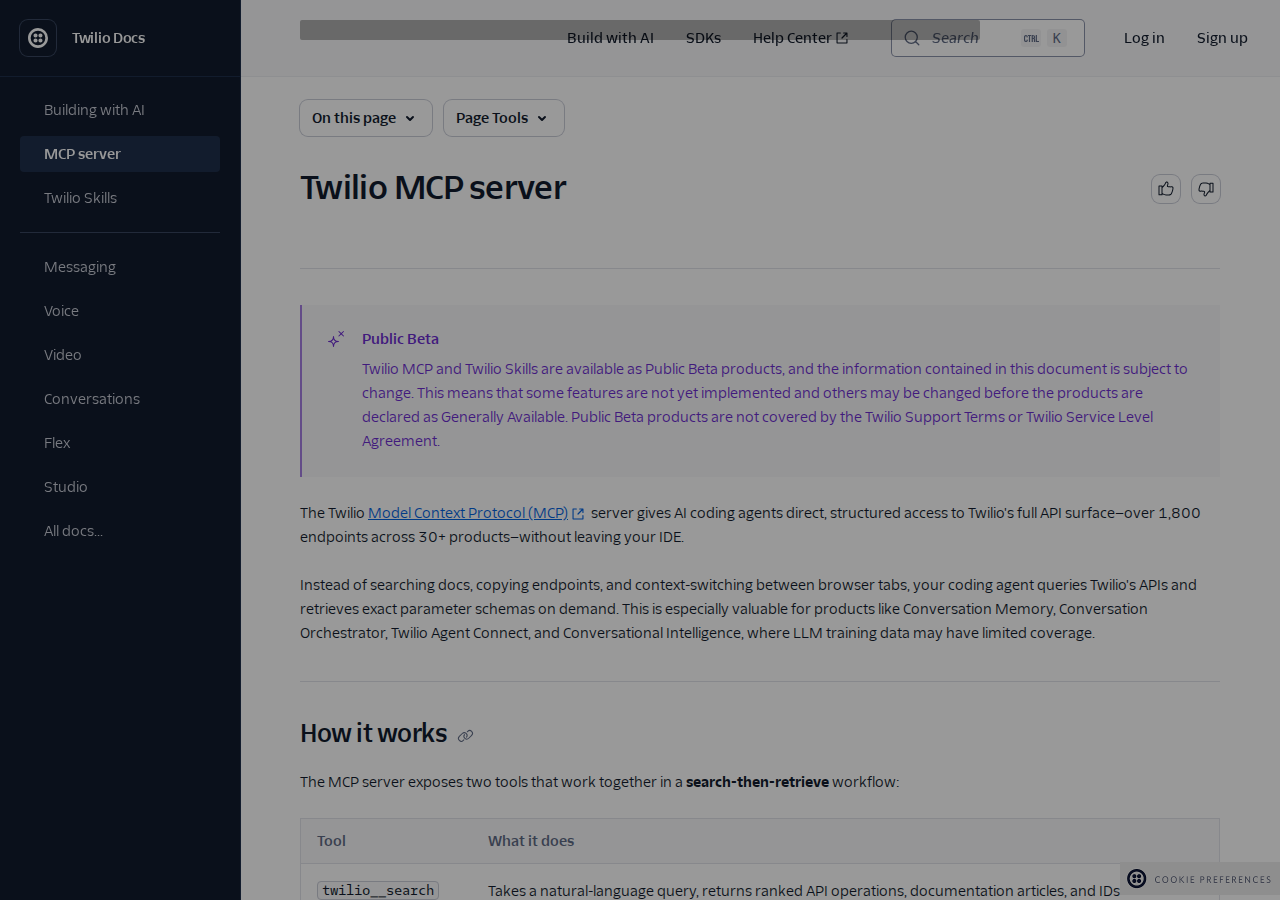
The one thing Twilio does ship: Twilio's official MCP server at
mcp.twilio.com/docs. It indexes 1,800+ Twilio API endpoints and Twilio Segment docs. But it is a read-only documentation server — two tools,twilio__searchandtwilio__retrieve— that returns API specs and schemas. It does not read your Segment workspace, query your pipelines, or fire events. Segment CDP execution tools are on Twilio's roadmap ("planned"), not shipped.
What people actually mean by "Segment MCP" — three different jobs
| What you want to do | Realistic path in 2026 |
|---|---|
| Send events to Segment (track, identify, page, group) | Minimal community MCP server over the HTTP Tracking API, or a direct API proxy |
| Read your Segment workspace (sources, destinations, config, profiles) | Direct Config API / Profiles API proxy + skill file — no MCP server does this well |
| Get Segment API docs into your coding agent (schemas, endpoints) | Twilio MCP server at mcp.twilio.com/docs (read-only) |
Each maps to a concrete setup below.
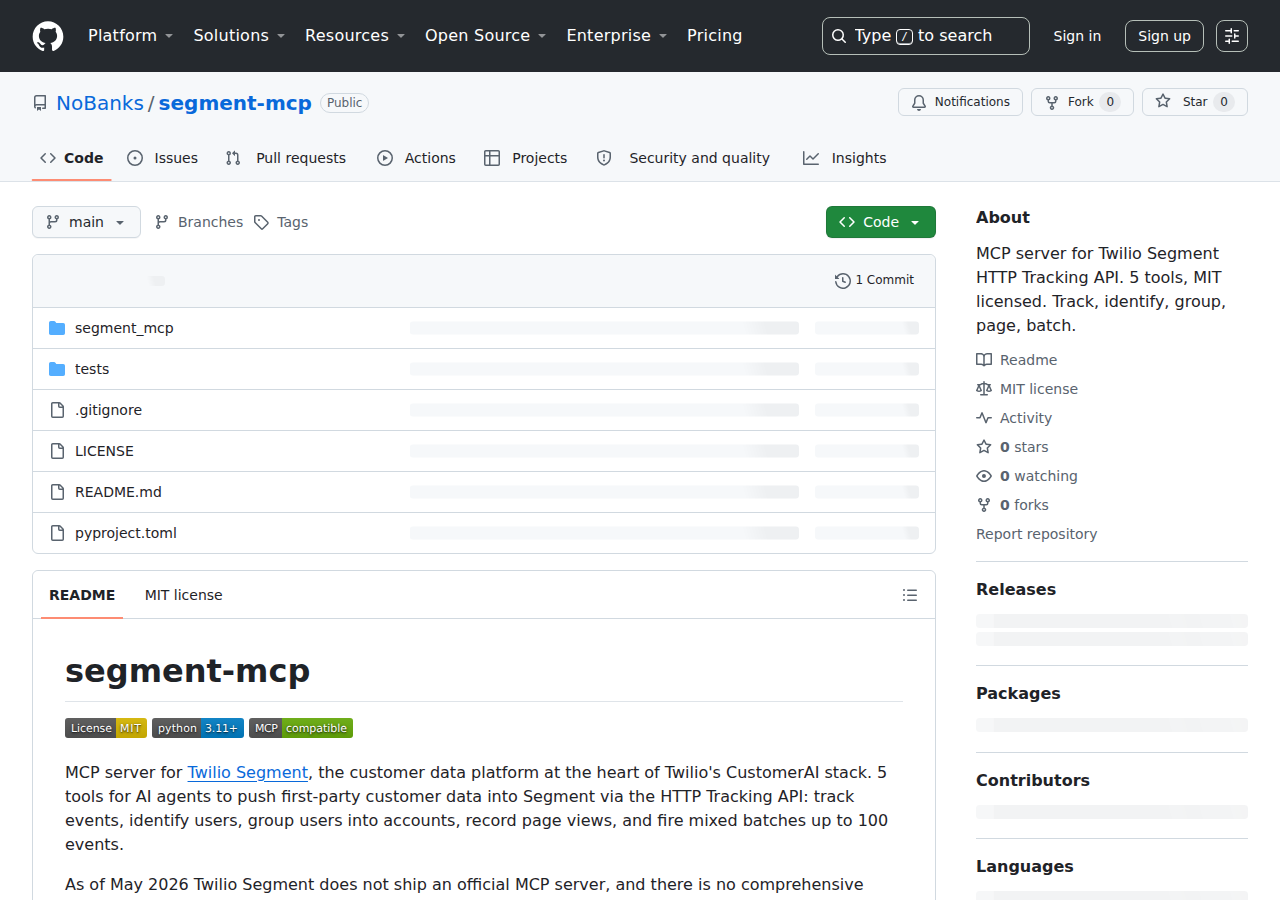
1. The only real community MCP server: nobanks/segment-mcp (event-push only)
The one reasonably maintained community server is NoBanks/segment-mcp. It's purpose-built for one job: pushing events through Segment's HTTP Tracking API. It exposes 5 tools:
| Tool | What it does |
|---|---|
track |
Send a track event (e.g. "Order Completed") |
identify |
Set traits on a user |
group |
Associate a user with a group/account |
page |
Record a page view |
batch |
Fire a mixed batch of up to 100 events in one call |
It needs a write key — the public key of a Segment source, not an admin token:
{
  "mcpServers": {
    "segment": {
      "command": "npx",
      "args": ["-y", "nobanks-segment-mcp"],
      "env": {
        "SEGMENT_WRITE_KEY": "your-source-write-key",
        "SEGMENT_API_BASE": "https://api.segment.io/v1"
      }
    }
  }
}
The catch: a Segment source write key is a public identifier embedded in your website's client-side analytics snippet. Anyone who visits your site can read it from the network tab. So this server is fine for test/demo event injection, but it is not a read path — it cannot pull profiles, pipeline health, or destination status, and it must never sit next to privileged credentials.
2. Reading your workspace: Config API + Profiles API proxy (the path that actually works)
If your real goal is "ask my AI assistant about my Segment setup" — which sources are failing, which destinations are disabled, what traits a known user has — there is no MCP server that does this reliably. The dependable approach is a small API proxy + a skill file, which is exactly what the setup steps at the top of this page describe.
Worth re-stating because it trips everyone up: Segment has two different APIs with two different base URLs and auth models.
- Config API —
https://api.segmentapis.com— workspace configuration: sources, destinations, their status. Needs a token with appropriate roles (e.g.Source Admin,Destination Admin). - Profiles API —
https://profiles.segment.com/v1/spaces/{space_id}/collections/{collection}/profiles— user trait lookups. Needs its own separate enablement, a Business plan, and a Space ID that is not your Workspace ID.
A proxy that routes to both bases, plus a skill file documenting the endpoint shapes, gives your AI assistant real read access today — no waiting on an official MCP server. It's a little more setup, but it's the only path to workspace-aware answers.
3. Docs-only: point your coding agent at Twilio's MCP server
For developers who just want API schemas in their IDE without browser-tabbing, Twilio's hosted docs MCP server is genuinely useful — and requires no auth and no installation:
# Claude Code
claude mcp add --transport http twilio-docs https://mcp.twilio.com/docs

# Generic MCP clients
# url: https://mcp.twilio.com/docs
twilio__search takes a natural-language query and returns ranked API operations; twilio__retrieve returns full parameter and response schemas for the IDs you picked. It indexes Segment docs among 30+ Twilio products, but remember it's read-only — great for "what's the endpoint for X", useless for "is my pipeline healthy".
Real Workflows (pick what matches your goal)
Workflow A: Inject a product event for a demo or test
Your growth engineer wants to fire a realistic "Trial Started" event for a test user without touching the analytics snippet.
You: "Fire a 'Trial Started' track event for user test@acme.com with the
props org_size='50-200' and plan='growth', using the segment-mcp server."

AI: "Sent track event 'Trial Started' to your Segment source.
Response: 200 OK (event accepted)."
This is the one thing the event-push server is genuinely good at. Just don't confuse "event accepted" with "event is flowing to destinations" — the Tracking API only confirms ingestion, not delivery.
Workflow B: Pipeline health check (read path, via proxy)
Your data team's Monday ritual: are all destinations connected and healthy? With the Config API proxy + skill file, the assistant can answer from chat.
You: "List every destination in the 'prod' source, flag any that are disabled
or showing a config error, and draft a short Slack update for the team."

AI: "Checked 6 destinations in 'prod':
- Snowflake: healthy
- Braze: healthy
- Google Ads: disabled (config changed — needs reactivation)
- S3: healthy
  ...
Draft update ready."
Workflow C: Authoring the tracking plan from Slack
During a planning session, someone asks "do we even capture the signup flow as one event or several?" Instead of opening Segment, ask the assistant to pull the current tracking plan / source event inventory and compare it to the proposed funnel — all from the conversation where the question came up.
Segment-Specific Pitfalls (read these before wiring anything)
- "No official Segment MCP server" is the single most important fact. Plenty of listicles and registry listings imply one exists or that Twilio's server covers the CDP. It doesn't reach into your workspace yet. Budget your implementation around the proxy approach until Twilio ships execution tools.
- A source write key is public, not secret. It ships in your client-side snippet and is readable by anyone. Never treat
nobanks/segment-mcp(which uses it) as a privileged tool, and never store it in a secrets vault — it isn't one. - Config API status ≠ event delivery. The Config API tells you a destination is enabled and configured, not that events are actually flowing. For true delivery debugging you need the Segment Debugger UI or event-delivery webhooks.
- Profiles API is a separate product. Business plan, explicit enablement, and a Space ID distinct from your Workspace ID. People routinely assume "I have Segment so I have Profiles" and hit 403s. You don't — until you turn it on.
- "Event accepted" isn't "event delivered." The HTTP Tracking API returns 200 on ingestion. A silent destination failure downstream won't surface in your MCP call. Verify in the UI.
- Version sanity:
api.segment.io/v1is the tracking endpoint andapi.segmentapis.comis Config. Mixing them up (or pointing a host that expects OAuth at the tracking endpoint) produces cryptic 401s/404s that wastes a full debugging session.
Where Segment MCP Fits in Your Stack
Segment's whole value is standing between client-side events and downstream destinations — which is a great data source for an AI assistant but a frustrating MCP target because it's mostly write-oriented (events in) and its reads are split across two APIs with different auth. That's why the honest play is:
- Event injection → community event server (for tests/demos)
- Workspace & profile reads → Config/Profiles proxy + skill file
- Docs/schemas → Twilio docs MCP server
When Twilio ships execute-ready, OAuth-authenticated Segment tools (their stated roadmap), the calculus changes and a true single-server story arrives. Until then, the proxy approach above is what actually answers "Segment MCP" questions.
If you're comparing analytics platforms, also see our guides for Mixpanel MCP, Amplitude MCP, and Google Analytics MCP.
How to Connect Segment via MCP
There are two main paths:
Option A: Use a community MCP server for Segment
No company-maintained MCP server currently exists for Segment. Community-built servers are available — search the MCP Registry or GitHub for "Segment MCP server".
What you'll need:
- An MCP-compatible client (Claude Desktop, OpenClaw, or another host)
- A running MCP server process with Segment credentials configured
- Basic familiarity with running a local service or Docker container
Community servers vary in completeness and maintenance quality — review the repo before committing to one.
Option B: Use Cody (OpenClaw-based, managed)
Cody is built on OpenClaw and supports MCP-compatible integrations out of the box. You connect Segment once from the Cody dashboard — no server to run, no code to write — and Cody handles authentication, context passing, and write-back actions with appropriate guardrails.
Cody works where your team already operates: Slack, Telegram, or the web chat. The Segment connection is available to your entire team without each person setting up their own MCP client.
Want Segment Connected to AI Without Running Your Own MCP Server?
Cody gives your team a Segment AI assistant in Slack, so people can check pipeline health, inspect source and destination status, look up customer profiles, and understand workspace changes without wiring Config API tokens, Profiles API setup, or custom monitoring glue.
MCP vs Other AI Integration Patterns
| Approach | What it is | Tradeoff |
|---|---|---|
| MCP | Standardised protocol for live tool access | Requires an MCP server; most powerful when set up correctly |
| RAG (retrieval) | Pre-index Segment content and retrieve it | Good for static docs; not suitable for live/transactional data |
| Manual copy-paste | Paste Segment output into ChatGPT/Claude | Fast to start; breaks for anything recurring or at scale |
| Custom API wrappers | Bespoke integration code per tool | Full control; high maintenance overhead |
MCP wins when you need live data from Segment and want to avoid rebuilding integrations as APIs change.
Common Mistakes
- Using training data when live data is needed — if the AI doesn't have an MCP connection, it will answer from memory, which is often outdated or wrong for account-specific questions
- No write-back guardrails — MCP can write to Segment, so it's worth adding an approval step for any action that modifies records
- Too many tools exposed at once — give the AI access to the Segment actions it actually needs; a scoped connection is easier to reason about and audit
- Skipping structured outputs — ask the AI to return structured JSON or clear fields when writing back to Segment; free-form output is harder to validate
Related MCP Guides
Want the full workflow picture? See: Segment AI Automation and How to Connect Segment to OpenClaw.