GitLab is where a lot of engineering context already lives: merge requests, pipeline failures, issues, releases, and project discussions. That makes it a strong fit for an AI assistant that helps teams answer delivery questions, inspect what broke, and move work forward from Slack instead of bouncing between project views and CI logs.
How OpenClaw Integrations Work
OpenClaw is a self-hosted AI assistant that runs on your own server — typically an EC2 instance — and connects to Slack. It uses Claude under the hood to process requests. Out of the box, OpenClaw doesn't ship with pre-built connections to third-party tools. Instead, integrations are built using the skills system: markdown files in ~/.openclaw/skills/ that give Claude instructions for a particular domain, combined with HTTP tool calls to any API you expose to it.
In practice, adding a real integration means: getting API credentials from the third-party service, building or configuring a small proxy/endpoint that OpenClaw can call, and writing a skill file that tells Claude how to use it. For some tools this is an afternoon of work. For others — like GitLab — it's considerably more involved.
Connecting OpenClaw with GitLab: Step by Step
Step 1: Generate a GitLab Personal Access Token
Go to GitLab → User Settings → Access Tokens. Create a token with api scope for full access, or read_api for read-only. If you're on GitLab.com, the base URL for the API is https://gitlab.com/api/v4. Self-hosted GitLab instances have their own base URL.
Step 2: Build a Proxy Service
Write a small service that stores your token and exposes endpoints OpenClaw can call — e.g., GET /gitlab/mr?id=204&project=myorg/myrepo. The GitLab REST API uses project IDs or URL-encoded namespaces, so your proxy should handle that translation to keep the skill file clean.
Step 3: Write the Skill File
Create ~/.openclaw/skills/gitlab.md documenting what GitLab data is available and how to query it. Include the project identifiers your team uses most frequently so Claude doesn't have to guess.
Challenges and Caveats
Self-Hosted vs GitLab.com
If your team runs GitLab self-hosted, network access from your EC2 instance to your GitLab server needs to be explicitly allowed. Check your firewall rules and consider whether you're comfortable with the EC2 instance having network access to your internal GitLab.
Project IDs vs Namespaces
GitLab's API accepts both numeric project IDs and URL-encoded namespace paths. Using numeric IDs is more reliable but less readable in skill files. Worth standardising early.
GitLab + OpenClaw: What's Actually Available in 2026
GitLab is where a lot of engineering context already lives: merge requests, pipeline failures, issues, releases, and project discussions. For an AI assistant, it's one of the richest sources of "what happened and why" data a team has — but connecting to it has traditionally meant wrangling personal access tokens, the REST API, and a hand-built proxy.
That changed in 2026. GitLab now ships an official MCP server that any MCP-compatible assistant — including OpenClaw — can connect to with OAuth instead of a long-lived token. That gives you a supported, modern path on top of the classic token-based approach the guide above walks through.
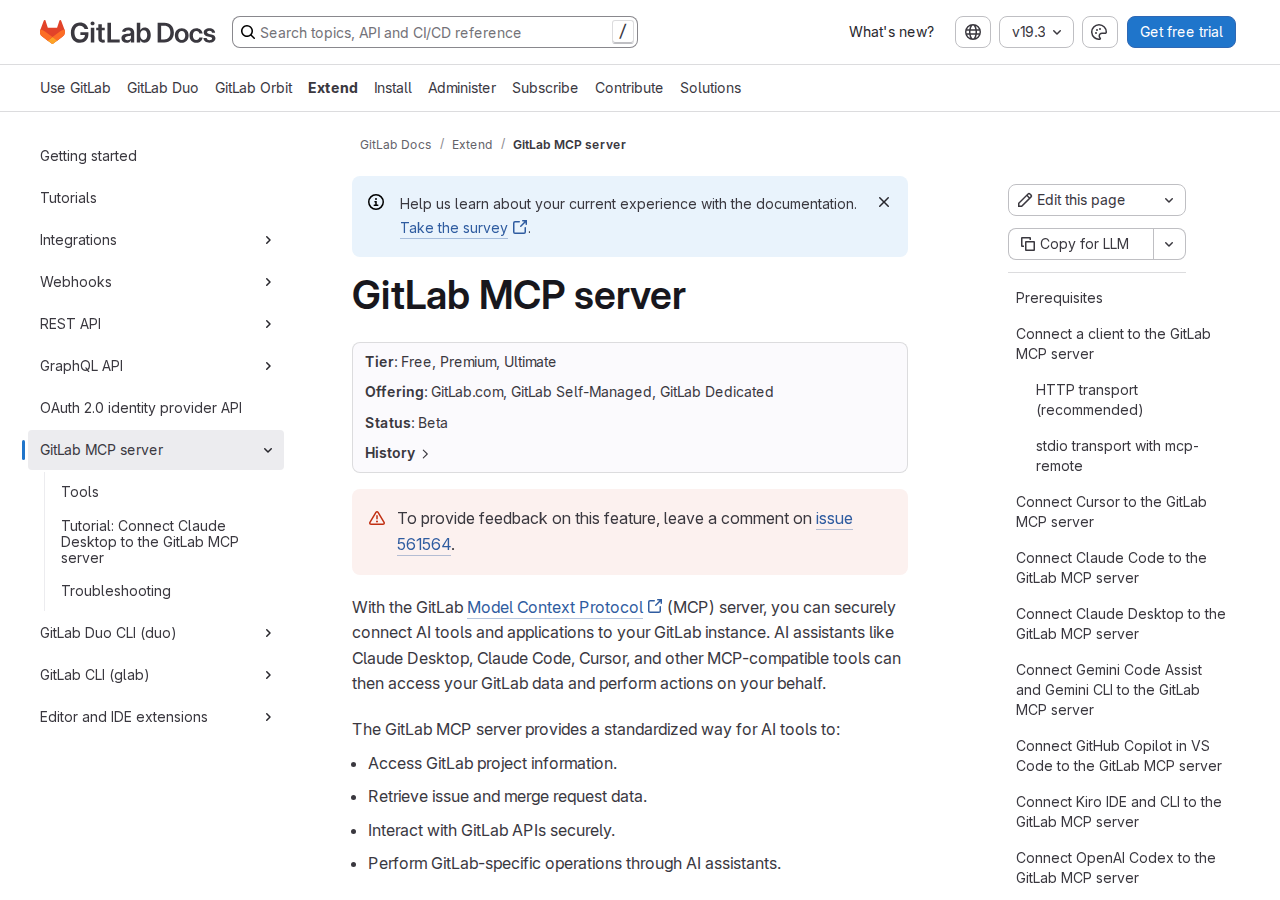
Path A: Official GitLab MCP Server (gitlab.com/api/v4/mcp — Best for OpenClaw)
GitLab maintains an official MCP server (currently Beta, available on GitLab.com, GitLab Self-Managed, and GitLab Dedicated across Free/Premium/Ultimate tiers). It exposes a set of tools for issues, merge requests, CI/CD pipelines, work items, and more.
The endpoint is simply https://gitlab.com/api/v4/mcp on GitLab.com, or https://<your-gitlab>/api/v4/mcp on self-hosted instances.
The headline feature is OAuth 2.0 Dynamic Client Registration. When an assistant connects to the GitLab MCP server for the first time, it registers itself as an OAuth application, requests authorization to your data, and receives an access token — no manual PAT creation or rotation. This is the single biggest reason to prefer this path over the DIY token workflow.
To wire it into a self-hosted OpenClaw (~/.openclaw/settings.json):
{
  mcpServers: {
    gitlab: {
      type: "http",
      url: "https://gitlab.com/api/v4/mcp"
    }
  }
}
If you also use other MCP servers that could collide on tool names, you can prefix GitLab's tools with an X-Gitlab-Mcp-Server-Tool-Name-Prefix HTTP header (truncated to 32 chars). For example, prefix gitlab_:
{
  mcpServers: {
    gitlab: {
      type: "http",
      url: "https://gitlab.com/api/v4/mcp",
      headers: {
        "X-Gitlab-Mcp-Server-Tool-Name-Prefix": "gitlab_"
      }
    }
  }
}
What you need before it works: your group/instance must have (1) GitLab Duo set to "Always on" or "On by default," (2) beta and experimental features turned on, and (3) access to the MCP server allowed at the group or instance level. Without those three, the MCP server won't respond even though the endpoint exists.
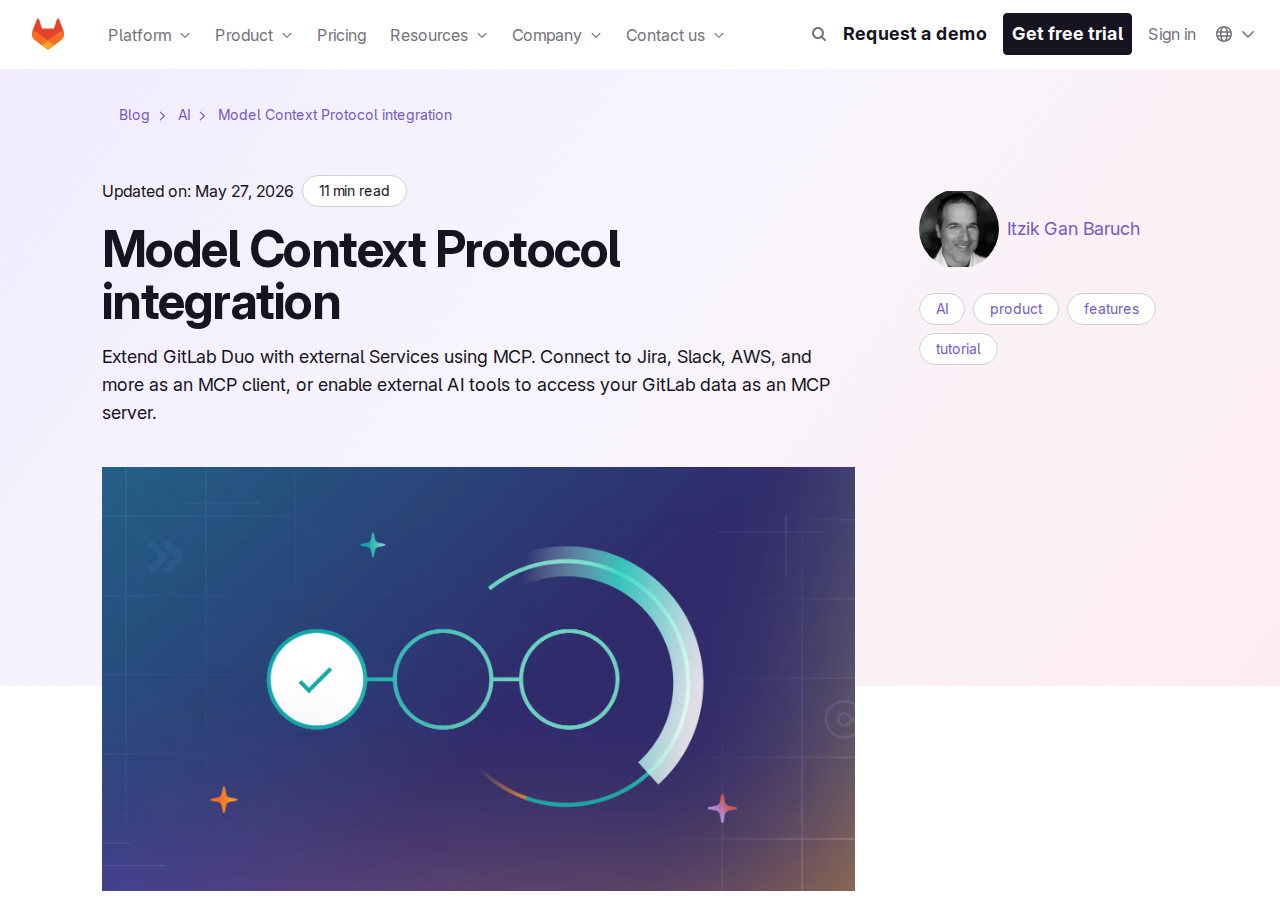
GitLab also runs MCP as part of its GitLab Duo Agent Platform, so the same tools are available to Duo-powered agents inside GitLab itself — but you're not locked to it. Because OpenClaw speaks the MCP protocol, it connects to the same endpoint and uses the same tools.
What the Official MCP Server Actually Exposes
The server ships a concrete, documented tool set (these are real, current tool names):
- Issues —
create_issue,get_issue, plussearchandsearch_labelsacross the instance. - Merge requests —
create_merge_request,get_merge_request,list_merge_requests(with filters for author, assignee, reviewer, state, milestone, labels, search),get_merge_request_diffs,get_merge_request_commits,get_merge_request_pipelines,create_merge_request_note,get_merge_request_notes. - CI/CD pipelines —
manage_pipeline(list, create on a ref, update, retry, cancel, delete),get_pipeline_jobs,get_job_log. - Work items —
create_workitem_note,get_workitem_notes,link_work_items(relates_to / blocks / blocked_by),get_saved_view_work_items. - Semantic code search —
semantic_code_searchsearches by behavior ("How are authorizations managed in this project?") rather than exact symbols. Requires the GitLab Duo Core, Pro, or Enterprise add-on. - Security —
attach_scan_profileattaches a security scan profile to projects or groups. list_wiki_pages,get_mcp_server_version, and more.
That's enough surface area to answer real engineering questions and drive real actions, which is the whole point of wiring GitLab into an assistant.
Path B: Community MCP Servers (More Tools, More Control)
If the official server's tool set isn't enough, or you want policy controls the built-in one doesn't offer, there's a healthy community ecosystem:
- The reference server the data above points to — the
modelcontextprotocol/serversGitLab server (see the integration's MCP reference above), which uses OAuth 2.0 and covers repositories, issues, MRs, pipelines, and projects. It's a common starting point. zereight/gitlab-mcp— one of the earliest and most popular community servers. WithGITLAB_MCP_OAUTH=trueit acts as an OAuth proxy so the assistant handles the whole browser auth flow with no manual PAT. Supports remote authorization (multiple users, each with their own token via HTTP headers), streamable HTTP, and areadonlypermission mode.mcpland/gitlab-mcp— emphasizes safe, policy-controlled access (e.g.GITLAB_ALLOWED_PROJECT_IDSto lock an agent to specific projects).yoda-digital/mcp-gitlab-server— a production-grade server claiming ~86 tools for fuller GitLab control, with optional readonly mode.
The trade-off: community servers are more powerful but you own their security, updates, and maintenance. The official server is the supported baseline; reach for a community one when you need a specific capability the official set lacks.
Path C: Direct REST API + Skill File (The Classic Self-Hosted Way)
This is the path the base guide above walks through, and it's still completely valid — especially if you can't enable GitLab Duo or the MCP server on your instance. In short: create a personal access token with api (or read_api) scope, hit https://gitlab.com/api/v4 (or your self-hosted base URL), build a small proxy/service to translate project IDs or URL-encoded namespaces into clean endpoints, and write ~/.openclaw/skills/gitlab.md documenting the project identifiers your team uses most.
It's the most controllable option and needs no GitLab Duo licensing, but it's also the most work — and it's where the two traps below (project IDs and scope creep) bite hardest.
Real Use Cases: What an OpenClaw + GitLab Setup Actually Does
These are concrete workflows, not generic "automate dev tools" platitudes.
1. Merge request triage without leaving chat
Prompt: "List my open merge requests in the checkout service, and for each one on the deploy pipeline that's failing, tell me the failing job and the first error line from its log." OpenClaw chains list_merge_requests → get_merge_request_pipelines → get_pipeline_jobs → get_job_log and hands you a ranked list of what actually needs attention, instead of you clicking through CI tabs.
2. "What broke the build?" forensics
Prompt: "Show me all commits in merge request 42, then the diffs, then whether the pipeline passed." That single prompt gives you the blame, the change, and the CI result — the three things you'd normally chase across three different GitLab screens.
3. Daily release-rollup to Slack
Prompt: "Every morning, summarize the merged MRs in the api project since yesterday and flag any that are missing a reviewer." A scheduled prompt turns GitLab into a source of pushed summaries rather than a place you remember to check — the highest-leverage use of an AI-assisted connection.
4. Cross-tool incident drill-down
Prompt: "Find the issue for the login outage, pull its comments for the current RCA, and link it as blocked by the backend fix MR." OpenClaw searches, reads the thread, and updates the relationship in one go.
5. Behavior-based code search (Duo add-on)
Prompt: "How is authentication handled in this project?" — using semantic_code_search, which searches by behavior rather than exact tokens. Useful when you don't know the symbol names ahead of time.
GitLab-Specific Pitfalls (Know These Before You Build)
These are the traps that trip people up specifically with GitLab + an AI agent.
-
The official MCP server needs GitLab Duo enabled — even just to connect. It's not a pure "anyone with a token" endpoint. If your group/instance has Duo off, or beta/experimental features disabled, or MCP server access not allowed, the tool calls silently fail or never register. Verify all three prerequisites before debugging queries.
-
OAuth DCR can create an OAuth application per connection. Every new assistant connection registers its own OAuth app (Dynamic Client Registration). In environments with many users or frequent reconnects, that explodes into dozens of OAuth applications on the instance. If you're Self-Managed/Dedicated, have an admin create a single shared OAuth application (with the
mcpscope, non-confidential) and hand its client ID to users to reuse. -
Semantic code search is gated behind a Duo add-on.
semantic_code_searchneeds GitLab Duo Core, Pro, or Enterprise and is behind a feature flag. If a natural-language search prompt comes back empty, it's usually the add-on or flag, not a bad query. -
Project IDs vs URL-encoded namespaces. GitLab's API accepts both numeric IDs and URL-encoded paths (
group/project→group%2Fproject). MCP tools take "ID or path," but skill files and proxies need to standardize on one form or agents will ping-pong between the two and confuse results. Numeric IDs are reliable but meaningless in readable prompts. -
Scope creep on the token. With the DIY REST path, an
api-scope PAT is effectively full access to everything the user can do — including deleting pipelines and attaching security scan profiles. A least-privilege token (read_api) is safer for read-only agents, and the MCP-based paths let you scope via OAuth instead. -
get_job_logreturns raw trace, not structured results. CI job logs are unstructured. If you ask "what failed," the agent has to parse the trace itself. Keep the log-parse prompt specific ("first error line," "the failing test name") or results are noisy. -
Merge-request notes reject lines starting with
/.create_merge_request_notewon't publish a comment whose lines start with/because they'd be interpreted as GitLab quick actions (e.g./merge). If an agent tries to post a code snippet or a path like/tmp/...at line start, the note is silently rejected. Escape or reformat such content.
Also read
- How to Use GitHub with OpenClaw — the closest platform competitor, with its own MCP and skill-file trade-offs
- How to Use Jira with OpenClaw — where the issue-and-sprint side of your workflow likely lives
- How to Use GitHub with ChatGPT — the ChatGPT-side integration for comparison
Skip All of This — Use Cody Instead
Cody comes with GitLab integration built in. Connect it once, then ask about merge requests, failing pipelines, release blockers, and issue context directly from Slack without wiring GitLab auth, API clients, or proxy logic yourself.
Related Guides
- Connecting OpenClaw with Github: A Practical Guide
- Connecting OpenClaw with Jira: A Practical Guide
- Connecting OpenClaw with Linear: A Practical Guide
Need the model-flexible version? See: How to Connect GitLab to OpenClaw: Setup, Models, and Workflow Guide.