If you're searching for "Brevo MCP", you're asking one of two things: does Brevo have an MCP server? or how do I connect Brevo to an AI assistant via the Model Context Protocol?
✅ Brevo has an official MCP server. Details in the setup section below.
What Is MCP?
Model Context Protocol (MCP) is an open standard developed by Anthropic that lets AI assistants — like Claude — connect to external tools, APIs, and data sources in a standardised way.
Before MCP, every AI integration required bespoke tooling: custom prompts, custom API wrappers, and custom glue code to pass context back and forth. MCP replaces that with a common interface: the AI asks the MCP server for data or actions, the server returns structured results, and the AI uses them to answer your question or complete a task.
In plain terms: MCP is how you give an AI assistant live access to Brevo — not just knowledge about it, but real, up-to-date data from your account.
What a Brevo MCP Integration Does
Once Brevo is connected via MCP, your AI assistant can:
- Read live data — pull records, metrics, activity, and status directly from Brevo
- Take actions — create, update, or log records based on your instructions
- Cross-reference context — combine Brevo data with other connected tools mid-conversation
The key difference from a standard chatbot: the assistant is not working from training data or memory. It is reading your actual Brevo instance, in real time.
Practical Brevo MCP Use Cases
Campaign stats on demand
Ask the assistant to fetch open rates, click rates, and unsubscribes for your last three campaigns from Brevo and summarise what's working.
List segmentation from chat
Have the assistant query Brevo for a specific segment and return a count or export — without logging into the platform.
Campaign draft and send
Describe the campaign goal in chat; the assistant writes the copy, sets up the campaign structure in Brevo via MCP, and flags it for review before sending.
Brevo MCP: Real Configuration & Setup (as of 2026)
Brevo ships an official, first-party MCP server — and unlike the community-only story for many marketing tools, this one is genuinely useful. It runs as a hosted remote server at https://mcp.brevo.com, authenticates with a plain Bearer token (no OAuth dance), and covers the full Brevo surface: email, SMS, WhatsApp, CRM (deals/companies/tasks), contacts, lists, segments, and transactional templates.
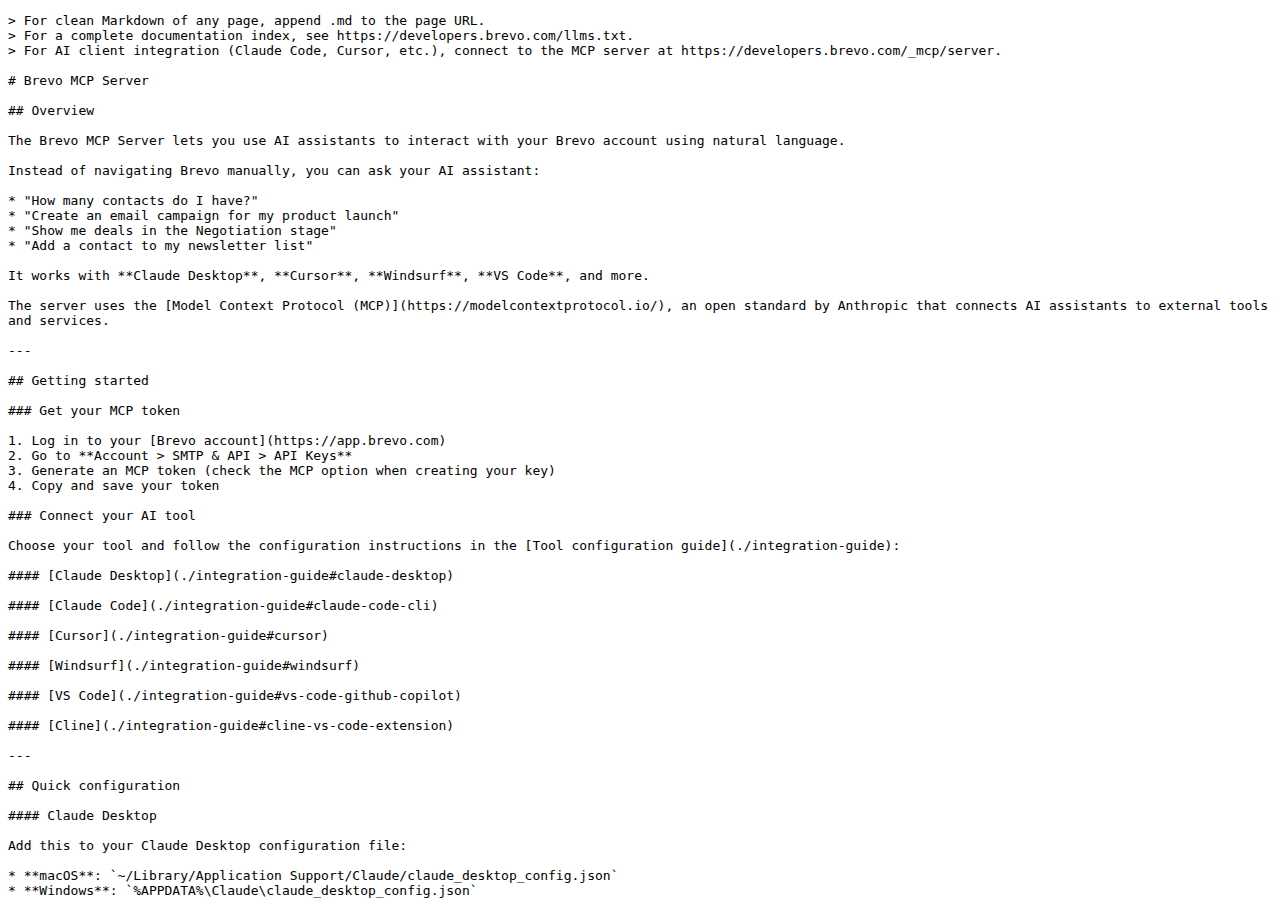
Brevo's official MCP protocol docs — one hosted server, 27 modules, token-based auth.
Getting your Brevo MCP token
This is the one step that trips people up, because it's not the same as your normal API key:
- Log into Brevo → Account → SMTP & API → API Keys
- Click Generate a new API key
- Toggle on "Create MCP server API key"
- Copy the token immediately — it grants full read/write access to your account
There is no OAuth flow and no scoped token option. One token = your whole account, so treat it like a root credential.
The main server vs. individual servers
Brevo exposes two shapes of the same server:
- Main server —
https://mcp.brevo.com/v1/brevo/mcp— all features, across 27 modules - Individual servers — e.g.
/v1/brevo_contacts/mcp,/v1/brevo_email_campaign_management/mcp,/v1/brevo_deals/mcp— a smaller, focused tool set per module
The individual servers exist because a 27-module tool surface can make an AI assistant sloppier — give it only contacts tools and it answers list questions far more reliably than it does with the whole account exposed. Brevo's docs explicitly recommend the focused servers "to improve response quality."
Wiring it into an MCP client (Claude Desktop example)
{
  "mcpServers": {
    "brevo": {
      "command": "npx",
      "args": [
        "mcp-remote",
        "https://mcp.brevo.com/v1/brevo/mcp",
        "--header",
        "Authorization: Bearer ${BREVO_MCP_TOKEN}"
      ],
      "env": {
        "BREVO_MCP_TOKEN": "paste-your-mcp-token-here"
      }
    }
  }
}
Claude Code, Cursor, Windsurf, VS Code (GitHub Copilot), and Cline all work the same way — point at the endpoint and pass the token as a Bearer header. Cursor and Cline accept it directly as a native HTTP MCP server (no npx mcp-remote bridge needed).
Because the auth is a simple header token rather than interactive OAuth, self-hosted clients like OpenClaw can point at mcp.brevo.com directly — no vendor certification, no redirect-URI registration, no Developer Mode. That's a real convenience win over the ChatGPT/Claude connector path.
The key tools across the 27 modules
| Module | What it lets an assistant do |
|---|---|
contacts |
List, filter, create, and update contacts |
lists / segments |
Manage lists and contact segments |
email_campaign_management |
Create and manage email campaigns |
campaign_analytics |
Pull campaign performance (opens, clicks, unsubscribes) |
sms_campaigns |
Create and send SMS campaigns |
whatsapp_campaigns |
Create and send WhatsApp campaigns |
deals / companies |
Manage the built-in CRM deals and companies |
templates / transac_templates |
Manage email + transactional templates |
senders / domains |
Manage sender identities and sending domains |
webhooks_management |
Configure webhooks |
processes |
Monitor background send processes |
# Claude Code one-liner — connect to the main server
claude mcp add --transport http --scope user brevo https://mcp.brevo.com/v1/brevo/mcp \
  --header "Authorization: Bearer paste-your-mcp-token-here"
What You Can Actually Do with Brevo MCP
The generic "read data, take actions" promise means something specific here. These are the workflows that make a Brevo MCP server worth setting up:
Ask plain-language questions about your list instead of building a report
"How many contacts do I have?", "Which list is growing fastest this month?", "Add this person to my newsletter list." The assistant queries contacts and lists live, so the answer reflects your real account — not a stale export.
Review email and SMS campaign performance side by side
Ask "compare last week's email campaign against the SMS campaign that went out the same day — where did opens and clicks land?" The assistant pulls campaign_analytics + sms_campaigns and assembles the comparison. This is the exact thing the Brevo UI buries across separate views.
Create a transactional or campaign template from natural language
"Create an email template for a password-reset message using our standard header and footer." The templates / transac_templates modules write the template directly, so the assistant moves from idea to draft-in-Brevo without copy-paste.
Triage the CRM side — deals and tasks
"Show me deals in the Negotiation stage" or "Which open tasks are past due?" Brevo includes a lightweight CRM, and the deals / tasks / pipelines modules expose it. Teams using Brevo as an all-in-one (not just email) get real CRM access here.
Cross-tool audience intelligence
Pull a contact's Brevo engagement history, then cross-reference it with your CRM or Slack in the same conversation. Because MCP is just one of several connected tools, the assistant can answer "is this person on our newsletter and open to a sales call?" without you jumping between systems.
Common Pitfalls Specific to Brevo MCP
The MCP token is a separate, full-access credential — not your normal API key
Your regular Brevo API key (Account → SMTP & API → API Keys, without the MCP toggle) is not an MCP token. You must explicitly enable "Create MCP server API key" when generating. And the MCP token has no scoping — it grants full read/write to the entire account, unlike the REST API where you can shape permissions. Don't paste it into anything less trusted than your own machine.
27 modules in one server makes the assistant noisier, not smarter
The default main server exposes everything. Counter-intuitively, that hurts answer quality — the assistant has too many tools to choose from and picks the wrong one. Brevo's own docs steer you toward the focused individual servers (e.g. brevo_contacts) for exactly this reason. Start narrow.
Marketing emails and transactional emails are different surfaces with different stakes
Email campaigns (email_campaign_management) are marketing blast sends; transactional templates (transac_templates) are password resets, receipts, and confirmations. Mixing them up in a prompt can send a marketing message through your transactional stream — or worse, give the assistant write access to the wrong one. Keep the two clearly separated in your skill file.
SMS and WhatsApp are separate modules with separate KPIs
sms_campaigns and whatsapp_campaigns are distinct servers, and neither shares analytics with email. If you ask for a single "campaign performance" number across channels, the assistant either guesses or returns nothing. Name the channel explicitly in every prompt.
Full write access means "create a campaign" can become "send a campaign"
The assistant can create and manage campaigns, not just read them. A vague instruction like "send the newsletter" can turn into an actual production send to your whole list. Use the focused read-mostly modules, review before confirming sends, or gate the write-capable servers behind a test account first.
The token lives in plaintext in your client config
Because it's a Bearer header pasted into claude_desktop_config.json or similar, the token is sitting in plaintext on disk. Compromise that file and they have your whole Brevo account. Use an environment variable (as the docs show: env.BREVO_MCP_TOKEN) and never commit the value to a repo.
How to Connect Brevo via MCP
There are two main paths:
Option A: Use Brevo's official MCP server
Brevo maintains an official Brevo MCP server. This is the recommended starting point — it's built and maintained by the Brevo team, so it stays up to date with API changes.
Note: Hosted remote server at mcp.brevo.com (27 modules), Bearer-token auth, plus per-module individual servers.
What the server exposes:
- contacts and lists
- email campaigns
- campaign analytics
- SMS & WhatsApp campaigns
- CRM deals, companies, tasks
- templates and transactional templates
- senders, domains, webhooks
What you'll need:
- An MCP-compatible client (Claude Desktop, OpenClaw, or another host)
- Brevo credentials configured per the server's setup guide
This path gives you the most control but requires you to handle client configuration and credential management yourself.
Option B: Use Cody (OpenClaw-based, managed)
Cody is built on OpenClaw and supports MCP-compatible integrations out of the box. You connect Brevo once from the Cody dashboard — no server to run, no code to write — and Cody handles authentication, context passing, and write-back actions with appropriate guardrails.
Cody works where your team already operates: Slack, Telegram, or the web chat. The Brevo connection is available to your entire team without each person setting up their own MCP client.
Want Brevo Connected to AI Without Running Your Own MCP Server?
Cody gives your team a Brevo AI assistant in Slack, so people can review email and SMS campaign results, spot list-health or deliverability issues, inspect transactional sending, and share lifecycle updates without wiring API keys or building reporting glue.
MCP vs Other AI Integration Patterns
| Approach | What it is | Tradeoff |
|---|---|---|
| MCP | Standardised protocol for live tool access | Requires an MCP server; most powerful when set up correctly |
| RAG (retrieval) | Pre-index Brevo content and retrieve it | Good for static docs; not suitable for live/transactional data |
| Manual copy-paste | Paste Brevo output into ChatGPT/Claude | Fast to start; breaks for anything recurring or at scale |
| Custom API wrappers | Bespoke integration code per tool | Full control; high maintenance overhead |
MCP wins when you need live data from Brevo and want to avoid rebuilding integrations as APIs change.
Common Mistakes
- Using training data when live data is needed — if the AI doesn't have an MCP connection, it will answer from memory, which is often outdated or wrong for account-specific questions
- No write-back guardrails — MCP can write to Brevo, so it's worth adding an approval step for any action that modifies records
- Too many tools exposed at once — give the AI access to the Brevo actions it actually needs; a scoped connection is easier to reason about and audit
- Skipping structured outputs — ask the AI to return structured JSON or clear fields when writing back to Brevo; free-form output is harder to validate
Related MCP Guides
Want the full workflow picture? See: Brevo AI Automation and How to Connect Brevo to OpenClaw.